
 Share
Share
 Print
Print
|
|
|
|
|


Excel Button, via P/N Software Configuration
The Excel  button allows the user to access an excel spreadsheet with the columns already populated.
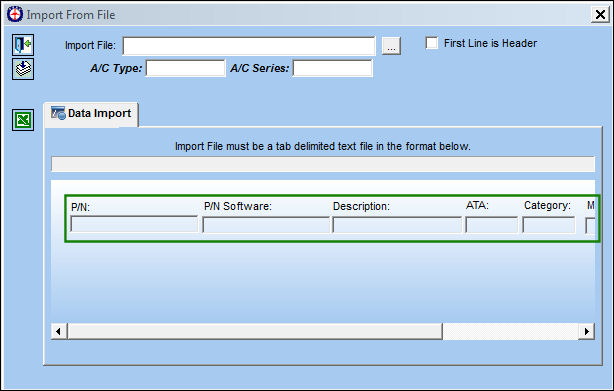
The required columns appear in the Import From File window:
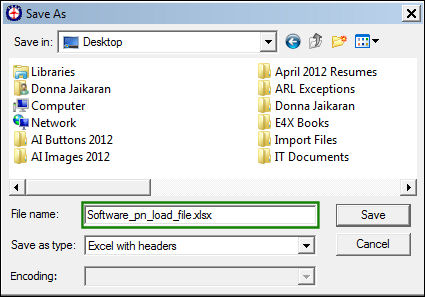
The Save As pop up window appears. Query for the specified excel file.
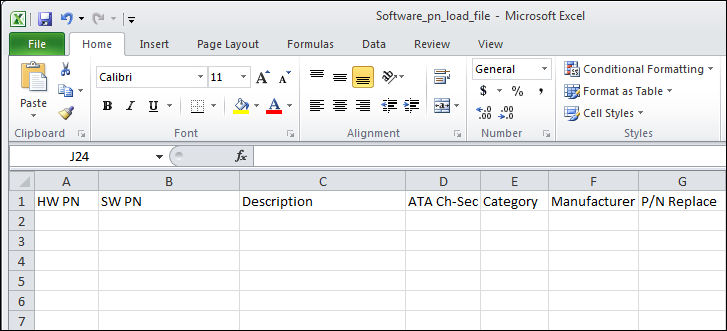
The Excel file looks like this. This user can populate the columns and save the file to be used in the import.
For information on how to complete the import, refer to the Import Button, via P/N Software Configuration of the Settings Training Manual.
Share
Print
|
©1997-2026 Trax USA Corp. All rights reserved. This manual may not be copied, photocopied, reproduced, translated, or converted to any electronic or machine-readable form, in whole or in part, without prior written approval from Trax USA Corp. |
 |