
 Share
Share
 Print
Print
|
|
|
|
|


Change Priority Buttons, via Murata Queue
The priority of the requested Trays can be changed by selecting either of two Change Priority buttons. The Priority of one request can be moved to the top of the queue by selecting the Change Priority  button to the left of the window. If users would like to change the Priority of a Tray request to specific place on the queue, select the Change Priority button next to the listed Tray (see following example).
The priority of the requested Tray can be changed by clicking and holding the Change Priority button for a Tray then dragging the Tray to the desired spot on the list.
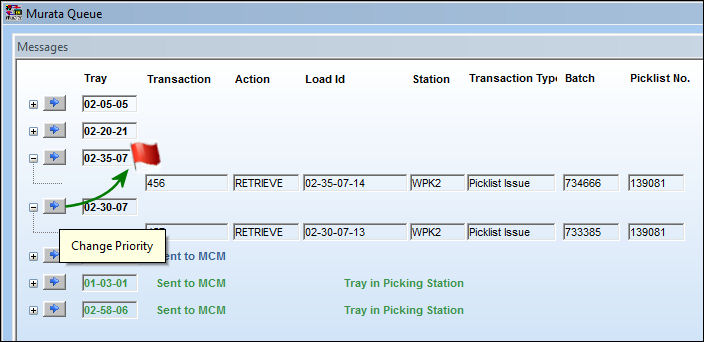
When one Tray has multiple transactions within it, the priority of these transactions do not matter. The only priority that matters is which Tray is delivered first.
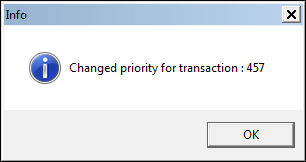
Once the request is dropped in the desired location on the list, the following informational prompt appears.
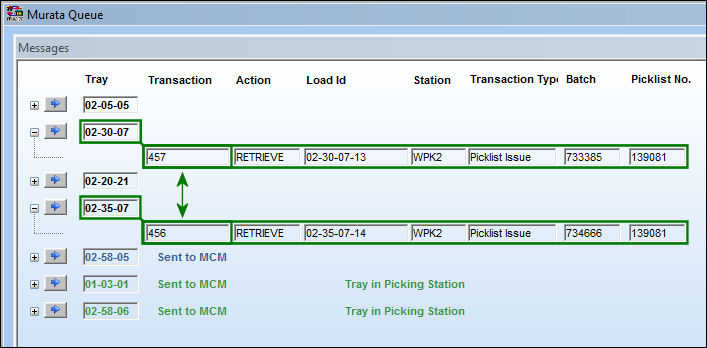
Notice that the requests' Transaction numbers have been re-organized. The higher request will be processed before the following requests.
Share
Print
|
©1997-2026 Trax USA Corp. All rights reserved. This manual may not be copied, photocopied, reproduced, translated, or converted to any electronic or machine-readable form, in whole or in part, without prior written approval from Trax USA Corp. |
 |