
 Share
Share
 Print
Print
|
|
|
|
|


AUDITDPT - Quality Assurance Department Access

Quality Assurance Department Access
Affected window: w_audit_log_eu
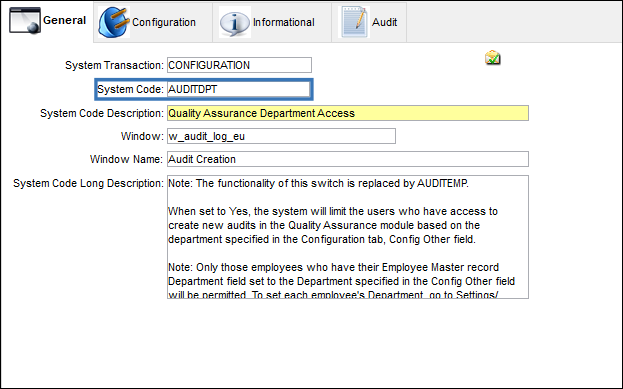
Switch Set to Yes:
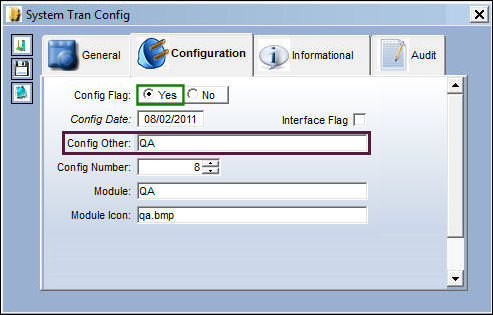
When set to Yes, the system will limit the users who have access to create new audits in the Quality Assurance module based on the department specified in the Configuration tab, Config Other field.
Only those employees who have their Employee Master record Department field set to the Department specified in the Config Other field will be permitted. To set each employee's Department, go to Settings/ Update/ Employee Master.
When set to Yes and the Config Other field is null, the system will allow the user to create a new audit log regardless of the users' specified department in their employee record.
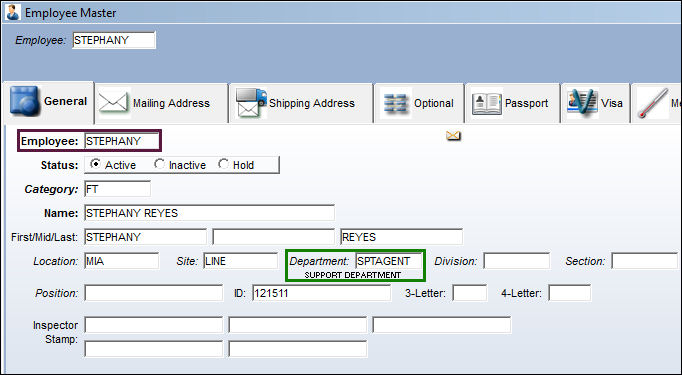
In Employee Master, General tab, employee 'STEPHANY' is part of the 'SPTAGENT' department as shown below in the Department field.
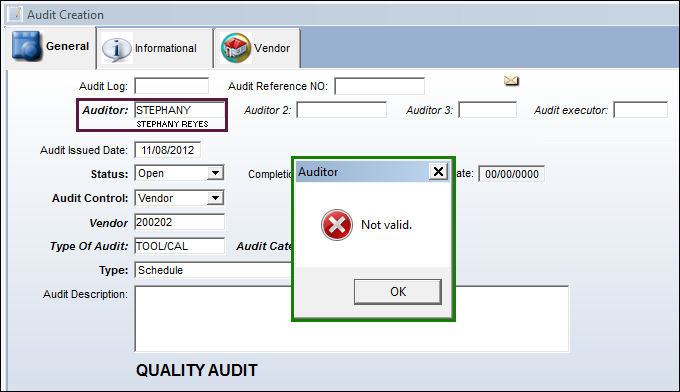
When employee 'STEPHANY' attempts to create a new audit and selects the Save  button to save the record, the system does not provide the employee access and the following hard warning is displayed.
In Employee Master, General tab, employee 'DONNA' is part of the 'QA' department as shown below in the Department field.
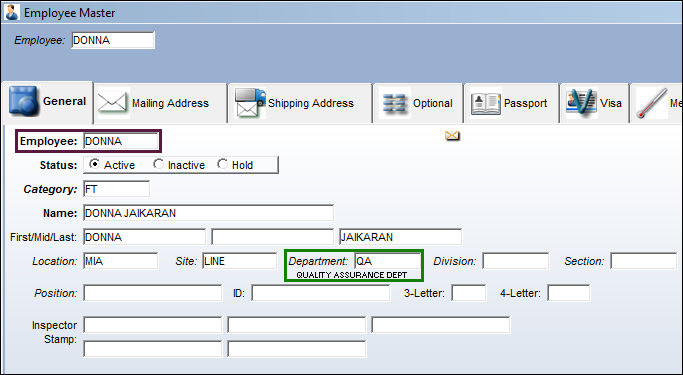
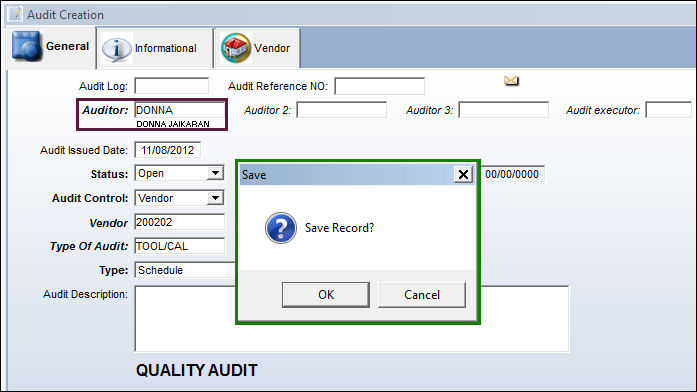
When employee 'DONNA' attempts to create a new audit, the system provides the employee access and the employee may now save the record.
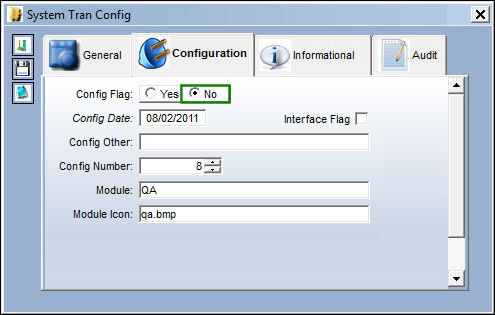
Switch Set to No:
When set to No and the Config Other field is null, the system will not limit the user to create new audits in the Quality Assurance module based on department.
If the employee has the Department field null at the employee record level, the system will not allow the employee to save the record in the audit creation process.
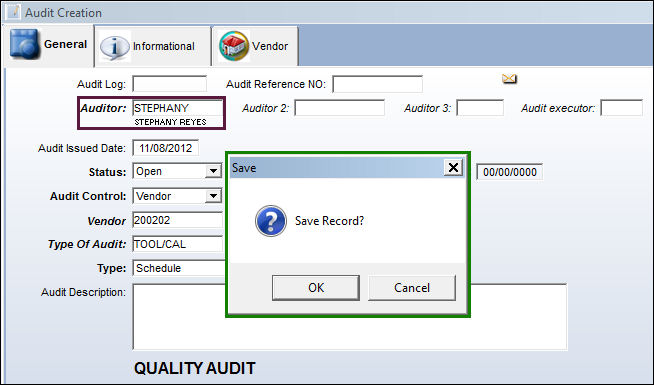
In the Employee Master, General tab, employee 'STEPHANY' is part of the 'SPTAGENT' department as shown below in the Department field.
When employee 'STEPHANY' attempts to create a new audit, the system provides the employee access and the employee may now save the record.
Share
Print
|
©1997-2026 Trax USA Corp. All rights reserved. This manual may not be copied, photocopied, reproduced, translated, or converted to any electronic or machine-readable form, in whole or in part, without prior written approval from Trax USA Corp. |
 |