
 Share
Share
 Print
Print
|
|
|
|
|


Journal Entries
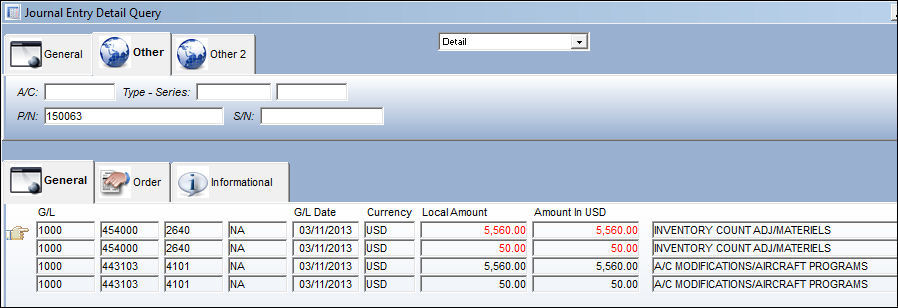
From the Journal Entry Detail Query window, users can see the adjustments against the G/L. In the Other tab, enter in the P/N field the consumable P/N whose quantity was adjusted. Select the Find button, a list of financial transactions appear where they impact the G/L.
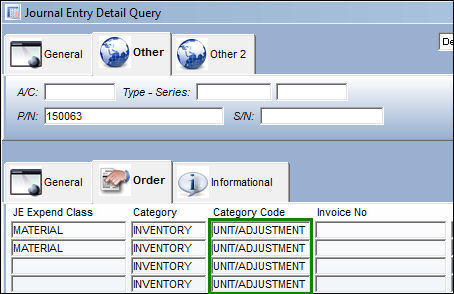
Notice the Category Code column in the Order tab reads 'UNIT/ADJUSTMENT', indicating that the system performed an inventory unit adjustment.
Note: For additional information regarding the setup of G/L accounts, go to Journal Entries Expenditures Setup.
End of the Physical Inventory Count Process.
Share
Print
|
©1997-2026 Trax USA Corp. All rights reserved. This manual may not be copied, photocopied, reproduced, translated, or converted to any electronic or machine-readable form, in whole or in part, without prior written approval from Trax USA Corp. |
 |