
 Share
Share
 Print
Print
|
|
|
|
|


The Express Tools Checkout is used to add tools to the Tool Issue Transaction using a bar code scanner.
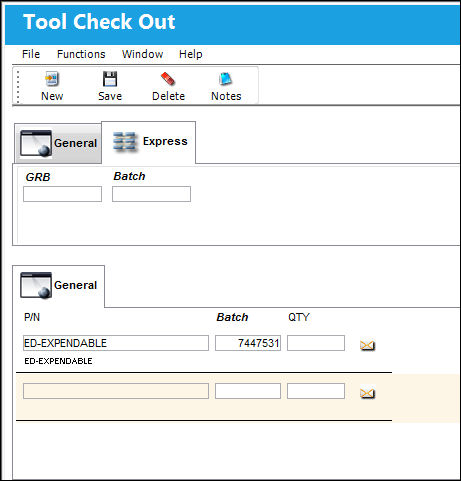
In this example the first tool P/N 0-100 PSI is entered manually on the General Tab. Select the Express Tab and click the New  button. TRAX is now ready to receive the tool information from the Bar Code Scanner for the second tool.
Share
Print
|
©1997-2026 Trax USA Corp. All rights reserved. This manual may not be copied, photocopied, reproduced, translated, or converted to any electronic or machine-readable form, in whole or in part, without prior written approval from Trax USA Corp. |
 |