
 Share
Share
 Print
Print
|
|
|
|
|


Warranty Schedule, via Inventory Transaction
Inventory/ Update/ Inventory Transaction
In the Inventory Transaction window, select a part that is installed on the aircraft with the warranty levels setup:
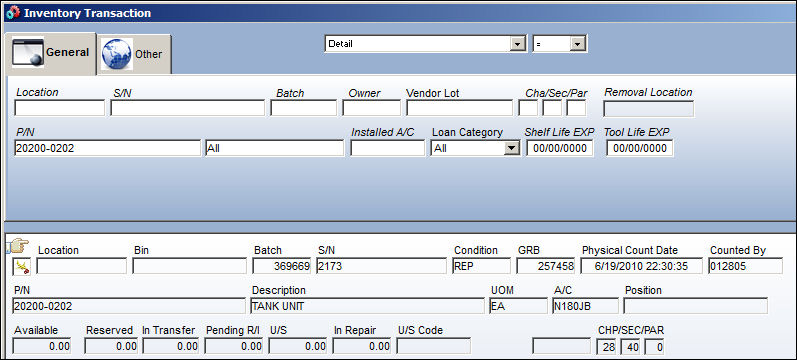
The system will display the Warranty Detail window, from here select the Warranty tab. In the Warranty Schedule section, the schedule provided is the A/C warranty schedule cascaded down to the A/C components.
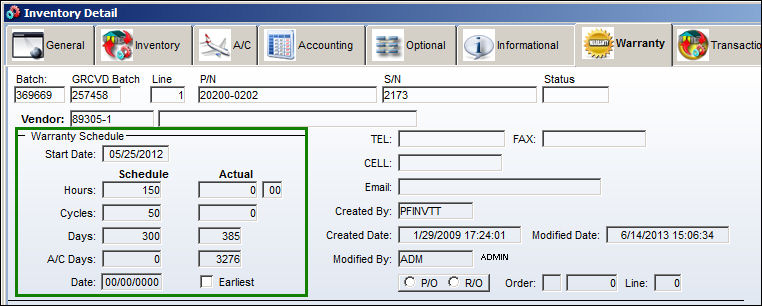
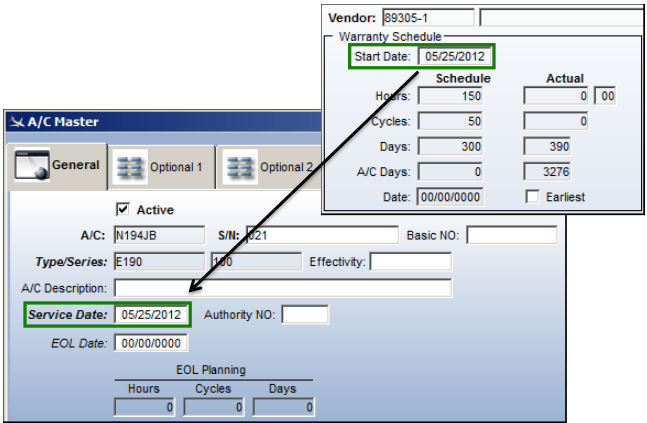
Note that the warranty start date located in the component warranty schedule matches the A/C Service Date:
Share
Print
|
©1997-2026 Trax USA Corp. All rights reserved. This manual may not be copied, photocopied, reproduced, translated, or converted to any electronic or machine-readable form, in whole or in part, without prior written approval from Trax USA Corp. |
 |