
 Share
Share
 Print
Print
|
|
|
|
|


Defect Deferral
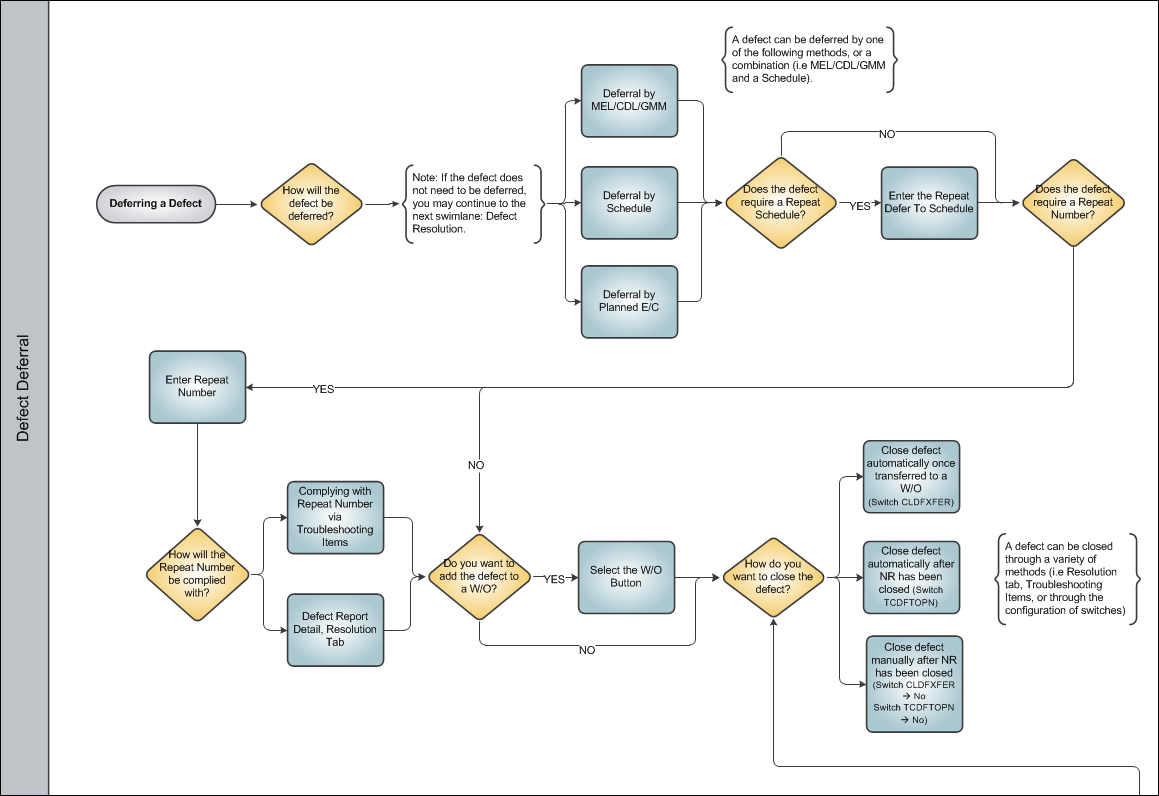
The Defer tab of the Defect Report contains the parameters that are used for planning of the Deferred Defect. Users can defer a defect by using three methods through the Defer tab of the Defect Report.
To save this deferred entry to the database, it will become mandatory to enter the Defer, Defer By, Defer Date, and Defer Due Date even though they do not normally appear bold on the screen.
Any unsuccessful rectification action will be entered in the Defect Report Detail, Trouble Shooting Tab. However the resolution date and the user resolving the Defect will not be entered until a closed status troubleshooting item is entered against the defect.
If an item is reported and not corrected due to unavailable parts, tooling or manpower, then it must be deferred.
In this case, the resolution tab will not yet be completed.
Share
Print
|
©1997-2026 Trax USA Corp. All rights reserved. This manual may not be copied, photocopied, reproduced, translated, or converted to any electronic or machine-readable form, in whole or in part, without prior written approval from Trax USA Corp. |
 |