
 Share
Share
 Print
Print
|
|
|
|
|


Pass Record to Packing and Shipping
If necessary, the user can pass the record on to Packing and Shipping in order to complete the Issuing.
The following example shows an E/X record being passed to Packing and Shipping; however, the functionality is the same for all orders.
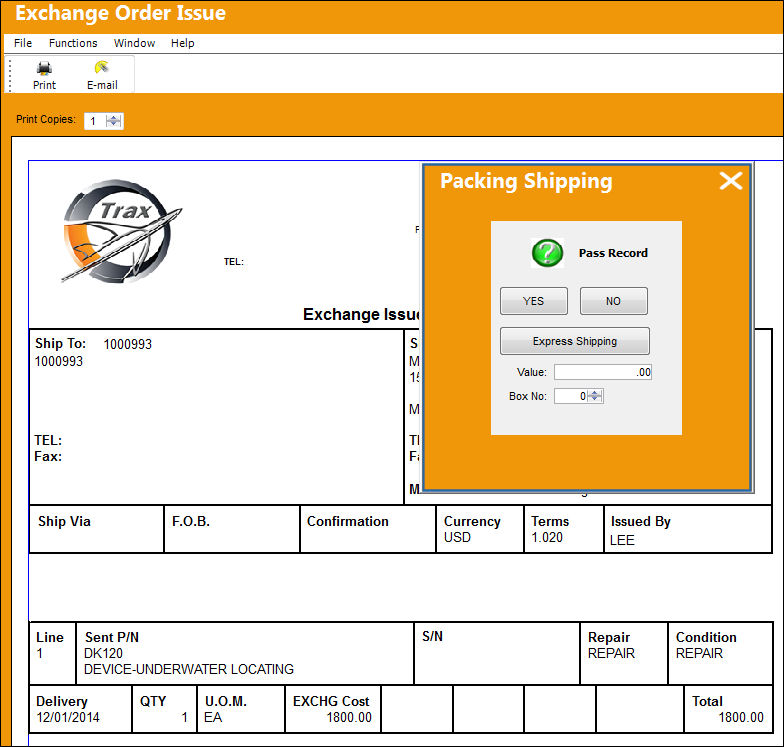
The Packing and Shipping module allows for the processing of orders to be packed and shipped between locations. Shipping labels for all transactions can be printed as required. Go to Packing and Shipping/ Update/Packing and Shipping and select the New  button.
After completing all required and/or optional fields select the Save  button.
After you have saved, a Packing Number is assigned and is displayed in the PACK SHIP NO field.
Wall Password functionality may be assigned, per user, to this module. If assigned, a pop-up window appears where the user must enter their wall password when saving. This functionality must first be set-up in the Security Explorer/Wall By Program.
The following tabs and buttons are available at the header level.
Packing and Shipping Header Tabs |
Packing and Shipping Header Buttons |
|---|---|
|
|

 Find button
 Select button


For information on the options in the detail level, refer to Packing and Shipping Detail.
This update window is also available in query mode where users can view the records provided in this window but cannot create new records or edit existing data. Refer to this module's Query menu.
 Share
Print
Share
Print
|
©1997-2026 Trax USA Corp. All rights reserved. This manual may not be copied, photocopied, reproduced, translated, or converted to any electronic or machine-readable form, in whole or in part, without prior written approval from Trax USA Corp. |
 |