
 Share
Share
 Print
Print
|
|
|
|
|


Creating a Tool Part
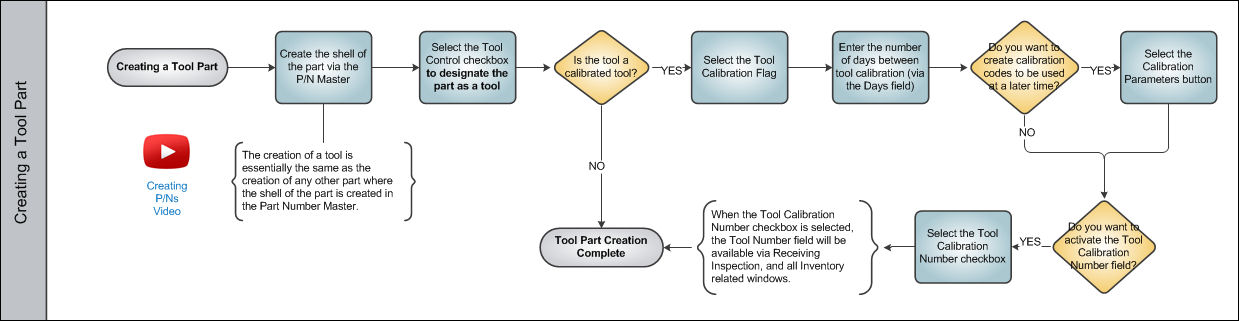
Creating a tool part is very much the same as creating any other aircraft part. The P/N Master is used to create the shell of the tool part. The most important detail when creating a tool is the tool designation. In order to designate a part as a tool, the user must select the Tool Control checkbox via the P/N Master, Inventory tab. From this tab, the user may also designate the tool as a calibrated tool along with the number of days in between calibration checks.
Share
Print
|
©1997-2026 Trax USA Corp. All rights reserved. This manual may not be copied, photocopied, reproduced, translated, or converted to any electronic or machine-readable form, in whole or in part, without prior written approval from Trax USA Corp. |
 |