
 Share
Share
 Print
Print
|
|
|
|
|


Managing Tools in Inventory
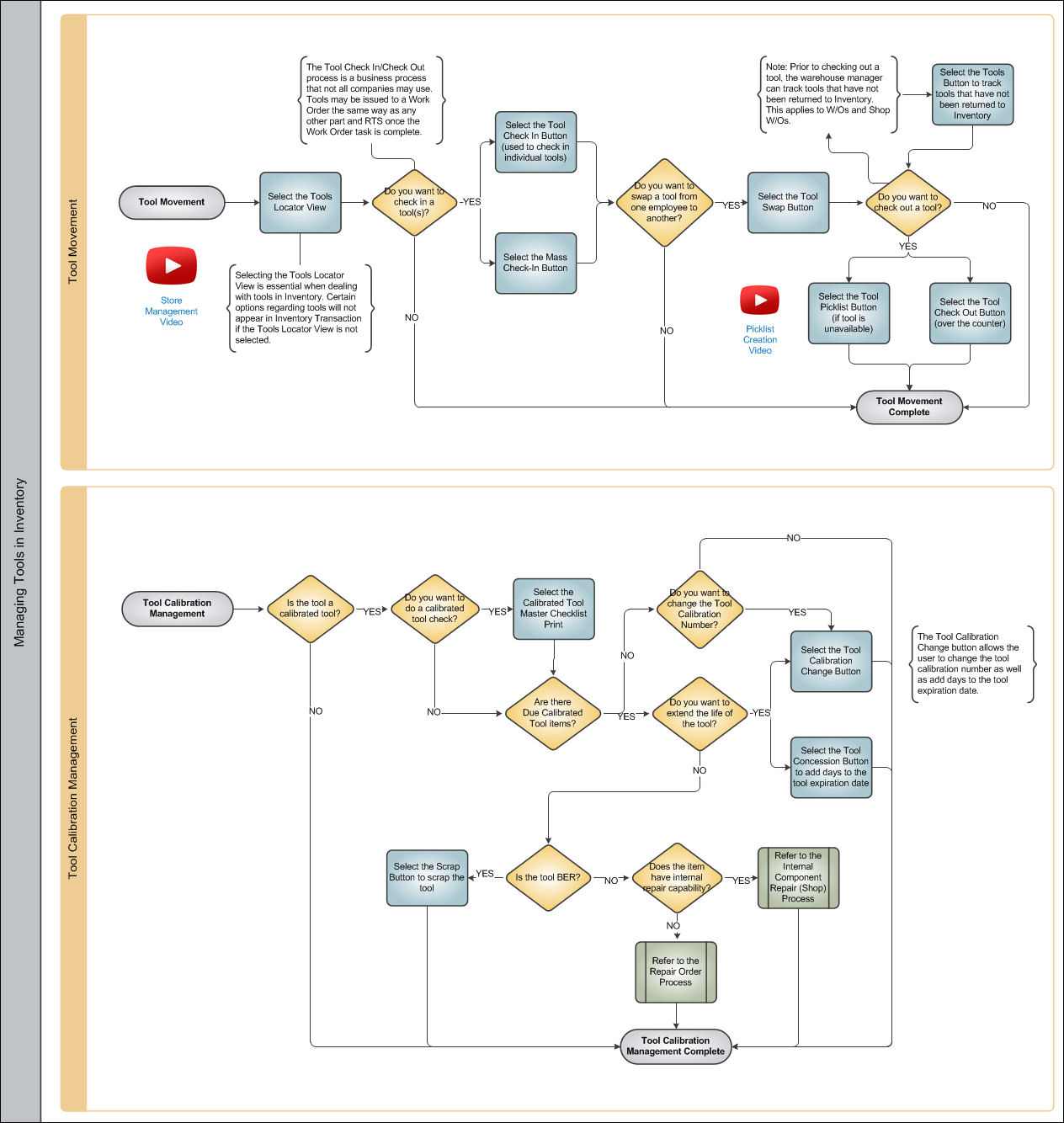
In order to manage tool in inventory, the Tools Locator View must be selected. Once this view is selected, several additional options will appear in Inventory Transaction allowing the user to manage tool movement including Tool Check In/ Check Out as well as the option to manage tool calibration in the system.
The following section, Managing Tools in Inventory has been organized into two parts:
Share
Print
|
©1997-2026 Trax USA Corp. All rights reserved. This manual may not be copied, photocopied, reproduced, translated, or converted to any electronic or machine-readable form, in whole or in part, without prior written approval from Trax USA Corp. |
 |