
 Share
Share
 Print
Print
|
|
|
|
|


Scrap Process
The Scrap  button, from the Inventory Transaction window of the Inventory module, allows the user to permanently delete a part from the system.
The following is the basic life cycle of a Scrap, from the triggers that will lead to the scrap to the actual action within the system:
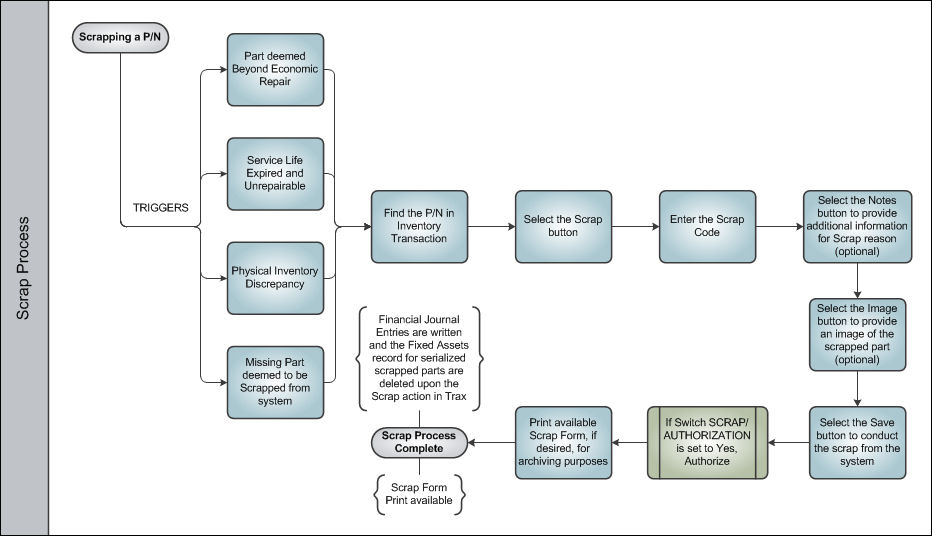
Upon saving the Scrap record and printing the available Scrap Form, the Scrap Process is Complete.
Share
Print
|
©1997-2026 Trax USA Corp. All rights reserved. This manual may not be copied, photocopied, reproduced, translated, or converted to any electronic or machine-readable form, in whole or in part, without prior written approval from Trax USA Corp. |
 |