
 Share
Share
 Print
Print
|
|
|
|
|


Scenario
The following scenario will detail how Prorated Actuals are calculated when a Part Number is installed on an Override Schedule, removed from the aircraft and installed onto another aircraft where the Part Number will accumulate additional flight hours against the Default Schedule. The system will calculate the remaining time on the Part Number based on a formula. The prorated calculation is done automatically by the Trax System using the following formula.
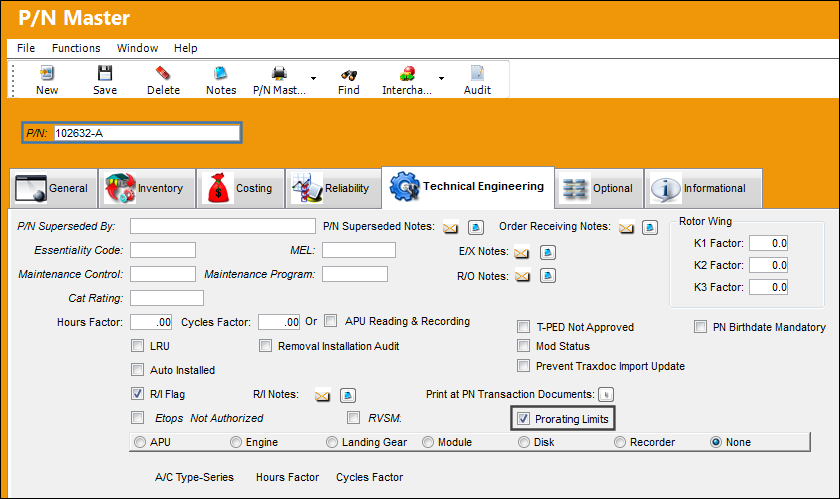
Part Number 102632-A is set up as a prorated part via the P/N Master, Technical Engineering tab.
The Prorating Limits checkbox is selected.
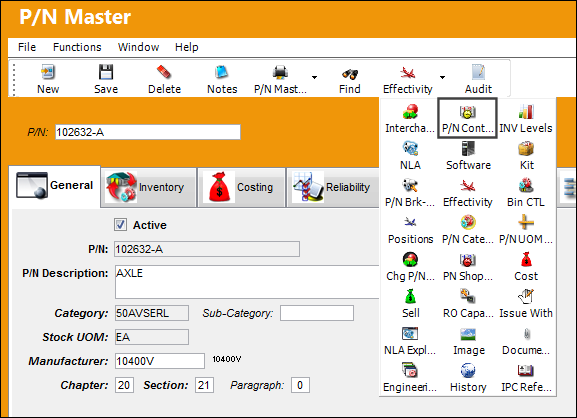
From the P/N Master, select the P/N Control  button.
The Part Number is set up with the a Default Schedule of 200 Schedule Hours.
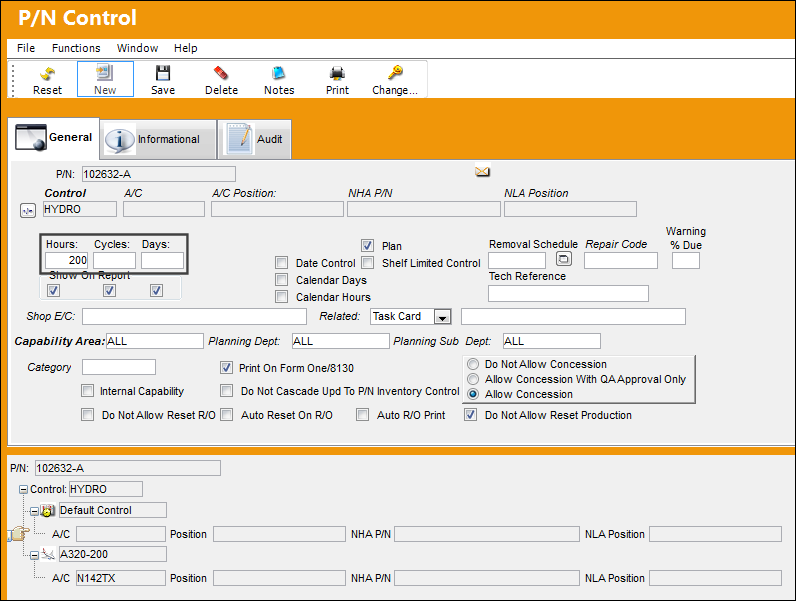
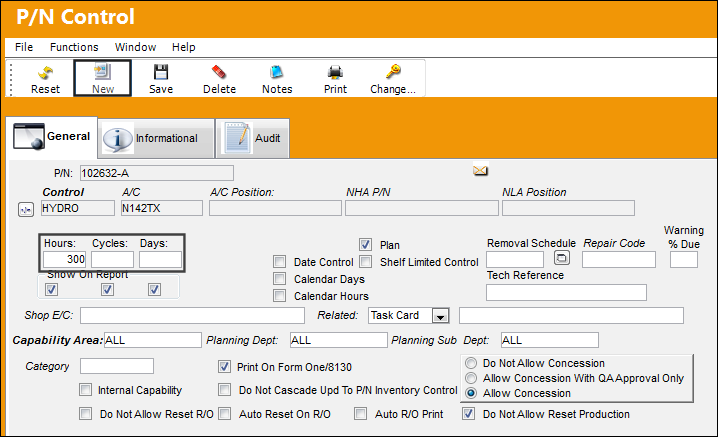
The Override Schedule is set up with 300 Schedule Hours.
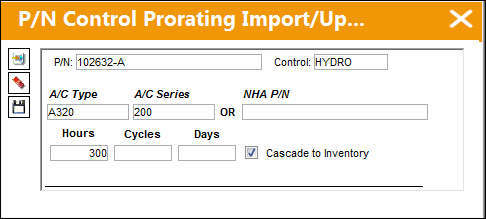
Note: If the user would like to create an override schedule for a specific aircraft, they may do so by selecting the New  button and creating a new P/N Control with an override schedule as shown below.
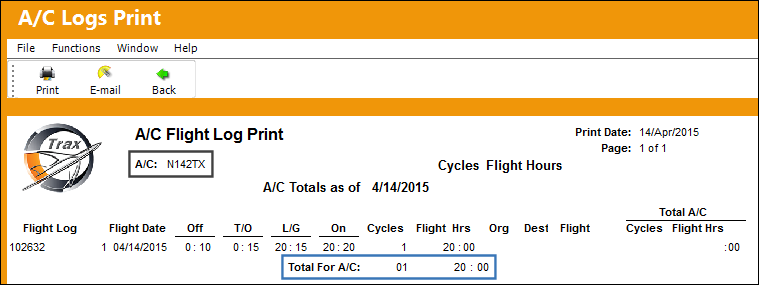
The Part Number was installed in aircraft N142TX where the P/N accumulated 20 Flight Hours on the Override Schedule (300 SH).
Go to Inventory Transaction to view the Control properties of the P/N.
Select the Prorating  button
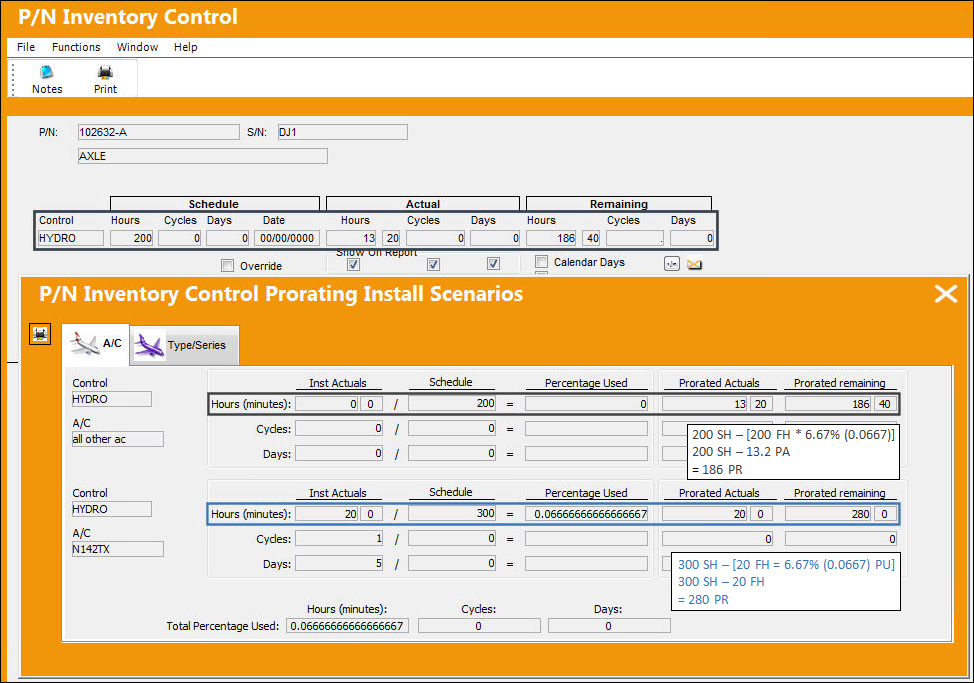
From the P/N Inventory Control Prorating Install Scenarios window, the following breakdown is displayed:
20 Installed Flight Hours = 6.67% of the part's schedule on the Override Schedule of 300 Flight Hours.
This 6.67% is used to calculate the Prorated Actuals of the Default Schedule (i.e 6.67% of 200 FH = 13.20 Prorated Actuals).
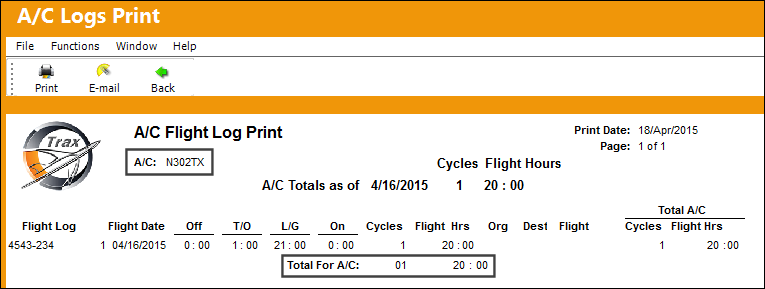
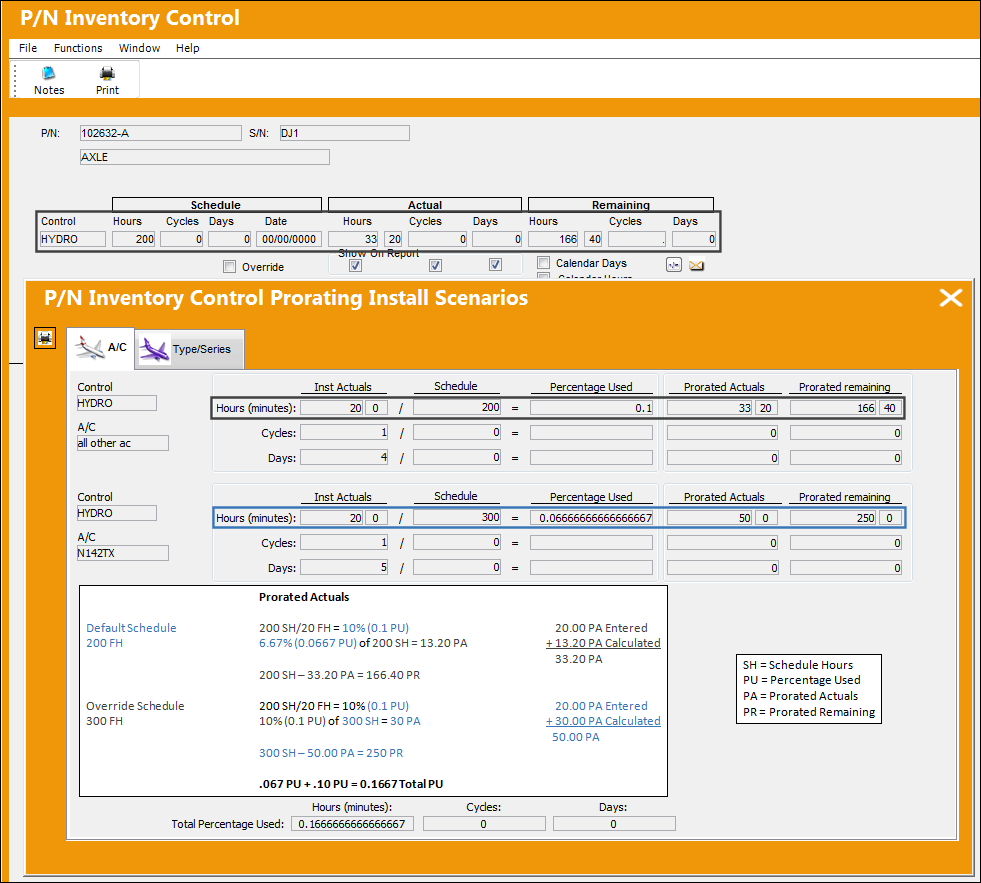
To illustrate how the prorated usage of the part will be applied, P/N 102632-A is installed on a different Type/Series that is utilizing the Default Schedule (200 FH) where the part has accumulated 20 additional Flight Hours.
Go to Inventory Transaction to view the Control properties of the P/N.
Select the Prorating button
From the P/N Inventory Control Prorating Install Scenarios window, the following breakdown is displayed.
Share
Print
|
©1997-2026 Trax USA Corp. All rights reserved. This manual may not be copied, photocopied, reproduced, translated, or converted to any electronic or machine-readable form, in whole or in part, without prior written approval from Trax USA Corp. |
 |