
 Share
Share
 Print
Print
|
|
|
|
|


P/N Control Authorization
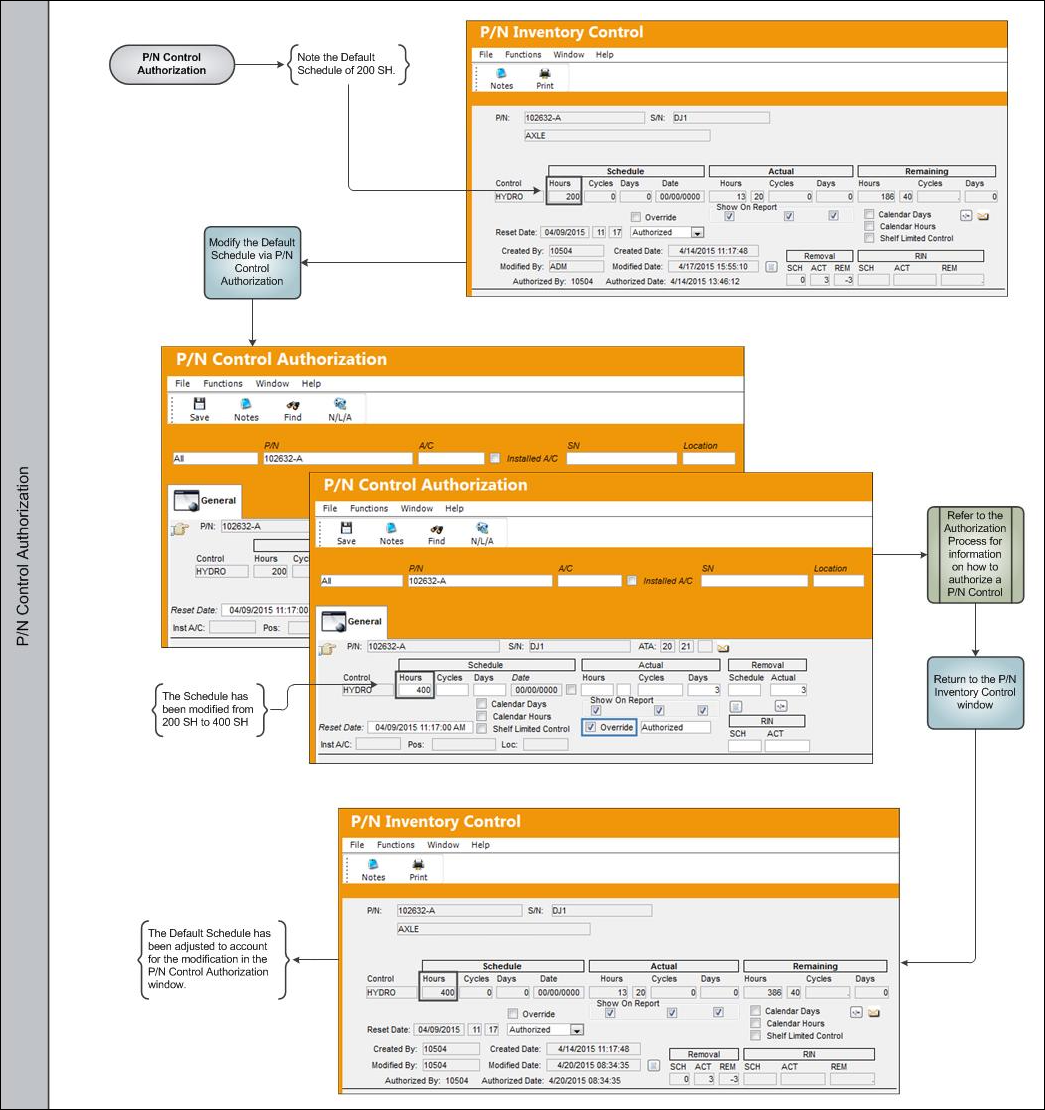
The P/N Control Authorization window allows the user to view all P/N Controls attached to serialized parts and update, edit, and override the Authorization Status, Schedule, and Actuals. If the P/N Control System Transaction Code has Authorization Steps, each step must be accepted during the P/N Control Authorization Process. When a P/N associated with a P/N Control is received or P/N Initial Loaded into the system, that P/N Control must be authorized (the steps must be Accepted) via Technical Records/ Explorer/ P/N Control/ P/N E/C Authorization to place the P/N Control status to Authorized. Each customer will define their own P/N Control Authorization process.
 PCPEATHS (P/N Control/ P/N E/C Authorization Steps Only) - If set to Yes, the Authorization Status drop-list will not be visible in the P/N Inventory Control Window (via Receiving/ Update/ Order Receiving). The drop-list is used to change the Authorization Status of the item (P/N E/C or P/N Control) to: Acknowledge, Authorized, Pending, or Unknown. If set to Yes, although the Authorization Statuses cannot be changed at Order Receiving, all P/N E/Cs and P/N Controls can have their Authorization Statuses updated via Technical Records/ Update/ P/N Control Authorization. Updating can also be performed via Technical Records/ Explorer/ P/N Control/ P/N E/C Authorization.
Share
Print
|
©1997-2026 Trax USA Corp. All rights reserved. This manual may not be copied, photocopied, reproduced, translated, or converted to any electronic or machine-readable form, in whole or in part, without prior written approval from Trax USA Corp. |
 |