
 Share
Share
 Print
Print
|
|
|
|
|


Example, P/N Control Authorization
The following example will detail how the P/N Control Authorization program can be used to override the Default Schedule for a P/N Control.
Note the Default Schedule for the following P/N Control.
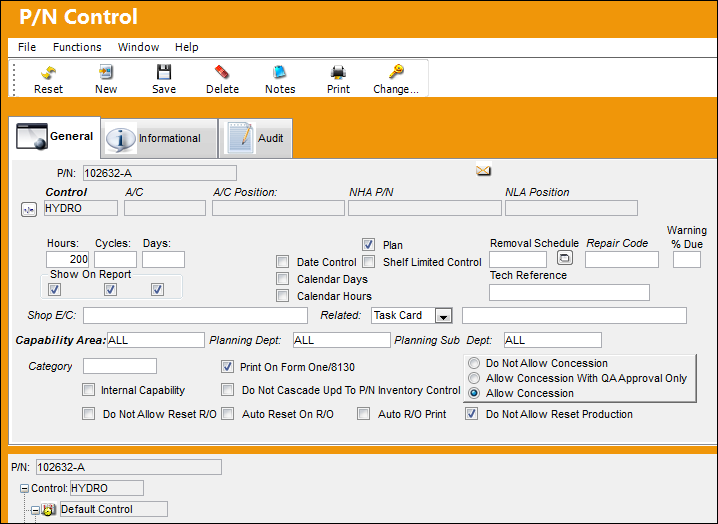
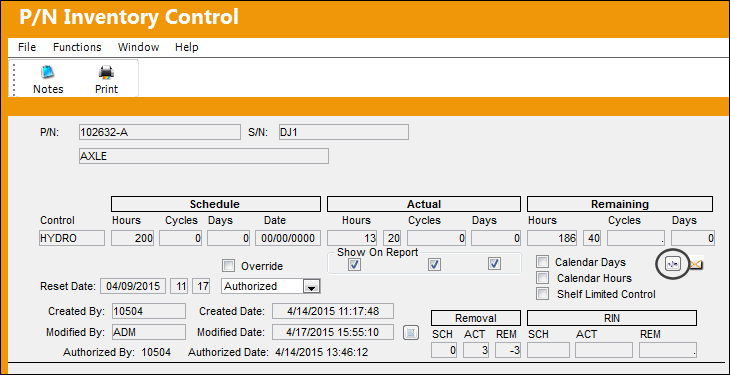
Their are 200 Schedule Hours against the Default Schedule.
Select the Prorate  button.
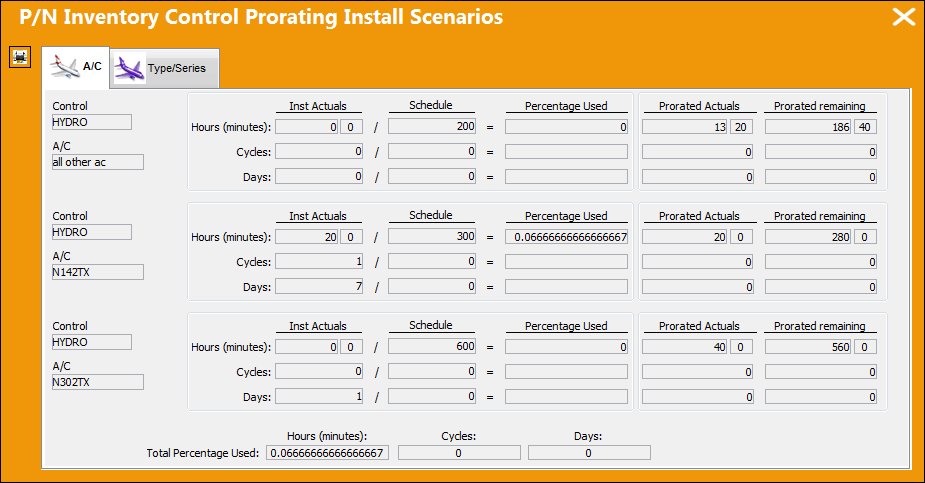
Note the Schedule Hours against the Default Schedule and the Override Schedules.
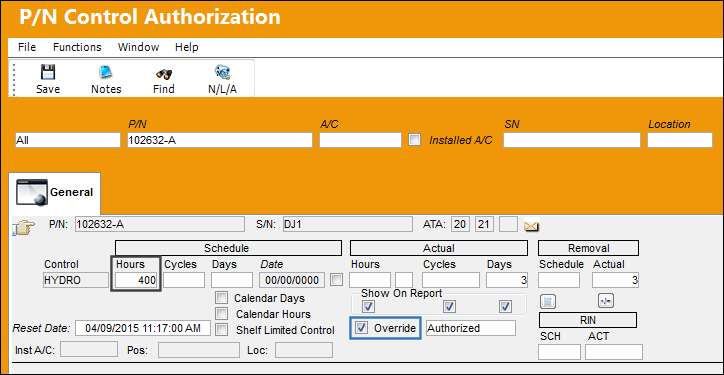
Go to Technical Records/ Update/ P/N Control Authorization.
Their are 200 Schedule Hours against the Default Schedule.
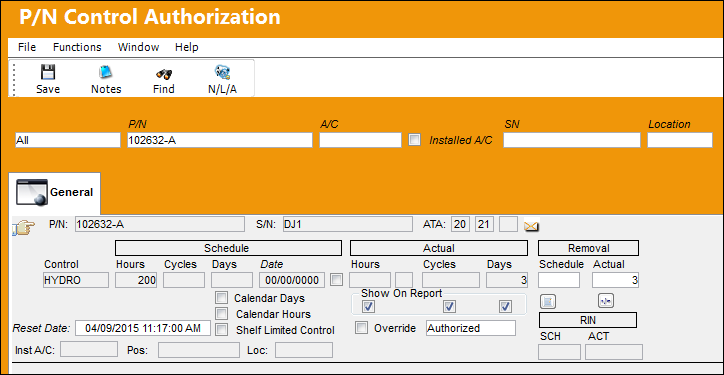
Select the Override checkbox to allow the Schedule to be overridden and add 200 additional Schedule Hours to the Default Schedule.
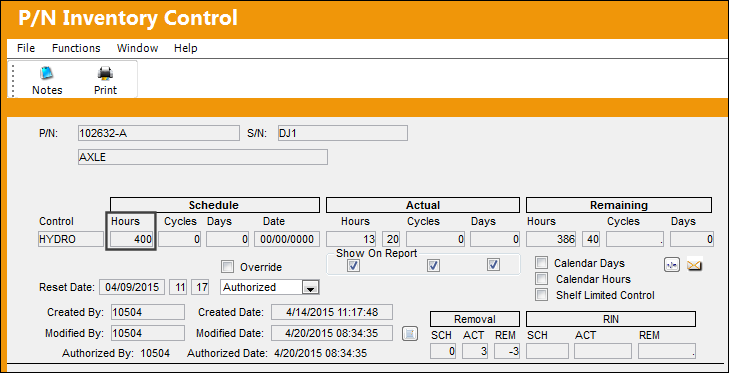
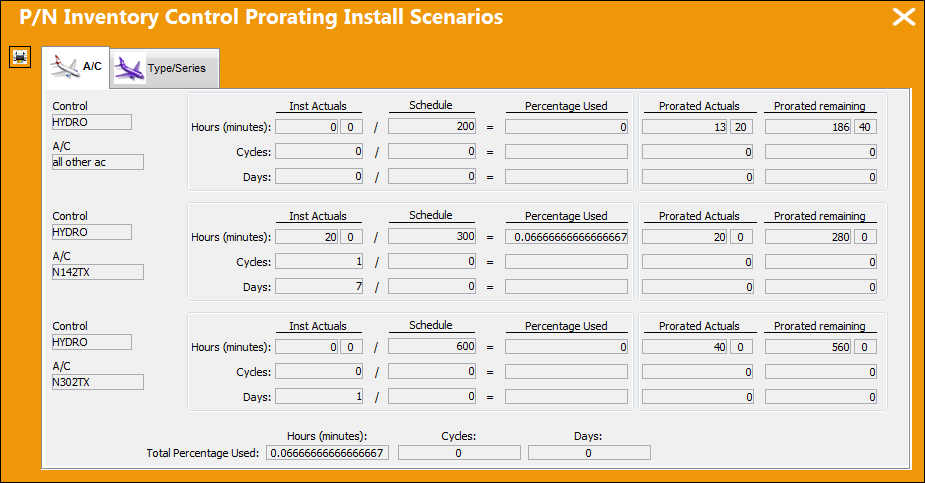
The additional Schedule Hours are applied to the Default Schedule as shown below. Select the Prorate button.
The Override Schedules are not affected by the edits made to the Default Schedule via the P/N Control Authorization program.
Share
Print
|
©1997-2026 Trax USA Corp. All rights reserved. This manual may not be copied, photocopied, reproduced, translated, or converted to any electronic or machine-readable form, in whole or in part, without prior written approval from Trax USA Corp. |
 |