
 Share
 Print
|
|
|
|
|


The Task Card, Keywords tab allows the user to assign keywords to the selected Task Card to help make locating it for Defect Reports easier. For additional information on this functionality, refer to the Task Card Keyword Button, via the Defect Report Detail, General tab.
 Keywords can also be access via the W/O Task Card, Keywords tab and W/O Non-Routine Task Card, Keywords tab of a Work Order.
To create new keywords, the user must create new keyword transaction codes via System Transaction Code Explorer/ Engineering/ Task Card KeyWords.
To add a keyword to a Task Card, navigate to the Keywords tab of the Task Card window. Select the New  button and specify a existing keyword in the Keyword field. Once a keyword has been added/created, select the Save
 button.
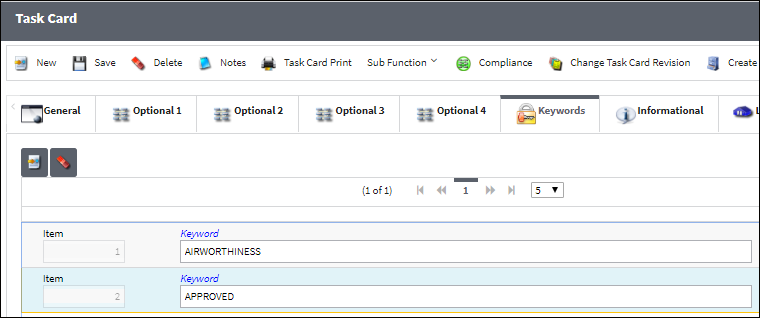
Task Cards can have multiple keywords, and they can be added or removed using the New and Delete  buttons.
 Note: The system will display Keyword suggestions based on the characters entered in the field.
Share
Print
|
©1997-2026 Trax USA Corp. All rights reserved. This manual may not be copied, photocopied, reproduced, translated, or converted to any electronic or machine-readable form, in whole or in part, without prior written approval from Trax USA Corp. |
 |