
 Share
 Print
|
|
|
|
|



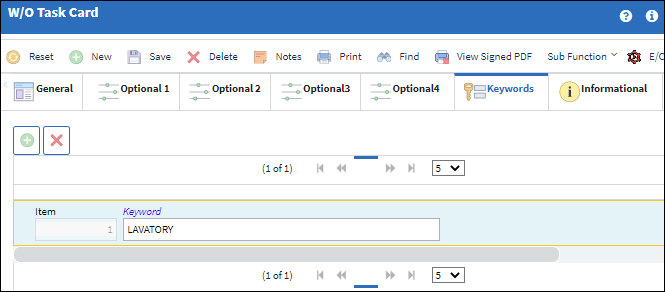
The Keywords tab is used to assign keywords to Task Cards to help users find the Task Card more easily; e.g. when a planner is searching for a Task Card in the Production Control application. Any keywords that existed on the Task Card before it was attached to the W/O, via Engineering/ Update/ Engineering Control Selection, Task Card, Keywords tab, will also appear in the W/O Task Card, Keywords tab.
User can add keywords by selecting the New  button, or remove keywords by selecting the Delete
 button. Any modifications to the keyword list will only be effective for the current W/O, no modifications will be made to the main Task Card record.
Note: Each keyword must be set up as a transaction code, via System Transaction Code Explorer/ Engineering/ Task Card KeyWords.
Share
Print
|
©1997-2026 Trax USA Corp. All rights reserved. This manual may not be copied, photocopied, reproduced, translated, or converted to any electronic or machine-readable form, in whole or in part, without prior written approval from Trax USA Corp. |
 |