
 Share
 Print
|
|
|
|
|


Vendor Master, ROS Tab
The Vendor Master, ROS tab displays all ROS messages, except for the ROS_ERROR_MESSAGE. All ROS messages are set up via the Repair Order Service messages System Transaction Code.
If a vendor uses the default exchange service, ROS URL, username, etc. does not need to be set-up.
Note: The ROS_CONFIG.xml file must be uploaded via the Company Profile in order for the ROS tab to be visible in the Vendor Master.
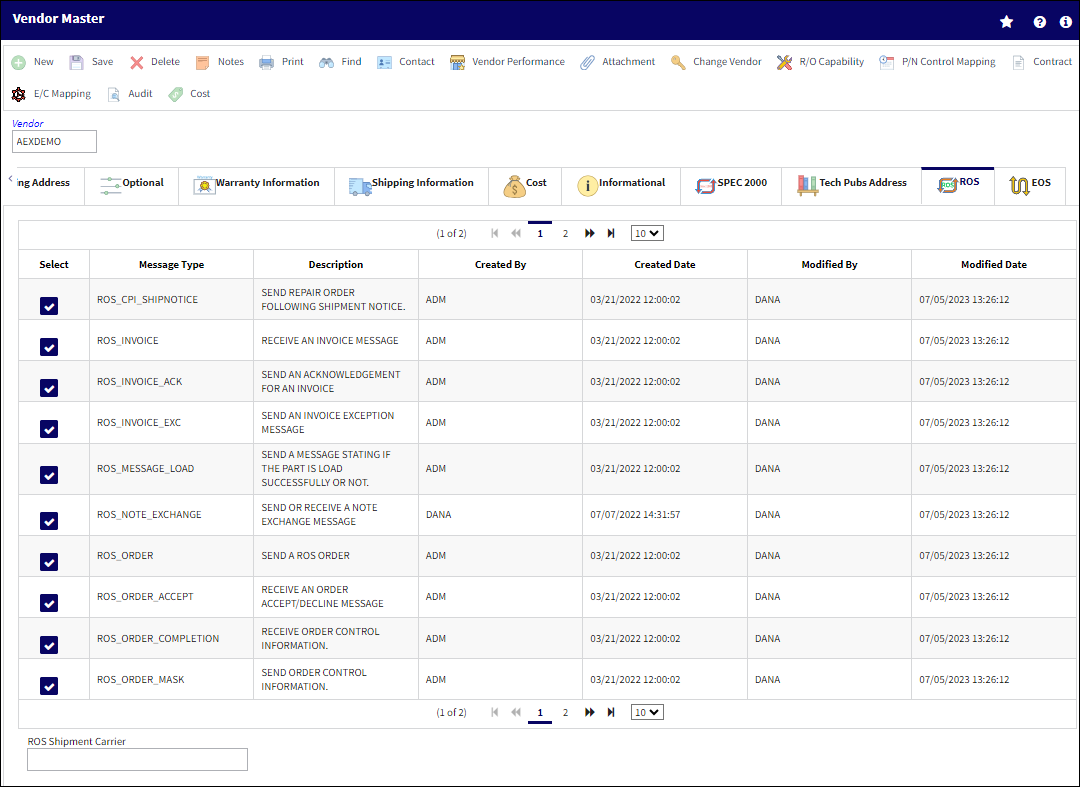
Note: When the ROS_ORDER checkbox is selected, the B2B ID field is available in the Repair Order Header, General tab.
The following information/options are available in this window:
_____________________________________________________________________________________
ROS Shipment Carrier
Enter ROS Shipment Carrier name. This is informational only.
_____________________________________________________________________________________
Note: Regardless of which exchange service is being used, the user must setup the message types the vendor is able to send and receive by selecting the message type checkboxes.
A sample of Vendor ROS configuration file is shown below:

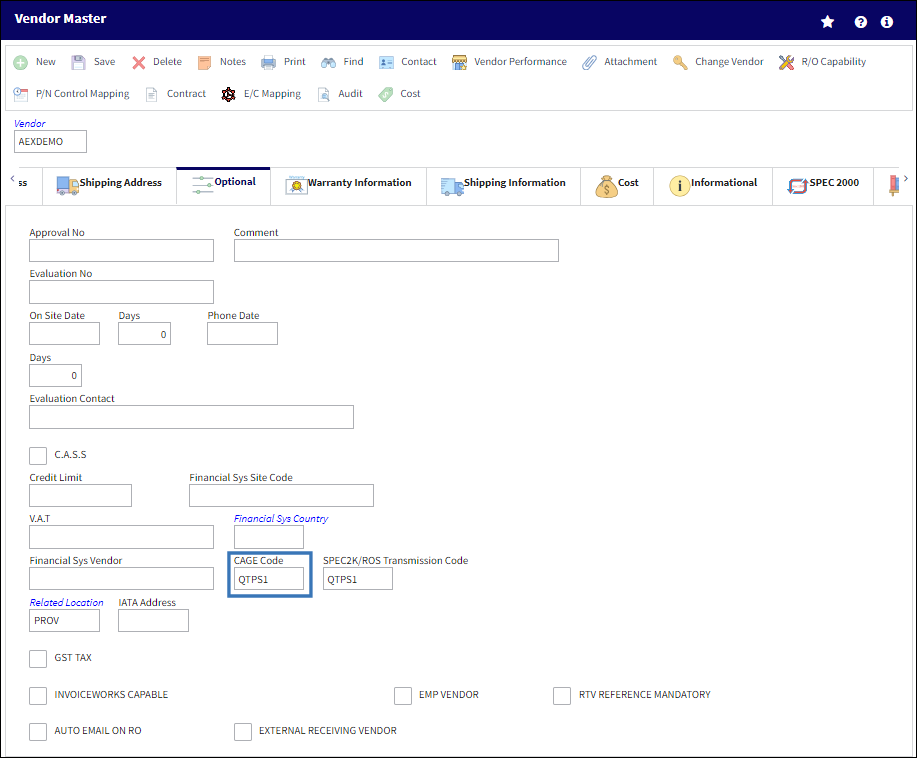
Cage Code and IATA Address:
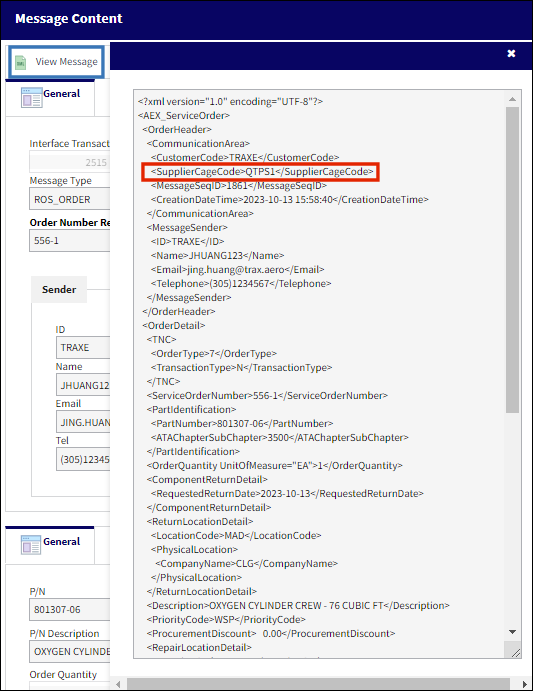
Users must setup Cage Codes for vendors who intend to use ROS functionalities. In the Message Header tag of a ROS message, these codes indicate 'SupplierCageCode':
The setup is in Vendor Master, Optional Tab:
Share
Print
|
©1997-2026 Trax USA Corp. All rights reserved. This manual may not be copied, photocopied, reproduced, translated, or converted to any electronic or machine-readable form, in whole or in part, without prior written approval from Trax USA Corp. |
 |