
 Share
 Print
|
|
|
|
|


Vendor Master, Diversity Code Tab

The Diversity Code functionality allows customers to create and manage diversity classifications and clearly identify the type of vendor or customer. Examples of diversity types include, but are not limited to:
- Woman-owned business
- Minority-owned business
- Small business
Note: This functionality is controlled by Settings Switch  DIVERSITYCODE. For more information refer to DIVERSITYCODE in the Settings Switch training manual.
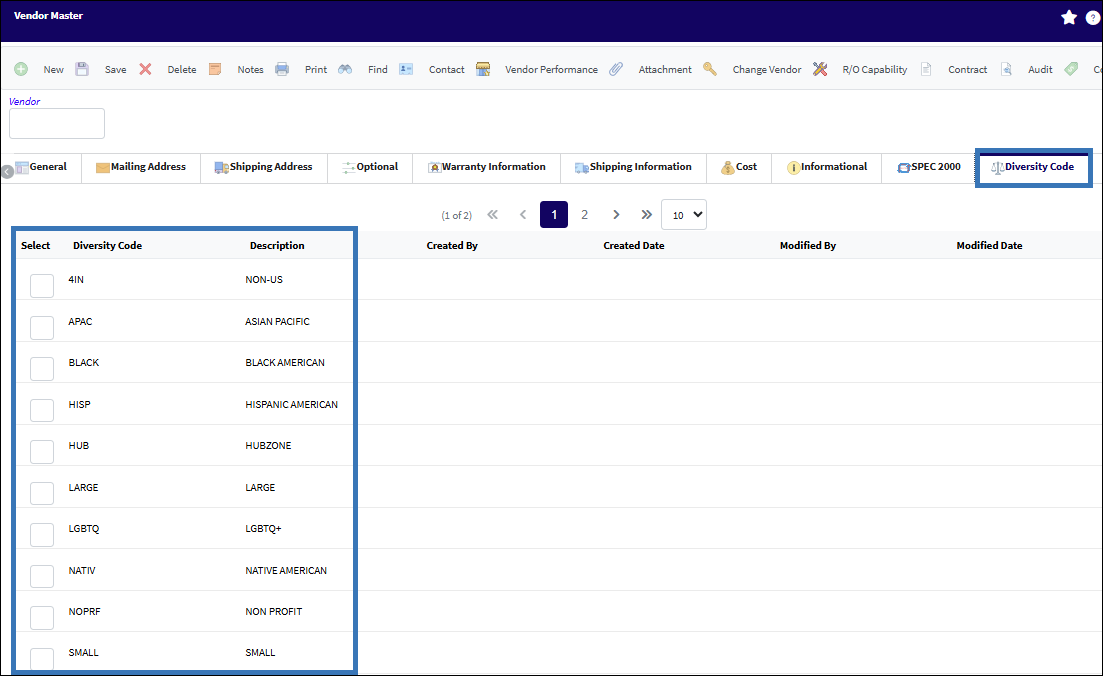
From the Vendor Master window, select the Diversity Code tab to view the available diversity codes.
Each Diversity Code provides a Description to identify the specific code. Select the applicable code(s).
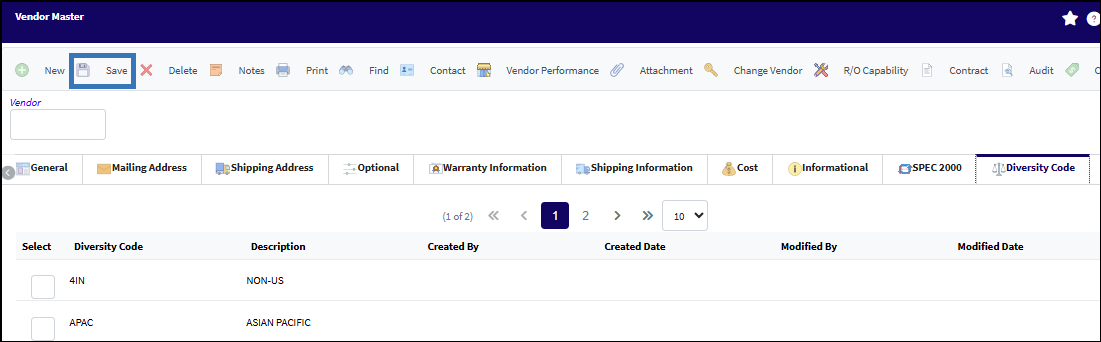
Select the Save  button to apply the diversity settings in the Vendor Master.
Share
Print
|
©1997-2026 Trax USA Corp. All rights reserved. This manual may not be copied, photocopied, reproduced, translated, or converted to any electronic or machine-readable form, in whole or in part, without prior written approval from Trax USA Corp. |
 |