
 Share
 Print
|
|
|
|
|


REORLOC - Re-Order Level, Order Computation Omit Location

Re-Order Level, Order Computation Omit Location
Affected Window: gf_inventory_level_check
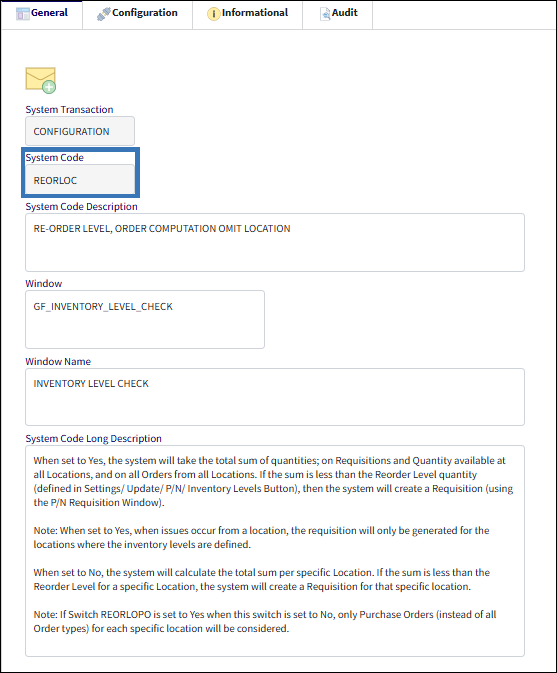
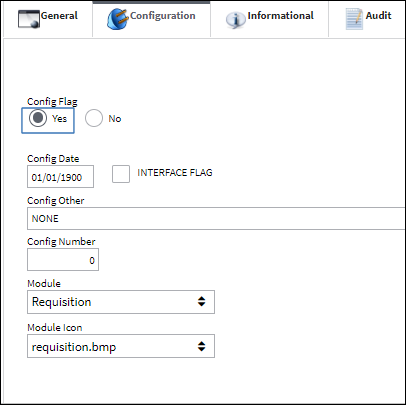
Switch Set to Yes:
When set to Yes, the system will take the total sum of quantities; on Requisitions and Quantity available at all Locations, and on all Orders from all Locations. If the sum is less than the Reorder Level quantity (defined in Settings/ Update/ P/N/ Inventory Levels Button), then the system will create a Requisition (using the P/N Requisition Window).
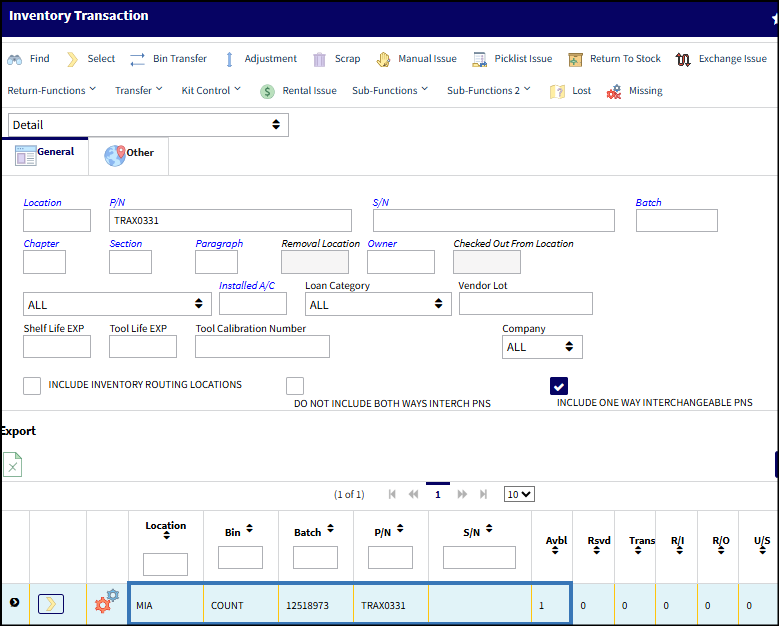
In the Inventory Transaction window, the following P/N has one part available at the following Location.
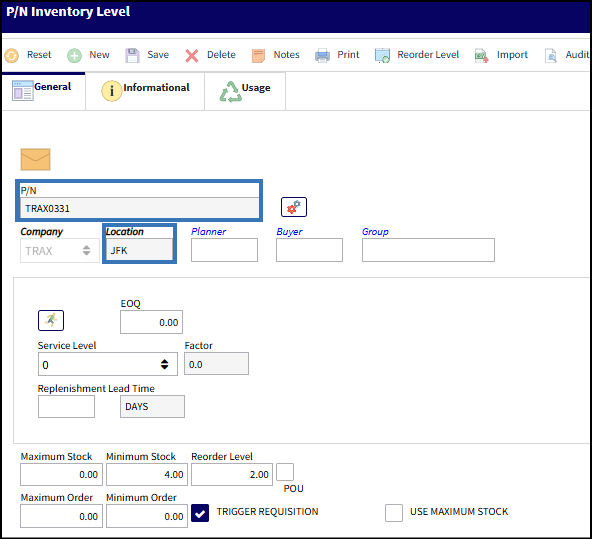
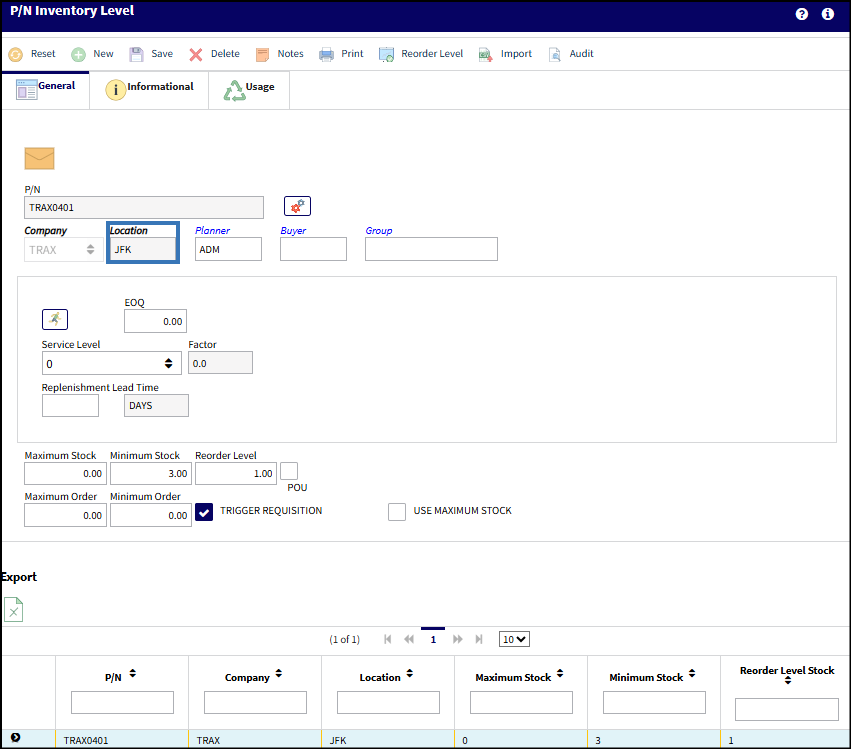
P/N Inventory levels are set up for the Location.
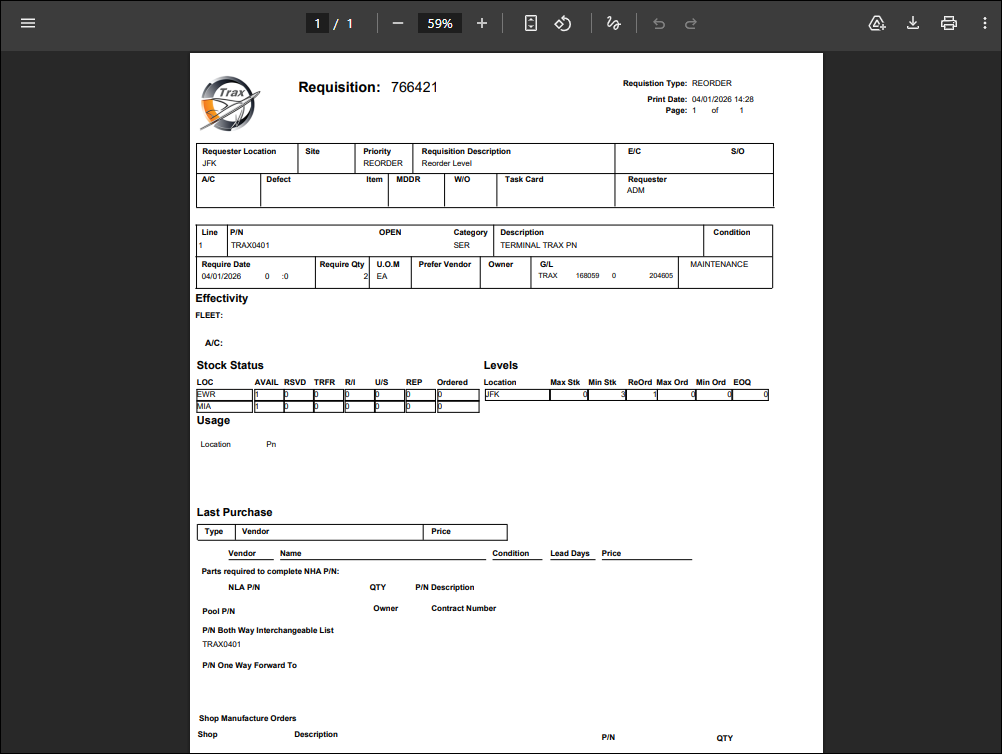
The system generates a requisition for this part for the designated Location since only one part is available at a different Location.
Note: The system will take into account the sum of all quantities which includes; order types from all locations, Requisitions and quantities from all locations.
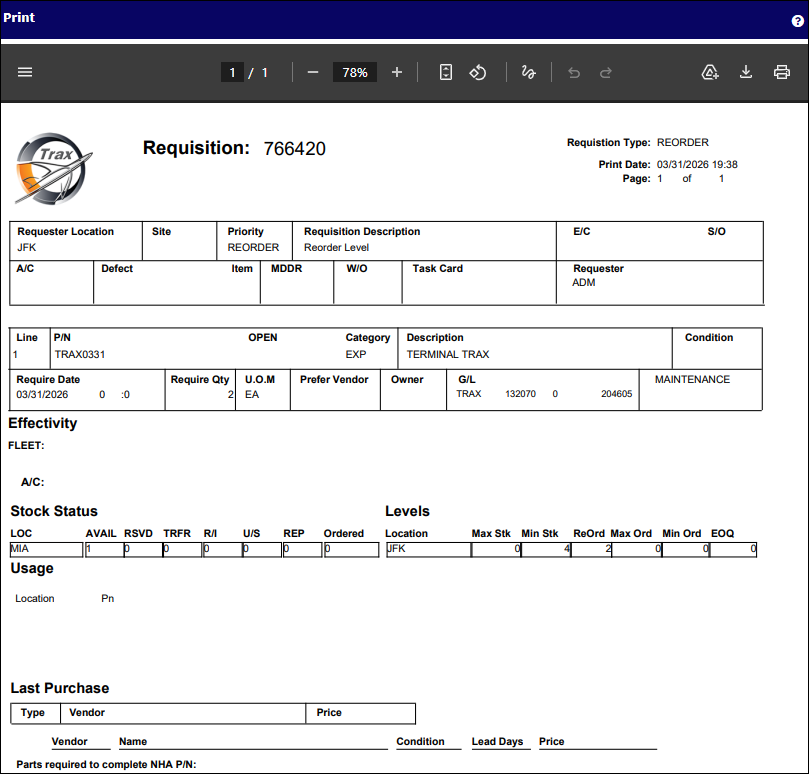
Note: If set to Yes, when issues occur from a location, the requisition will only be generated for the locations where the inventory levels are defined.
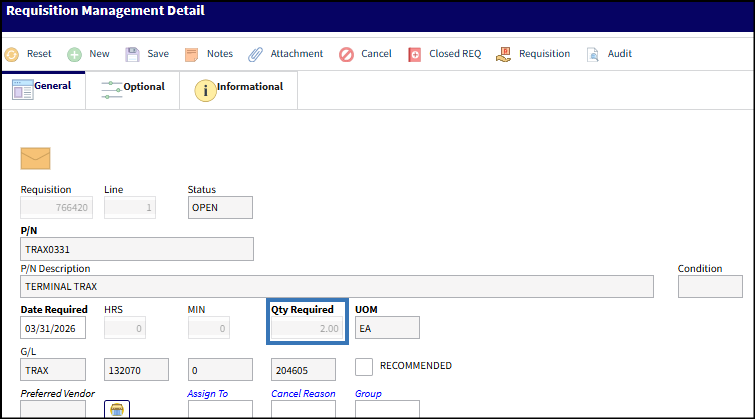
Switch Set to No:
When set to No, the system will calculate the total sum per specific Location. If the sum is less than the Reorder Level for a specific Location, the system will create a Requisition for that specific location.
Note: If Switch  REORLOPO is set to Yes when this switch is set to No, only Purchase Orders (instead of all Order types) for each specific location will be considered.
In the Inventory Transaction window, 1 part is available at two Locations each for a total quantity of two in inventory.
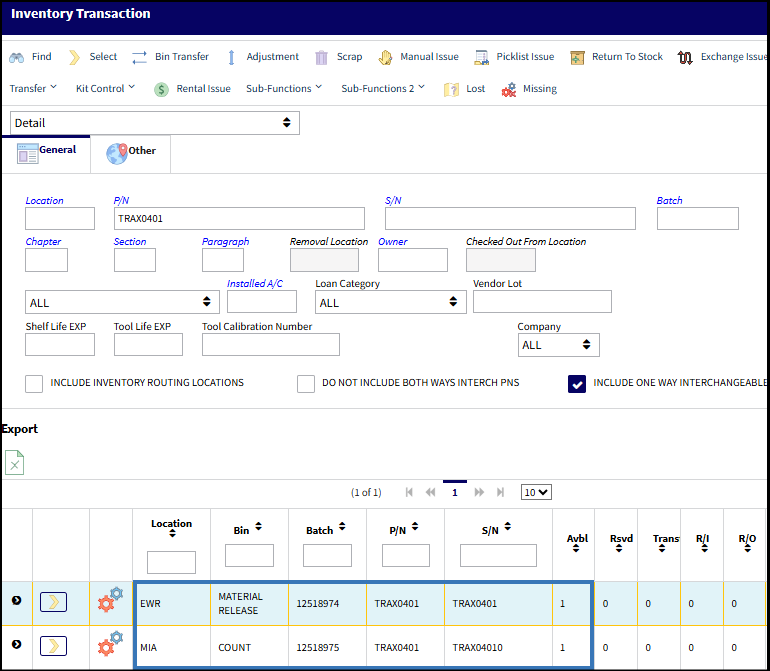
After entering all inventory re-order level information for the P/N, the system generates a requisition for this part for the following Location since this location has no parts available.
P/N Inventory levels are set up for the Location.
Share
Print
|
©1997-2026 Trax USA Corp. All rights reserved. This manual may not be copied, photocopied, reproduced, translated, or converted to any electronic or machine-readable form, in whole or in part, without prior written approval from Trax USA Corp. |
 |