
 Share
 Print
|
|
|
|
|


INVCOUNT/BINTRANSFER Bin Transfer Update on Physical Inventory Count
Bin Transfer Update In physical Inventory Count
Affected Window: w_inventory_transaction_bin
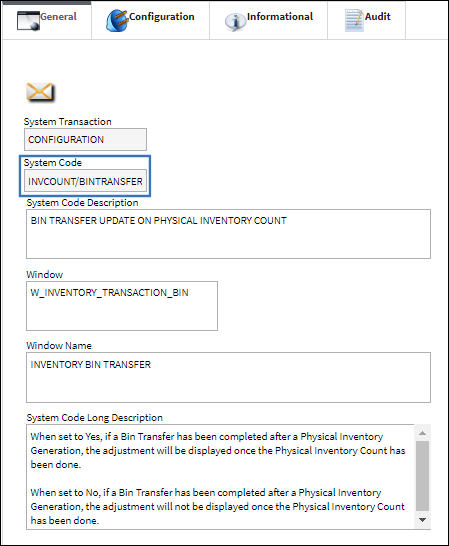
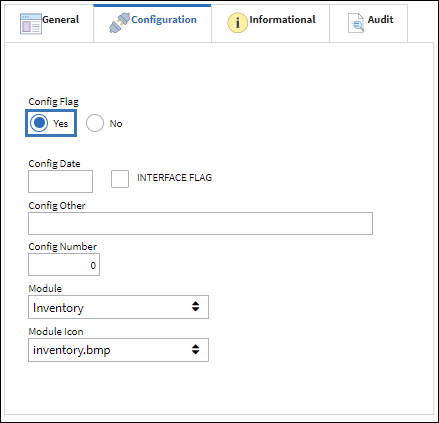
Switch Set to Yes:
When set to yes, if a Bin Transfer has been completed after a Physical Inventory Generation, the adjustment will be displayed once the Physical Inventory Count has been done.
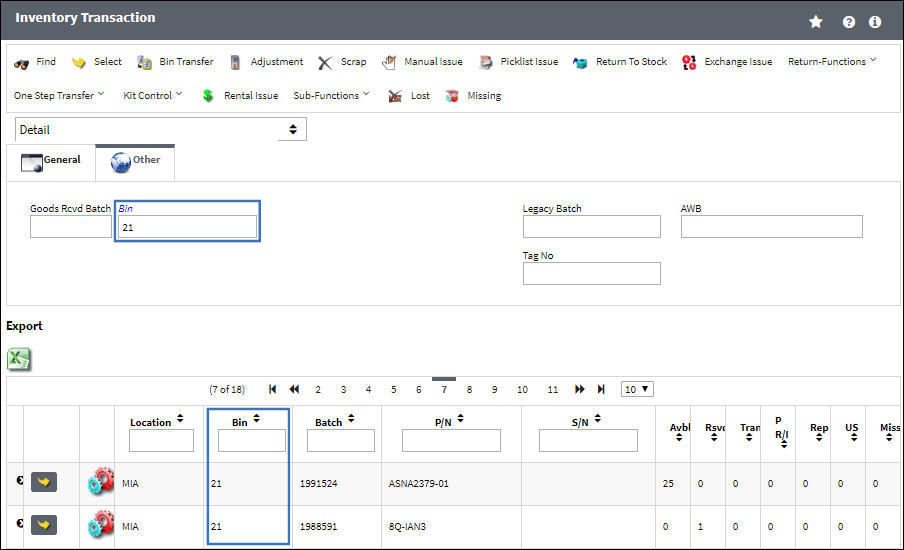
The following location has parts in the specified bin.
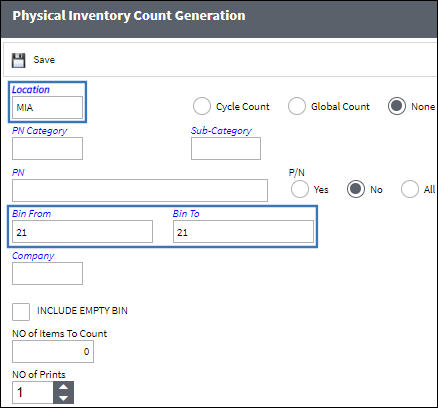
A Physical Inventory Generation Count is done for the specified location and bin.
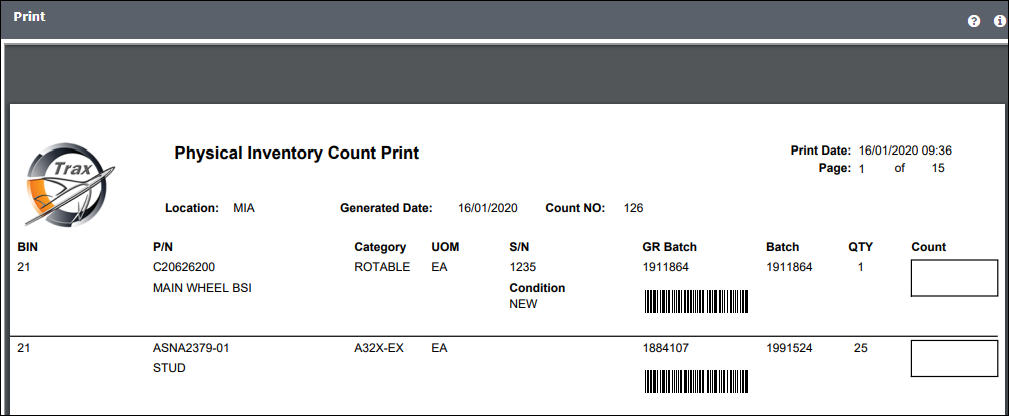
The Physical Inventory Count Print correctly displays the parts and the three bins for that location.
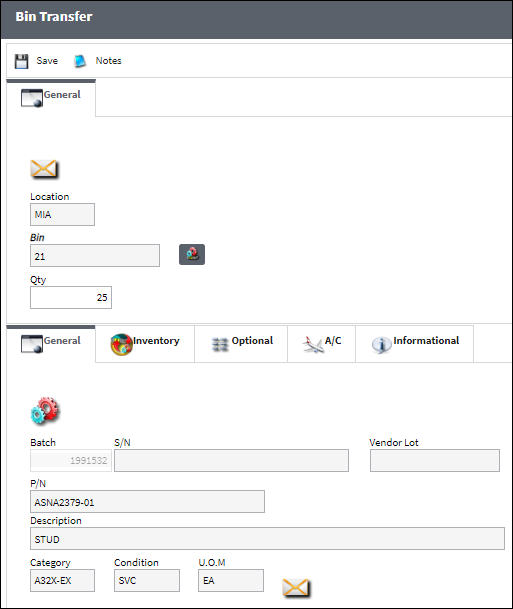
A Bin Transfer is done. 25 parts are added to the same location and bin.
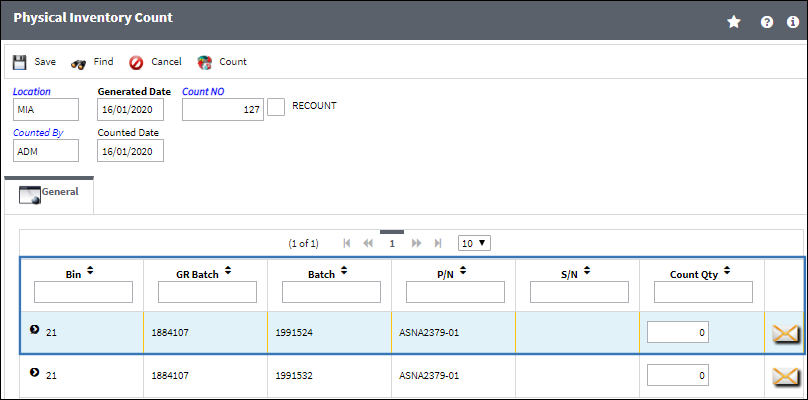
A Physical Inventory Count is completed. The parts that were transferred via the Bin Transfer appear in the Physical Inventory Count.
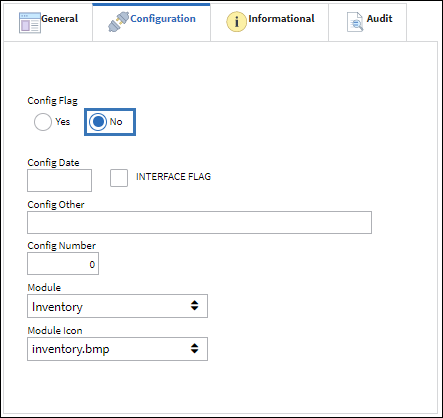
Switch Set to No:
When set to No, if a Bin Transfer has been completed after a Physical Inventory Generation, the adjustment will not be displayed once the Physical Inventory Count has been done.
The following location has parts in the specified bin.
A Physical Inventory Count Generation is done for the same location and bin.
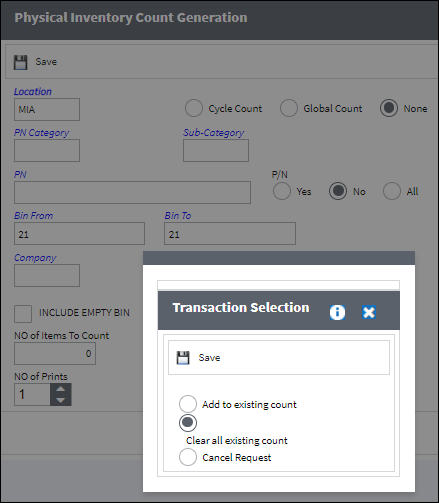
The Physical Inventory Count Print correctly displays the parts in the specified bin and location.
A Bin Transfer is done. 25 parts are added to the same location and bin.
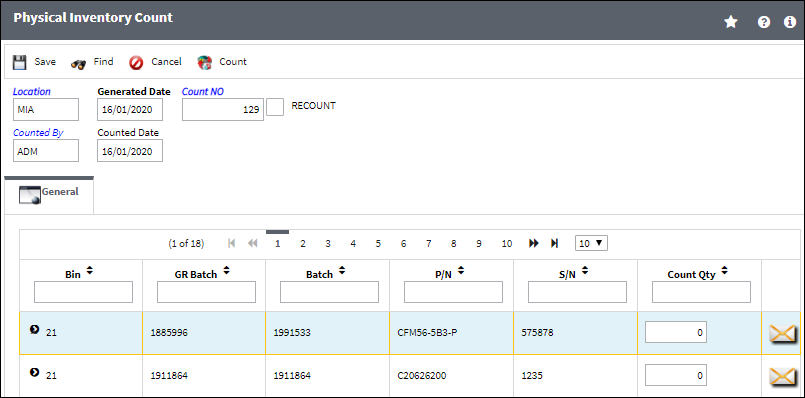
A Physical Inventory Count is completed. The parts that were transferred via the Bin Transfer do not appear in the Physical Inventory Count.
Share
Print
|
©1997-2026 Trax USA Corp. All rights reserved. This manual may not be copied, photocopied, reproduced, translated, or converted to any electronic or machine-readable form, in whole or in part, without prior written approval from Trax USA Corp. |
 |