
 Share
 Print
|
|
|
|
|


RTSQRTLOCDFLTFIELD - Return to Stock

Return to Stock
Affected Window: w_inventory_transaction_rmvac_eu
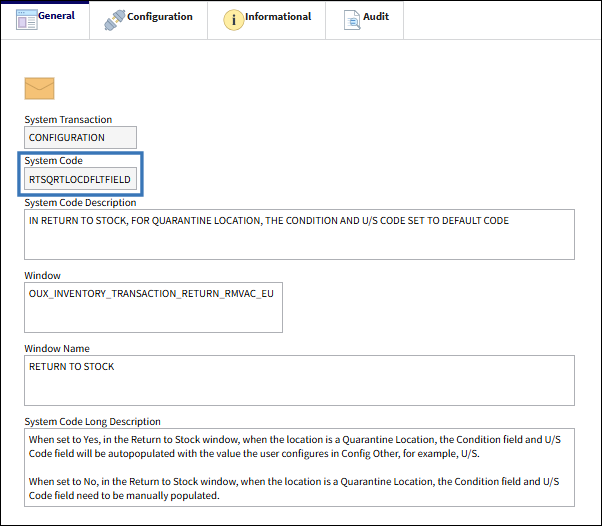
Switch Set to Yes:
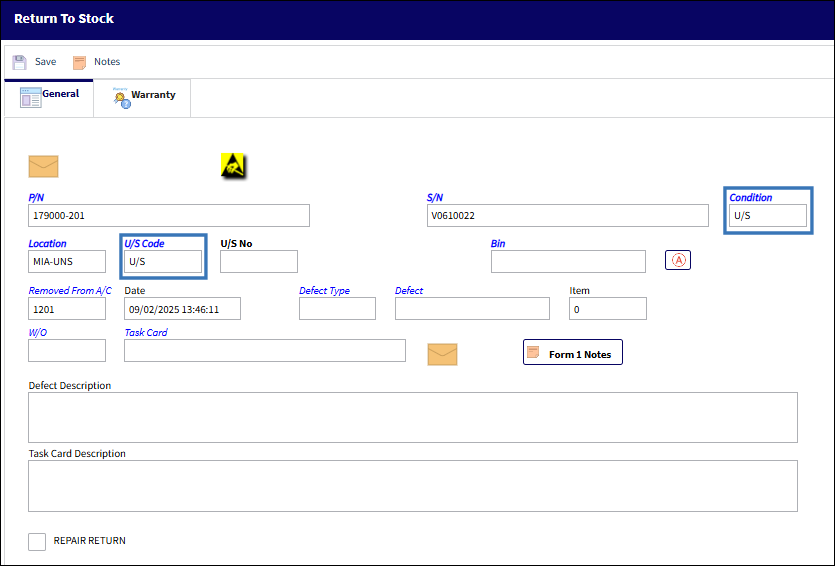
When set to Yes, in the Return to Stock window, when the location is a Quarantine Location, the Condition and U/S Code fields will be autopopulated with the value the user configures in Config Other, for example, U/S.
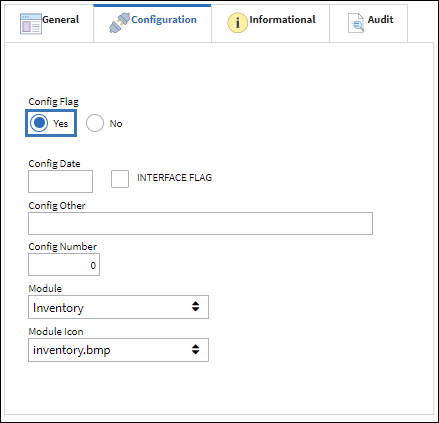
The Config Other field is populated with U/S.
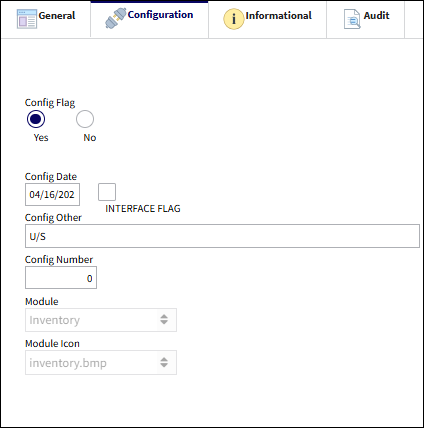
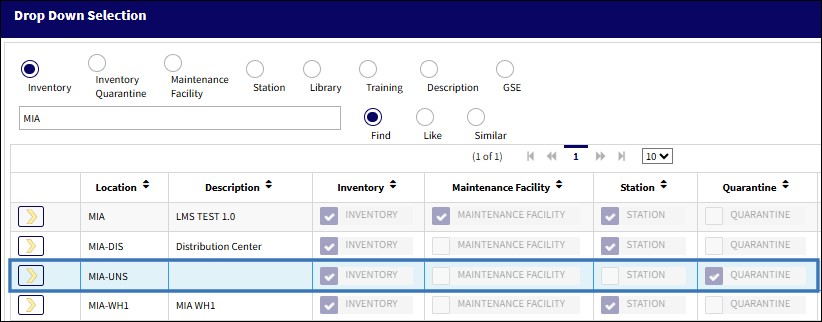
The following Location is a Quarantine Location.
From Inventory Transaction, select a a line item.
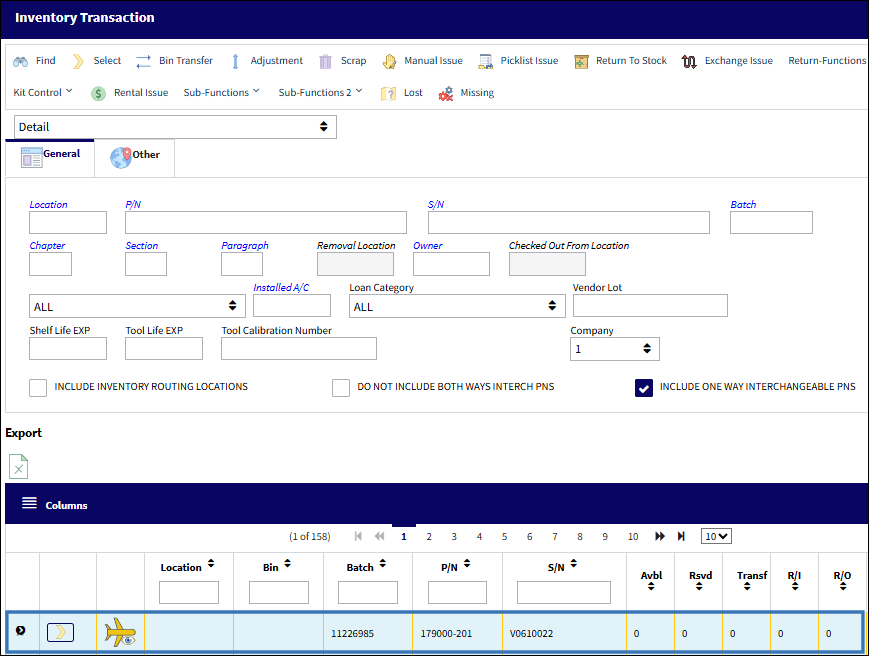
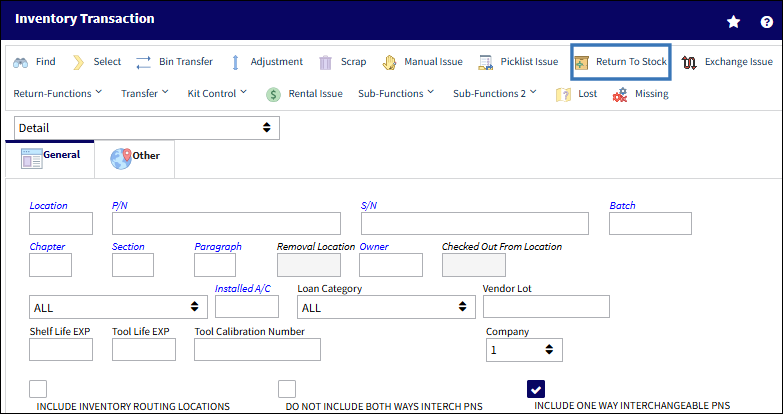
Select the Return to Stock  button.
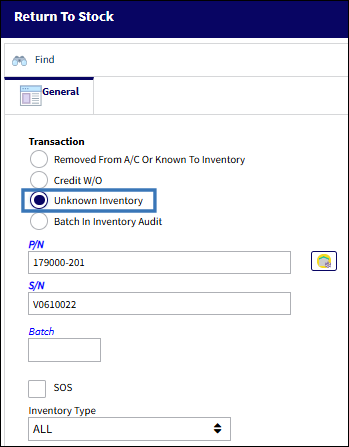
Select a Transaction and then select the Find  button. This switch is applicable to all four transactions.
Populate the Location field with the Quarantine Location.
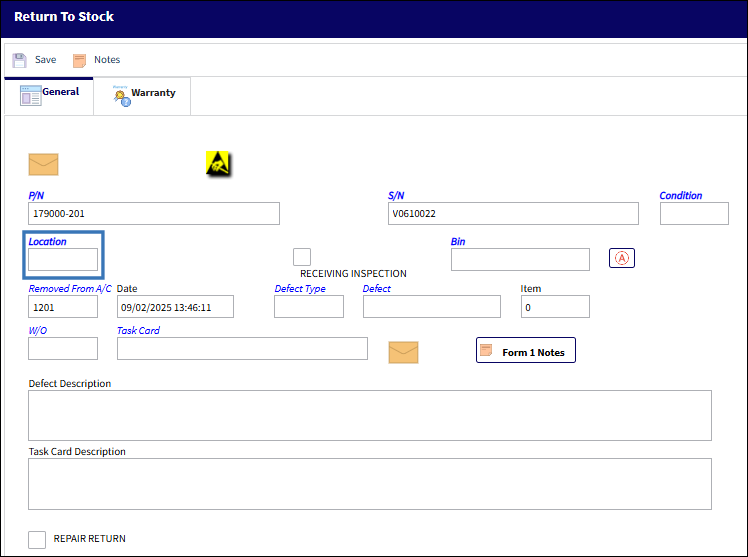
After the Location field is populated, the Condition field and the U/S Code field is automatically populated.
Switch Set to No:
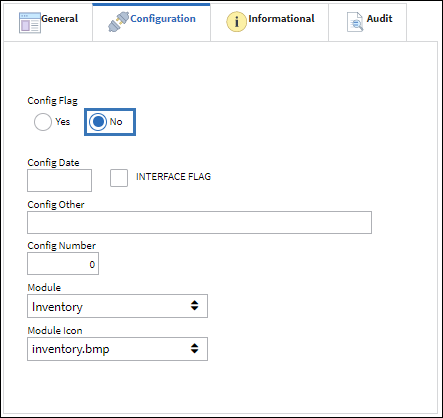
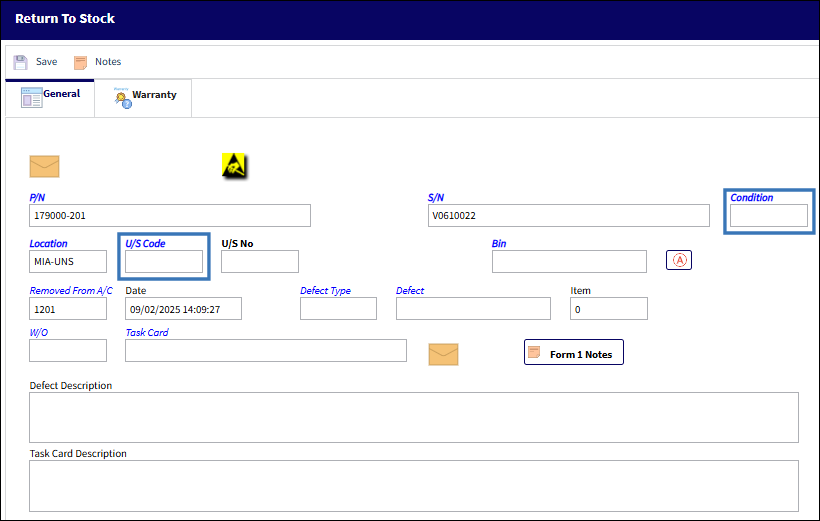
When set to No, in the Return to Stock window, when the location is a Quarantine Location, the Condition field and U/S Code field need to be manually populated.
The following Location is a Quarantine Location.
From Inventory Transaction, select a line item.
Select the Return to Stock button.
Select a Transaction and then select the Find button. This switch is applicable to all four transactions.
Populate the Location field with the Quarantine Location.
The Condition and U/S Code fields need to be manually updated.
Share
Print
|
©1997-2026 Trax USA Corp. All rights reserved. This manual may not be copied, photocopied, reproduced, translated, or converted to any electronic or machine-readable form, in whole or in part, without prior written approval from Trax USA Corp. |
 |