
 Share
 Print
|
|
|
|
|


The A/C Authorized Software Configuration (ADPNSOFT) is used to load an aircraft's P/N Software Configuration. The import will build the aircraft's P/N Software Configuration structure, and then identify and load the P/N Software numbers under the applicable and Software Location Identifier's (SLID). During the import, TraxDoc focuses on the aircraft tail number identified in the XML import file when building the P/N Software Configuration.
Note: The TraxDoc import functionality explained below is used when Switch  PNSOFTEC is set to Yes.
TraxDoc Set Up (ADPNSOFT):
Create a new TraxDoc by selecting the New Detail  button in the TraxDoc Master window.
The TraxDoc Document Detail window will open.
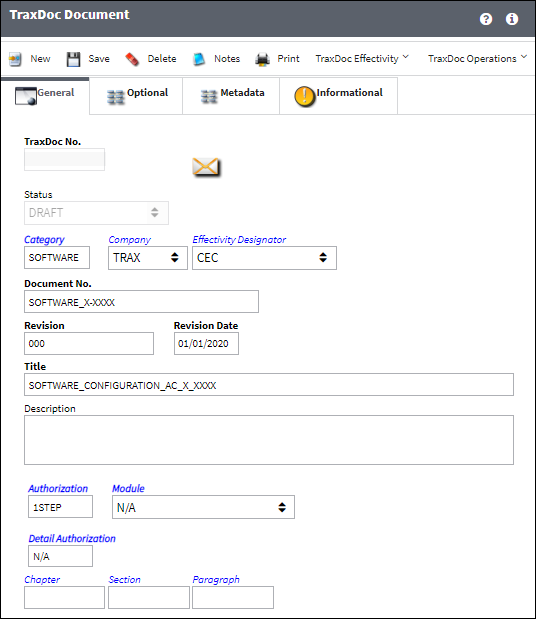
Under the General tab, select SOFTWARE in the Category field and enter the remaining document details (Document No. Revision/Revision Date, Title, Authorization details). Select the Save  button and the system will designate a TraxDoc number.
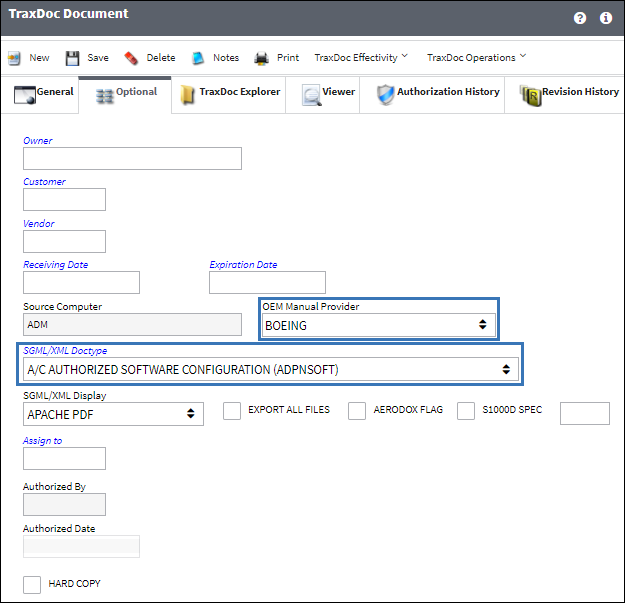
Under the Optional tab, select A/C AUTHORIZED SOFTWARE CONFIGURATION (ADPNSOFT) in the SGML/XML Doctype field, and select the aircraft manufacturer in the OEM Manual Provider field. Select the Save button.
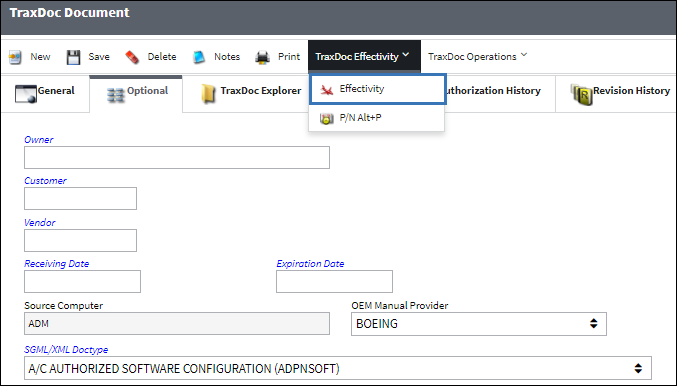
Select the Effectivity  button from the TraxDoc Effectivity drop down menu.
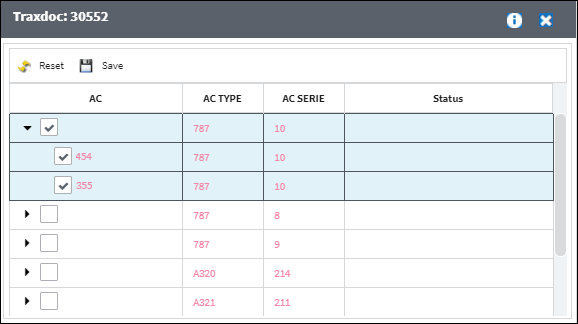
Assign effectivity to the A/C Type/Series that the aircraft being loaded is categorized under. Select the Save button and exit the effectivity pop up window.
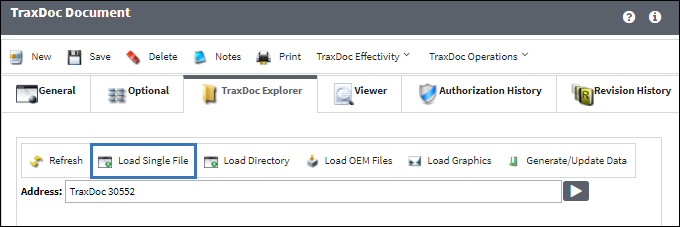
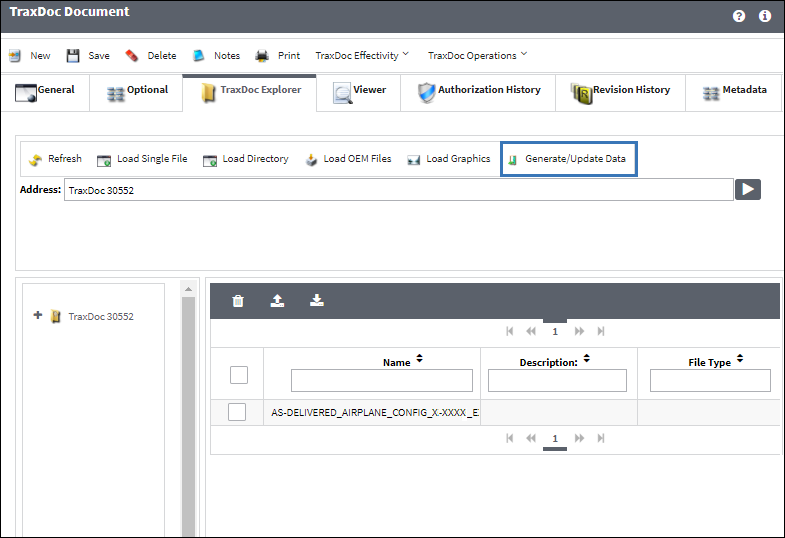
Under the TraxDoc Explorer window, select the Load Single File  button.
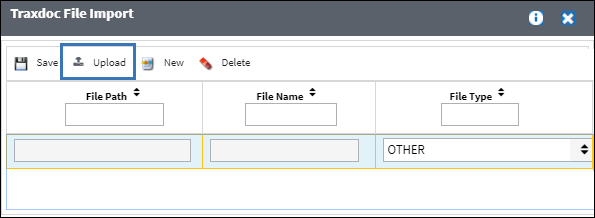
The Traxdoc File Import window opens. Select the Upload  button.
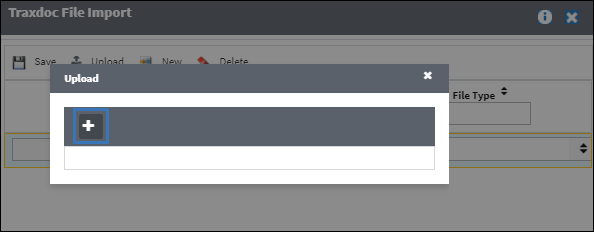
In the Upload window, select the No File Chosen  button.
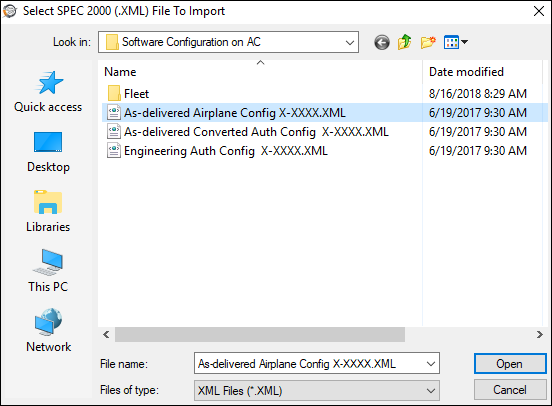
Navigate to the XML file and select the Open button.
Select IMPORT XML in the File Type drop down menu and select the Save button
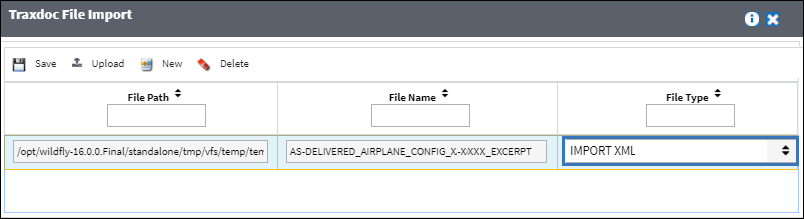
The file has been loaded. Select the Generate/Update Data  button.
The P/N Software Configuration Import window opens.
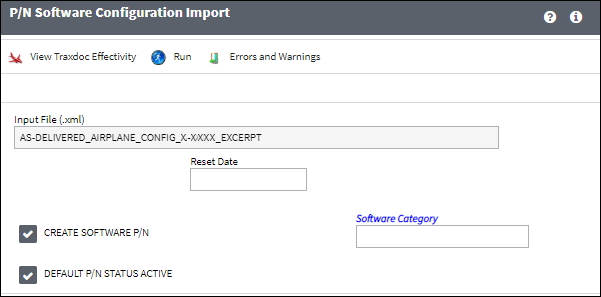
The following information/options are available in this window:
_____________________________________________________________________________________
Create Software P/N checkbox
When selected, during the import the system will create new software P/N Master records for any software P/N's that does not exist in the system.
Default P/N Status Active checkbox
When selected, new software P/N Master records created during the import will be set to active.
Software Category
Identify the default P/N Category for new software P/N Master records created during the import.
_____________________________________________________________________________________
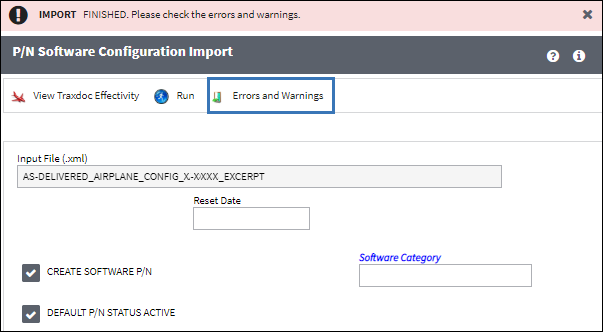
Select Run  button to load the P/N Software Configuration.
The system will display the IMPORT FINISHED message when the import is complete. Select the Errors and Warnings  button to view

Note: The new Software P/N Configurations will show aircraft effectivity in the P/N Software Configuration Authorization Management window, however in the P/N Software Configuration window effectivity will not appear until the P/N Software has been authorized.
Share
Print
|
©1997-2026 Trax USA Corp. All rights reserved. This manual may not be copied, photocopied, reproduced, translated, or converted to any electronic or machine-readable form, in whole or in part, without prior written approval from Trax USA Corp. |
 |