
 Share
 Print
|
|
|
|
|



The Leased Aircraft  button is used to designate an A/C as leased. This can be done by selecting the Lease Aircraft button at the top of the window and selecting the Save
 button, or by selecting the LEASED option in the Active dropdown menu and then selecting the Save button.
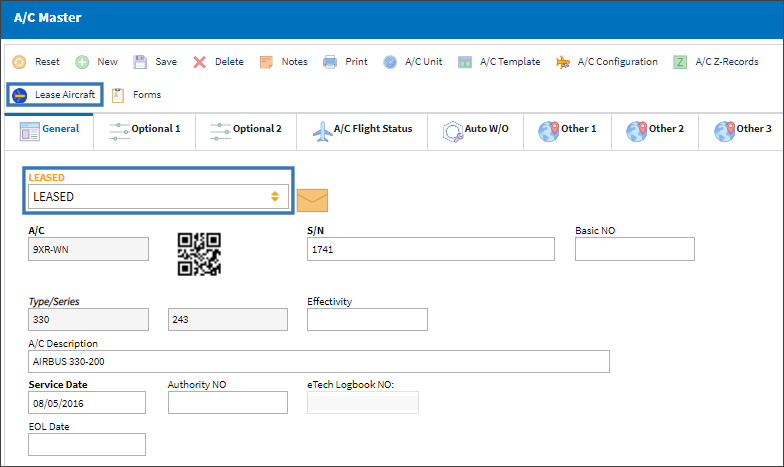
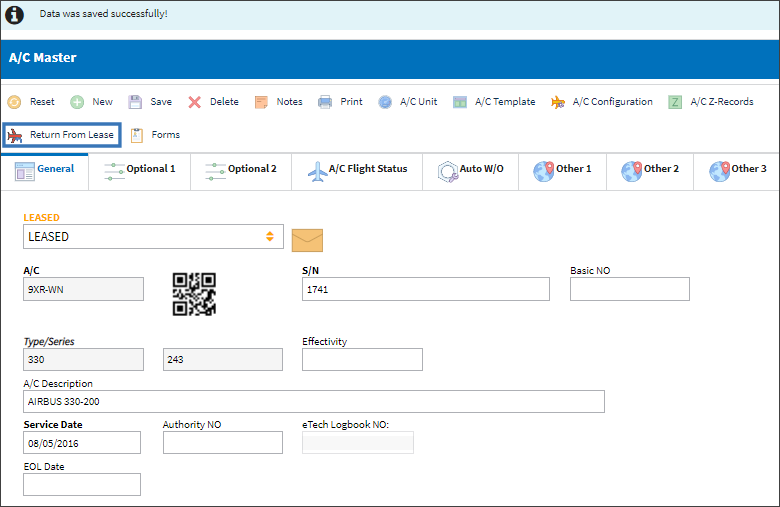
Once the A/C Active status is saved successfully as Leased, the Lease Aircraft button will be replaced with a Return From Lease button.
Share
Print
|
©1997-2026 Trax USA Corp. All rights reserved. This manual may not be copied, photocopied, reproduced, translated, or converted to any electronic or machine-readable form, in whole or in part, without prior written approval from Trax USA Corp. |
 |