
 Share
 Print
|
|
|
|
|


Changing the Toolbar Color

The color of the main eMRO toolbar (at the top and bottom of the window) can be changed to help differentiate between eMRO environments. For example, the Production environment could be red, while Pre-Production can be orange.
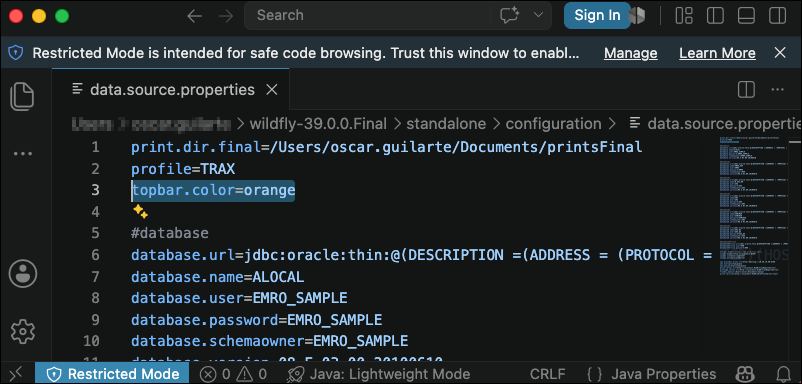
To change the color, the data.source.properties file for applicable WildFly server needs to be updated to include the 'topbar.color' property. That property can then be set to the desired color or hex code.
For example, for this environment the topbar.color property is 'orange.'
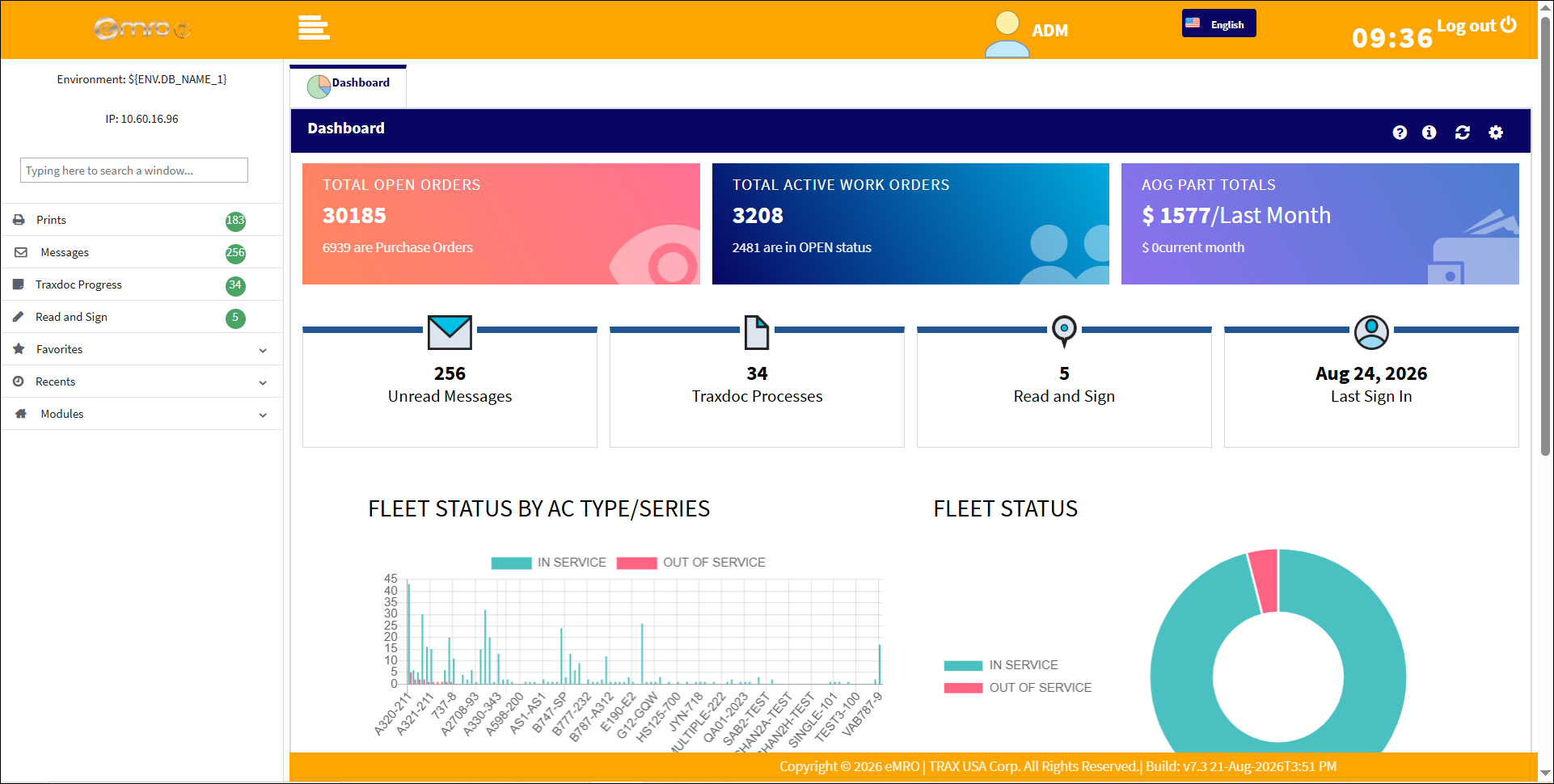
When that eMRO environment is accessed, notice the toolbars at the top and bottom of the window are orange.
Note: For more information on the data.source.properties file, refer to the eMRO v7 Deployment Guide via iCentral.
Share
Print
|
©1997-2026 Trax USA Corp. All rights reserved. This manual may not be copied, photocopied, reproduced, translated, or converted to any electronic or machine-readable form, in whole or in part, without prior written approval from Trax USA Corp. |
 |