 Download Online Help
 Print
|
|
|
|
|


Find Button, via Standard Buttons
The Find  button is a standard button found throughout the system. The following is just one example of the Find button.
Select the Find button to find data according to the selection entered. The user can filter the search by populating available fields.
Go to Production/ Update/ Work Order
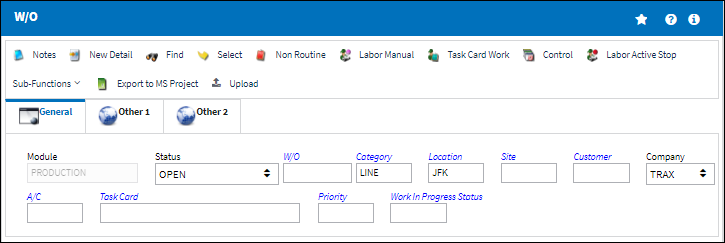
From the W/O window. The user can filter by any of the below fields. In the following example, the user has selected to filter by Status, Category and Location and Company. Select the Find button.
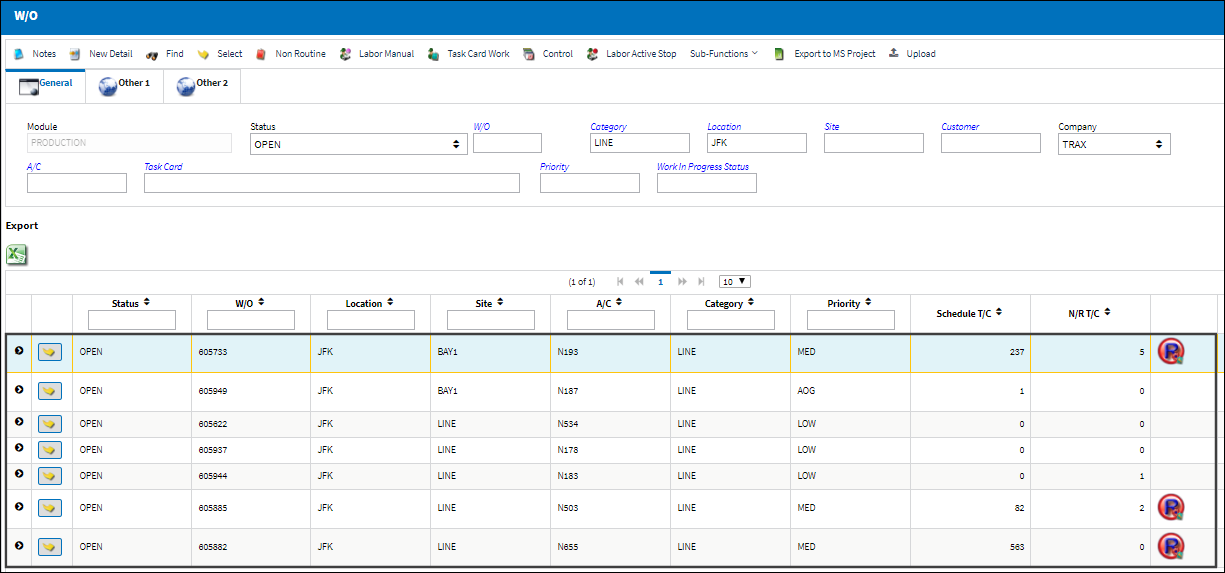
The following results are displayed:
Download Online Help
Print
|
©1997-2018 Trax USA Corp. All rights reserved. This manual may not be copied, photocopied, reproduced, translated, or converted to any electronic or machine-readable form, in whole or in part, without prior written approval from Trax USA Corp. |
 |