 Download Online Help
 Print
|
|
|
|
|


Rental Order
The Rental Order (R/N) option allows operators to rent out an item from their inventory to a customer. Aside from the customer and part details, the R/N also specified the terms of the rental, such as the initial rental fees, return date, and past-due fees. This window is composed of a header level (where the Customer details can be specified) and a detail level (where the specific part details can be specified for one or more parts through multiple line items).
The following tabs and buttons are available at the header level.
Rental Order Header Tabs |
Rental Order Header Buttons |
|
Received Tab |
|
 Reset button
 New button
 Save button
 Delete button


For more information on the options in the detail level, refer to the Rental Order Detail.
Refer to Issuing a Part to the Rental Order for more on the utilization of this feature.
Rental Order Table
In the lower half of the window, all open Rental Orders are displayed.
The table is broken down into multiple pages - users can switch through the pages listed at the top and bottom of the table. The amount of items displayed in each page can be changed through the dropdown at the top and bottom of the table (the options are 5, 10, 15, or 50 items per page). The table can be filtered to display specific information by entering the specific data in the blank fields under each column name. Alternatively, line items can be sorted by using the up/down arrows next to the column name. Some tables contain a dropdown arrow in the first column that can be selected to display additional information for the selected record. When the required record is selected, click on the Select  button to access the Detail window.
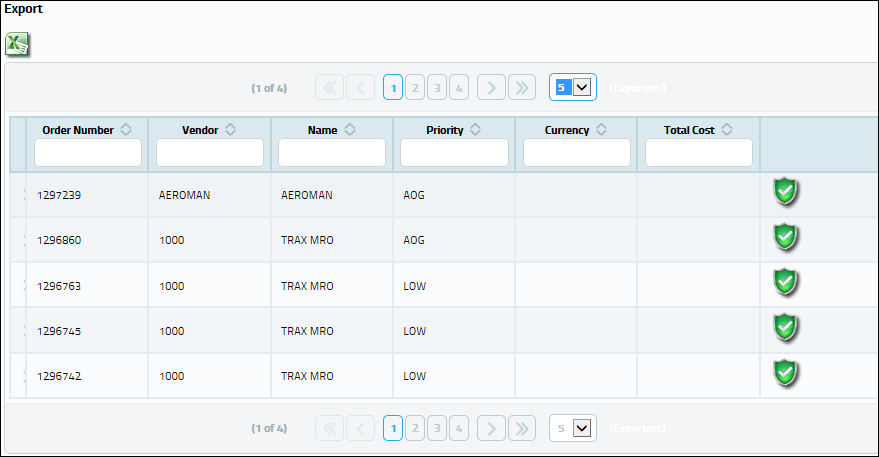
The Export  button located above the table can be selected to view the contents of the table (including all pages) in an Excel spreadsheet.
The following columns are available in this table:
_________________________________________________________________________
Order Number
The type of order and the order number for the transaction.
Vendor
The vendors are defined in the Vendor Master. All vendors must have the required criteria (i.e. supplier, service, etc) to be used against the particular order type. Otherwise, the below message may be received stating that the user will not be able to save the order with that particular vendor.
Name
The name of the vendor who was selected in the vendor field will appear here as defined in the Vendor Master.
Priority
The priority placed on the transaction (e.g., routine, AOG, etc.).
Currency
The currency that will be used for the order transaction. Currencies may be defined for the Customer/Vendor in the Customer/Vendor Master and overridden at the order level.
Total Cost
The total cost of the order, which includes all line items' quantity multiplied by any additional fees or cocts, such as Freight, Duty, Tax, etc.
Authorization Status
The Authorization status of the record.
_________________________________________________________________________
 Download Online Help
Print
|
©1997-2018 Trax USA Corp. All rights reserved. This manual may not be copied, photocopied, reproduced, translated, or converted to any electronic or machine-readable form, in whole or in part, without prior written approval from Trax USA Corp. |
 |