 Download Online Help
 Print
|
|
|
|
|


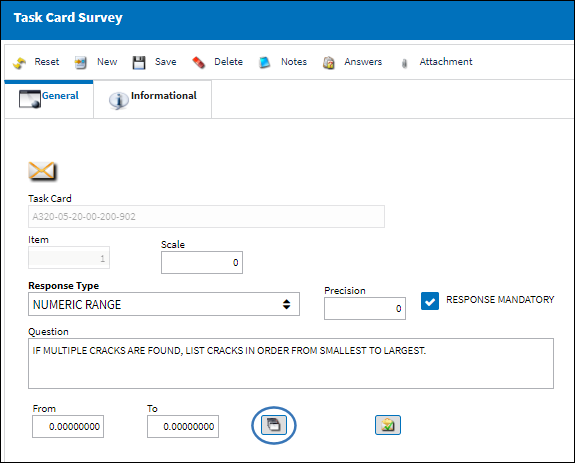
If the response for the survey question falls in between the specified values in the From and To fields, select the Answer  button.
The system will display the Task Card Survey Schedule Control Window. Use the drop down menu to select an E/C Control action. Select into the E/C field to select an E/C.
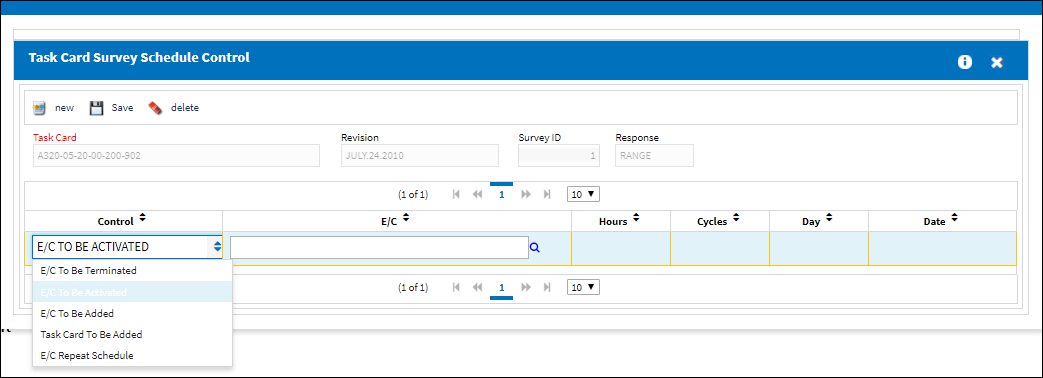
The following options/information is available in this window:
_________________________________________________________________________
E/C Repeat Schedule
When selected, the repeat schedule of the E/C can be changed. The E/C compliance parameter fields appear. The E/C repeat schedule parameters can be changed. Once the Survey is answered accordingly for the completed W/O T/C, the E/C's Repeat Schedule will be updated according to the values entered in the Survey.
E/C To Be Activated
Previously Terminated E/Cs can be automatically re-Activated when another E/C is Terminated depending on the setup of the Survey and the Task Card Survey Schedule Control window. For example, based on the response to the Task Card Survey below, E/C: X will be Terminated and E/C: Y will be Activated. Based on the response to the other Task Card Survey below, E/C: Y will be Terminated and E/C: X will be Activated. Now, in the event that E/C: X had previously been Terminated, the system will re-Activate it once E/C: Y is Terminated. The complied date of the Terminated E/C then becomes the Effective Date for the re-Activated E/C.
Note: When Activating an E/C that already has an effective Date, re-Activating the E/C will not change/update the original Effective Date.
E/C To Be Added
Upon providing an Answer within the From To Range, the specified Engineering Control will be added to the Work Order to which the Task Card, along with its Survey, is associated to.
E/C To Be Terminated
The user may choose the Engineering Control to be terminated from the Work Order the Task Card is associated to upon answering the Survey question within the specified Range.
Task Card To Be Added
Upon providing an Answer within the From To Range, the specified Task Card will be added to the Work Order to which the Task Card, along with its Survey, is associated to.
_________________________________________________________________________
E/C Repeat Schedule:
The 'E/C Repeat Schedule' is an E/C Control option found in the Task Card Survey Schedule Control. When selected, the repeat schedule of the E/C can be changed.
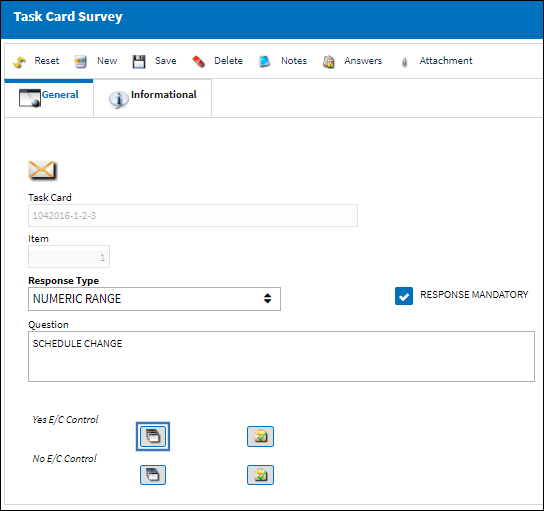
Select the E/C Control Answer button in the Task Card Survey window. The Task Card Survey Schedule Control window appears.
Select 'E/C Repeat Schedule' in the Control dropdown field. The E/C compliance parameter fields appear. The E/C repeat schedule parameters can be changed.
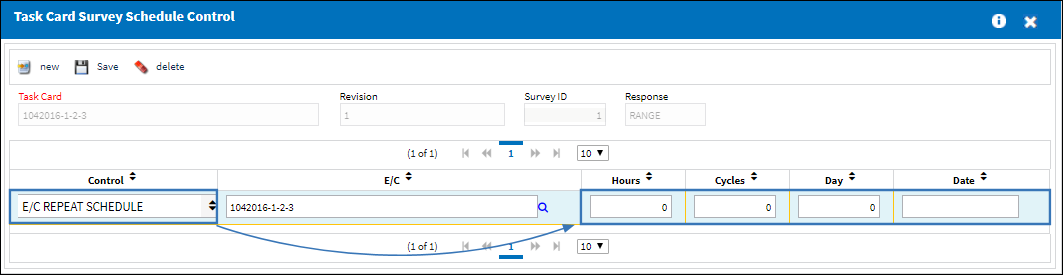
Once the Survey is answered accordingly for the completed W/O T/C, the E/C's Repeat Schedule will be updated according to the values entered in the Survey.
Activating/Terminating E/Cs:
Previously Terminated E/Cs can be automatically re-Activated when another E/C is Terminated depending on the setup of the Survey and the Task Card Survey Schedule Control window.
For example, based on the response to the Task Card Survey below, E/C: X will be Terminated and E/C: Y will be Activated.
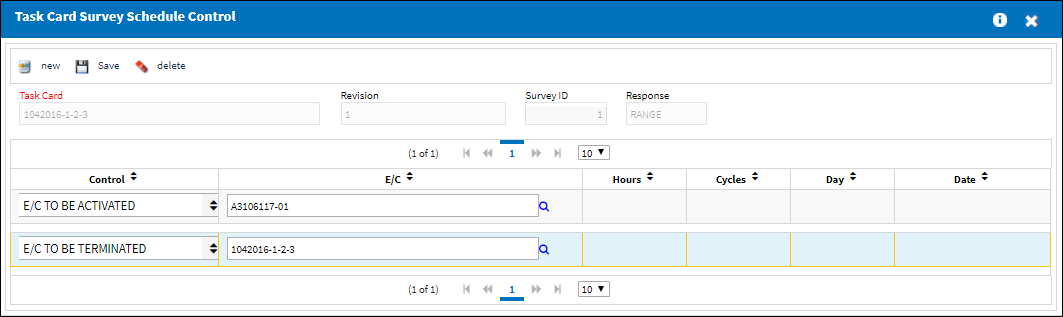
Based on the response to the other Task Card Survey below, E/C: Y will be Terminated and E/C: X will be Activated.
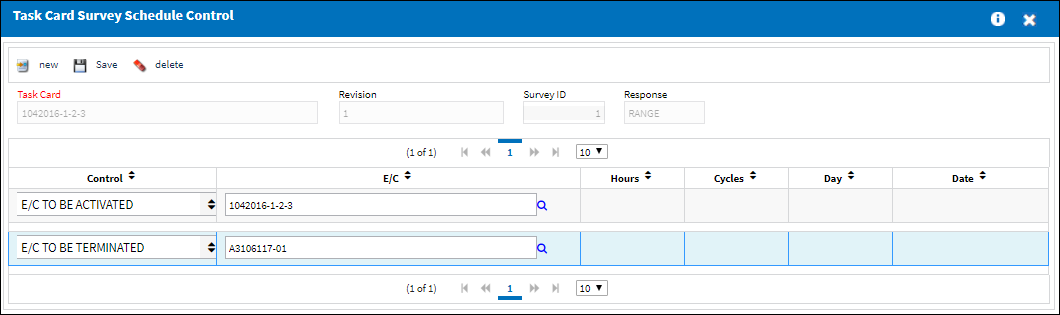
Now, in the event that E/C: X had previously been Terminated, the system will re-Activate it once E/C: Y is Terminated.
The complied date of the Terminated E/C then becomes the Effective Date for the re-Activated E/C.
Note: When Activating an E/C that already has an effective Date, re-Activating the E/C will not change/update the original Effective Date.
Download Online Help
Print
|
©1997-2018 Trax USA Corp. All rights reserved. This manual may not be copied, photocopied, reproduced, translated, or converted to any electronic or machine-readable form, in whole or in part, without prior written approval from Trax USA Corp. |
 |