
 Share
Share
 Print
Print
|
|
|
|
|


After a part/condition record is added to the P/N Catalog in the Surplus Sales window, whenever an edit is made to the part/condition record in P/N Sell window the Surplus Sales Generation pop-up window will appear with the edits made to the part/condition record. This pop-up window prompts users to update the WPL P/N Catalog record as soon as the P/N Sell information for the part/condition is updated.
Once the P/N Sell window is saved, the Surplus Sales Generation pop-up window appears as follows.
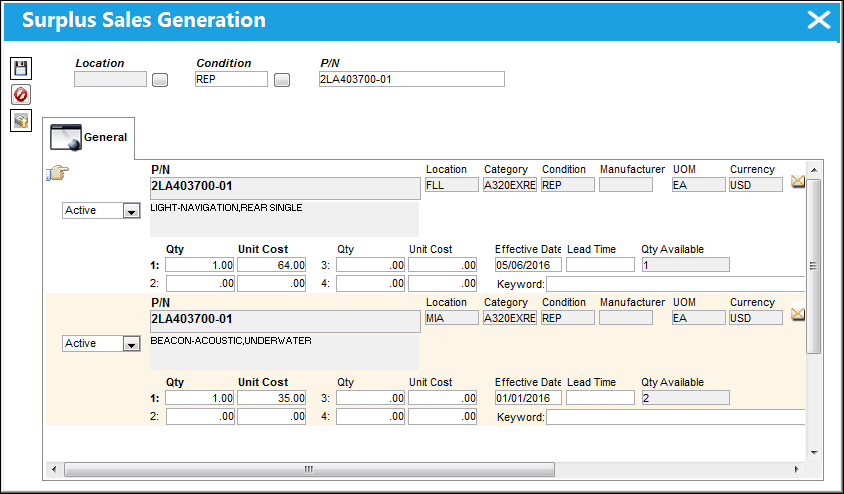
Once edits are made:
- Select the Save
 button to save the edits made to the P/N Catalog record.
 - Select the Upload
 button to upload the edited P/N Catalog record to the World Part Locator cloud.
For more information on the functionality of this window, refer to Surplus Sales - Generating and Uploading WPL P/N Catalogs via the Customer Order module.
Share
Print
|
©1997-2026 Trax USA Corp. All rights reserved. This manual may not be copied, photocopied, reproduced, translated, or converted to any electronic or machine-readable form, in whole or in part, without prior written approval from Trax USA Corp. |
 |