 Download Online Help
 Print
|
|
|
|
|


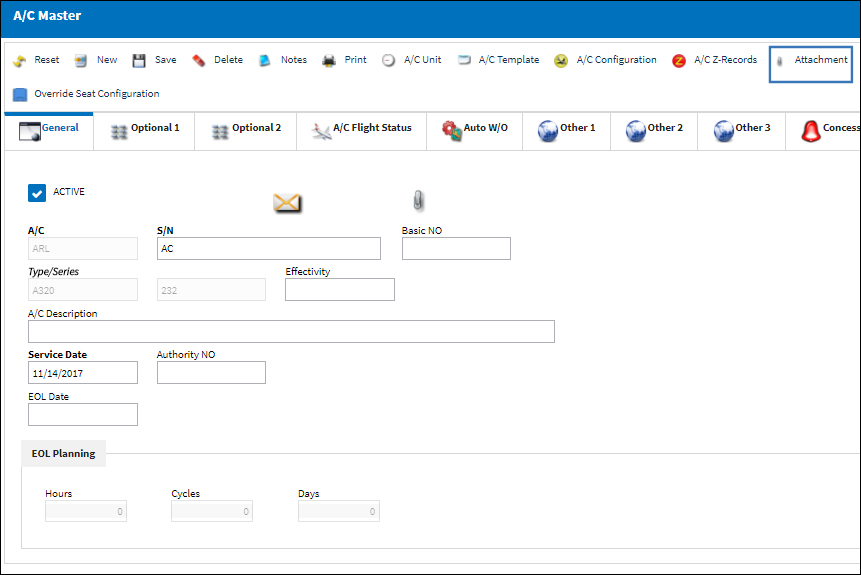
The Attachment  button allows users to add images and external documents as an attachment to the currently selected record. Enter the full path (network or other) that contains the image the user would like to associate with the record.
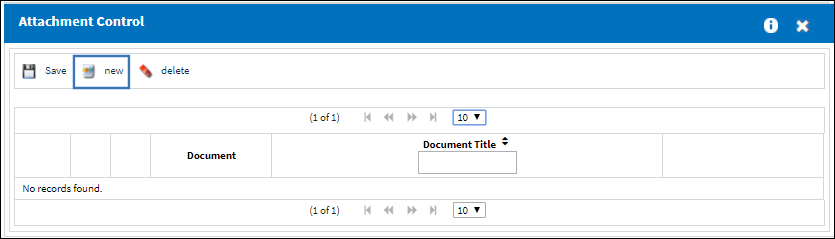
From the Attachment Control window, select the New  button. The Line and Document Title fields become available.
Attachments can only be in the following formats: .JPG, .TIFF, .BMP, .PNG, Adobe® Portable File Document (.PDF) format, Microsoft® Word (.DOC), Microsoft® Excel (.XLS), HTML (HTML, HTM), Audio (Wave, MP3, WMA), Video (MPEG, MPG), and Cmg (CMG).
After selecting the appropriate file, save it within the Attachment Control window through the Save  button and close the window. Then, save the record for which the Attachment is associated to in the record's window, also through the Save button.
The Attachment button is a standard button found throughout the system. For more information, refer to the Attachment button, via the System Standards Training Manual.
Download Online Help
Print
|
©1997-2018 Trax USA Corp. All rights reserved. This manual may not be copied, photocopied, reproduced, translated, or converted to any electronic or machine-readable form, in whole or in part, without prior written approval from Trax USA Corp. |
 |