 Download Online Help
 Print
|
|
|
|
|


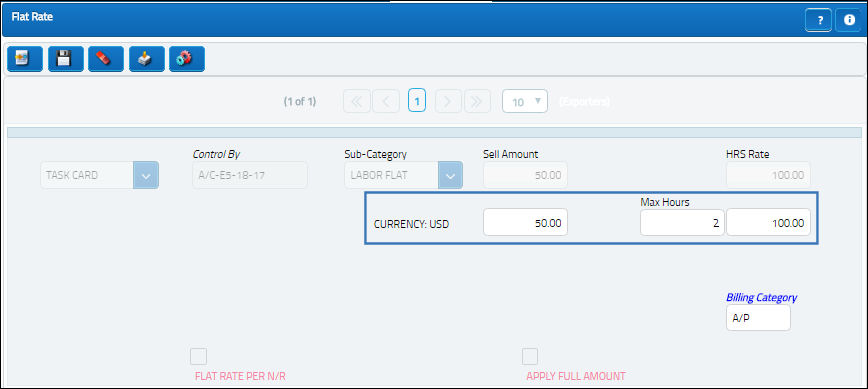
From the Customer Contract window, users can create Labor Flat charges that contain a different hourly rate for Non-Routine Task Card Labor hours that exceed the Max Hours covered by the Flat Rate.
For example, the following Labor Flat Customer Contract includes a Sell Amount of '50' dollars for a Max Hours of '2.' The contract also contains an HRS Rate of '100' dollars. Therefore, the first two hours of Labor will be charged a flat rate of '50' dollars while every additional labor hour will be charged at a rate of '100' dollars per hour.
The following example contains a N/R Task Card with '8' total labor hours.
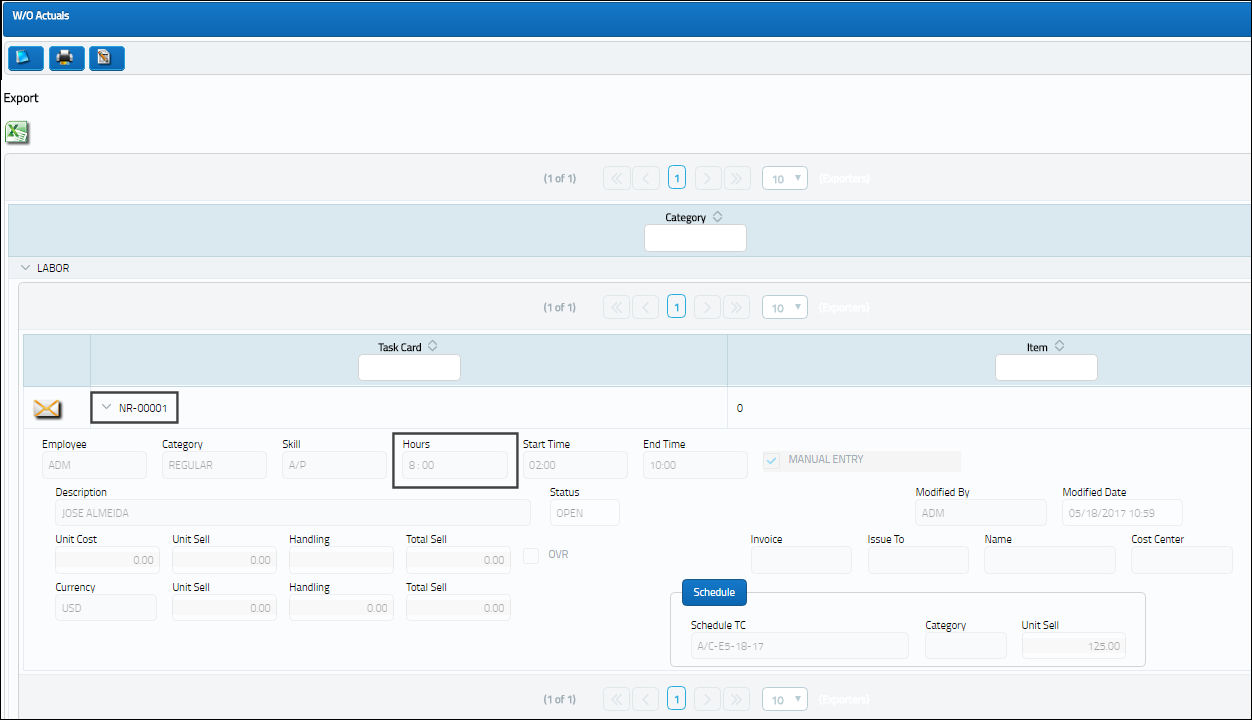
The contract splits up the labor hours by charging the first two hours at '50' dollars and the remaining six hours at '100' dollars each.
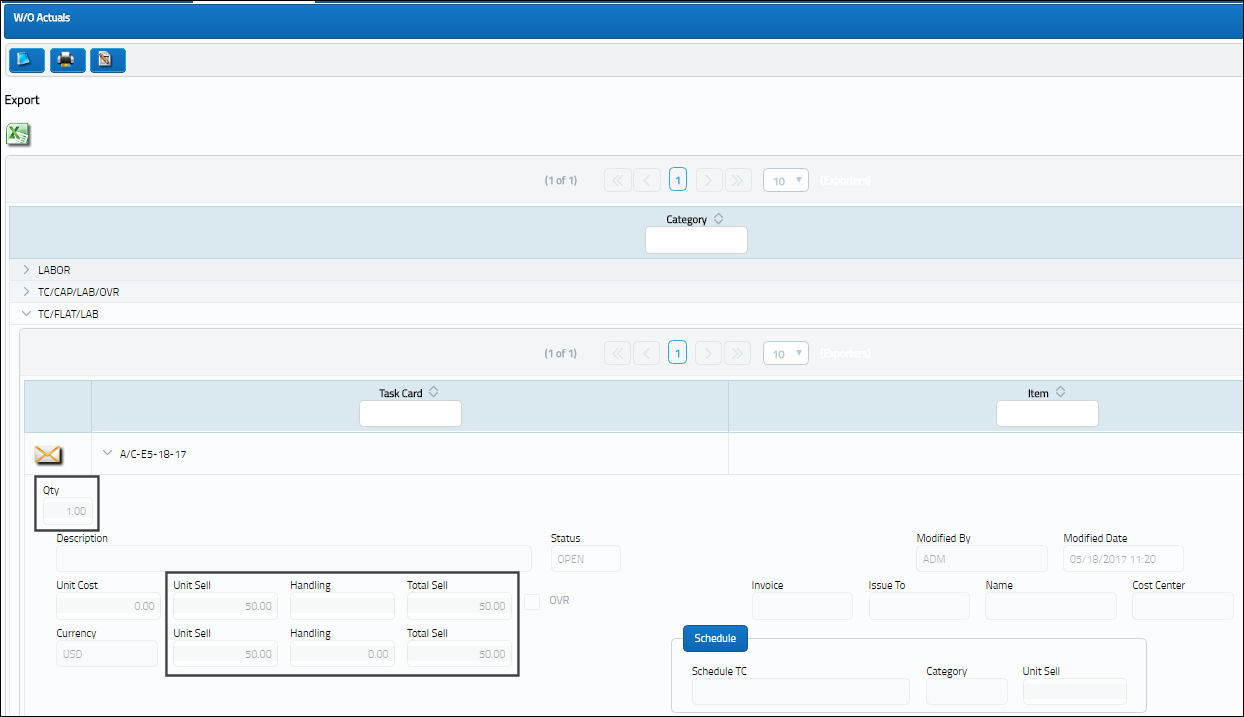
The W/O Actuals displays the Flat Labor charge ('50' dollars) for the first two hours in the TC/FLAT/LAB section.
Note: The QTY field shows the amount of times the charge was applied, NOT the number of hours. In this example, the Labor Flat charge was applied once for the two Labor Hours.
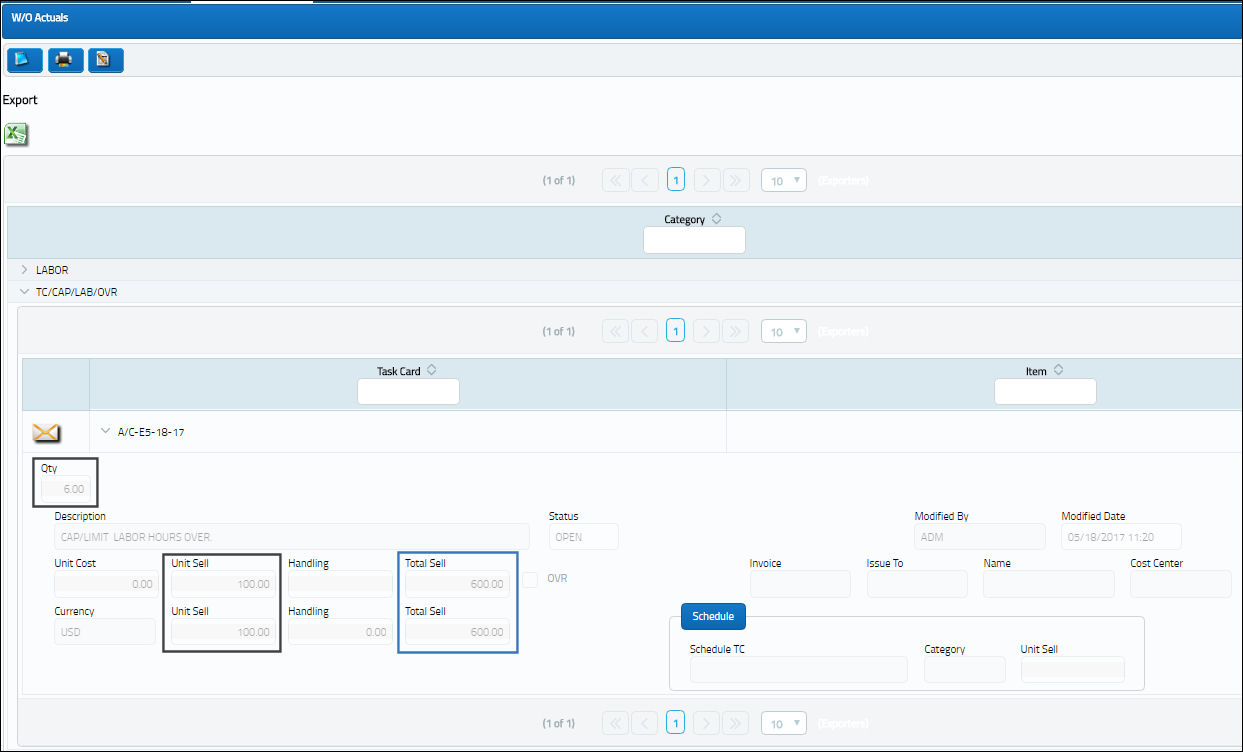
The TC/CAP/LAB/OVR section shows the six charges for '100' dollars that account for the six remaining hours (for a Total Sell value of '600' dollars).
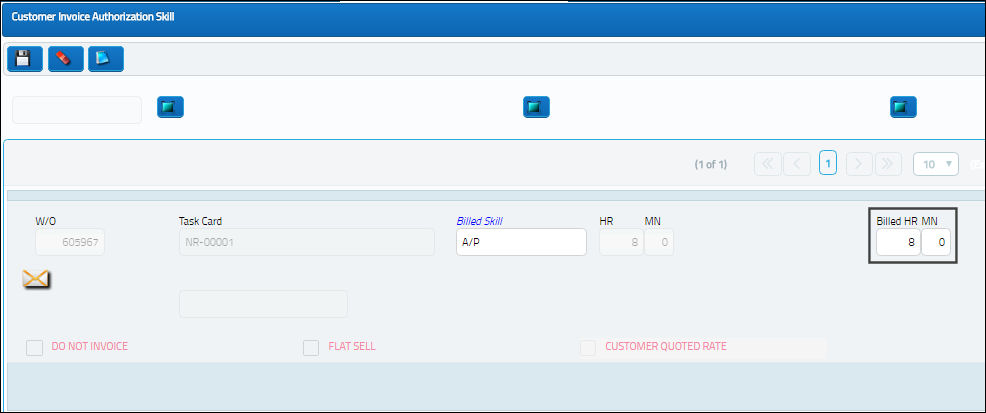
The following is the invoice for the Flat Labor charge for the Task Card. The Labor totals '8' hours.
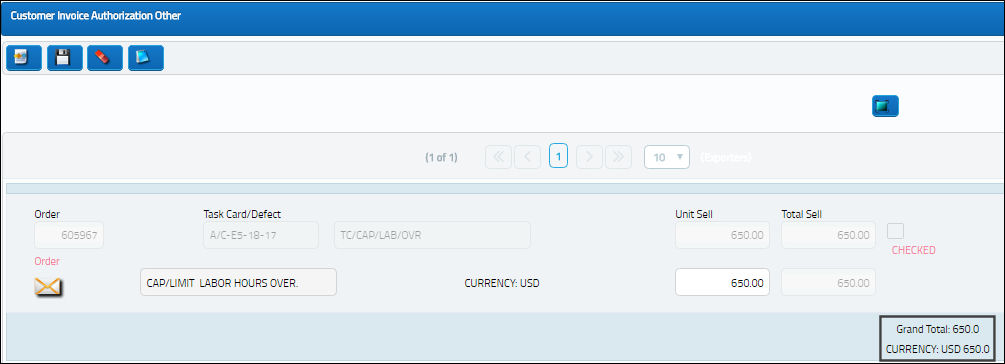
The Flat Labor charge totals at '650' dollars.
Download Online Help
Print
|
©1997-2018 Trax USA Corp. All rights reserved. This manual may not be copied, photocopied, reproduced, translated, or converted to any electronic or machine-readable form, in whole or in part, without prior written approval from Trax USA Corp. |
 |