
 Share
Share
 Print
Print
|
|
|
|
|



Authorizing a Contractor Authorization Request is dependant on the status of the Non-Routine Task Card that is associated to the CA. Depending on the configuration of certain system configuration switches, and authorization steps set up, the Non-Routine Task Card can go to OPEN status immediately upon the CA being authorized, or the customer can manually authorize the NRTC at which point the CA will go from 'OPEN' to 'CLOSED' status. The following will outline the authorization process of a Contractor Authorization Request.
 Note: The name of the Contractor Authorization Request
  button has been changed to the Airline Authorization button in Trax Version 15 and all later releases. Subsequently, all corresponding window names have also been updated.
For the example outlined below, both switch  WOATHREL and switch WOTSKNWAUT are set to Yes.

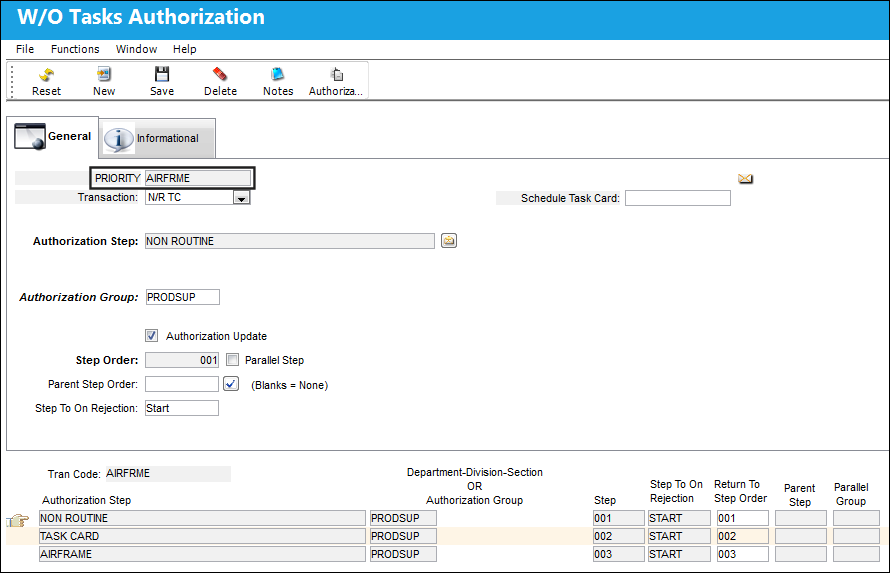
The following Authorization Steps has been set up for the W/O Priority Transaction Code AIRFRME. A specific Authorization Step has been set up for a N/R TC.
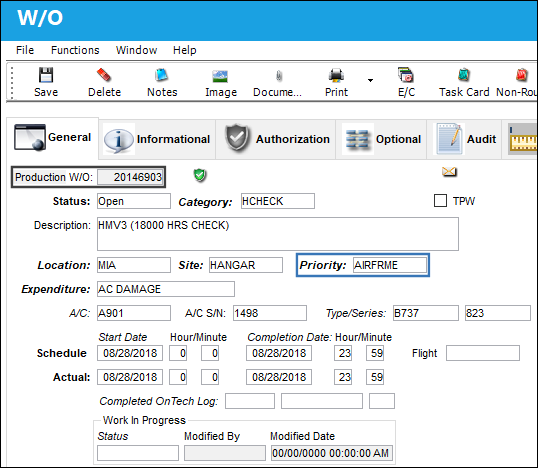
The following Work Order has been created with W/O Priority AIRFRME.
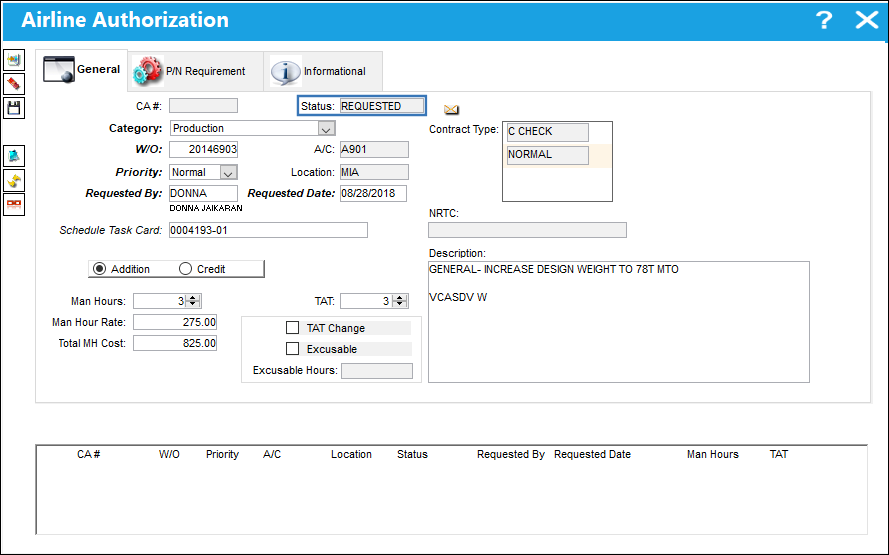
The following Customer Authorization Request is created and is in REQUESTED status.
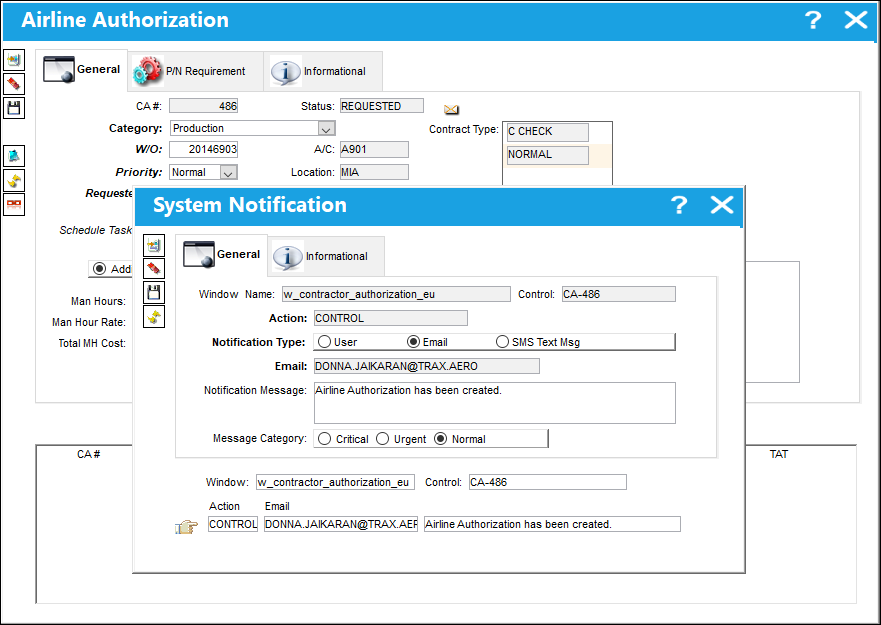
Upon saving the details in the CA, the following system notification pop up appears. Save the email system notification and exit the window.
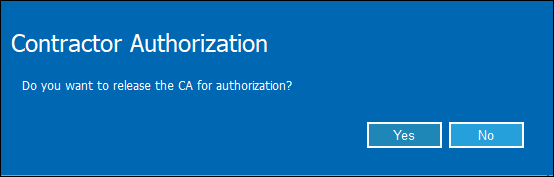
The Contractor Authorization pop up appears at the same time the email notification is sent to the customer regarding the Non-Routine Task Card being saved to the CA. Select 'Yes' to release the CA for authorization.
A Non-Routine Task Card is created.
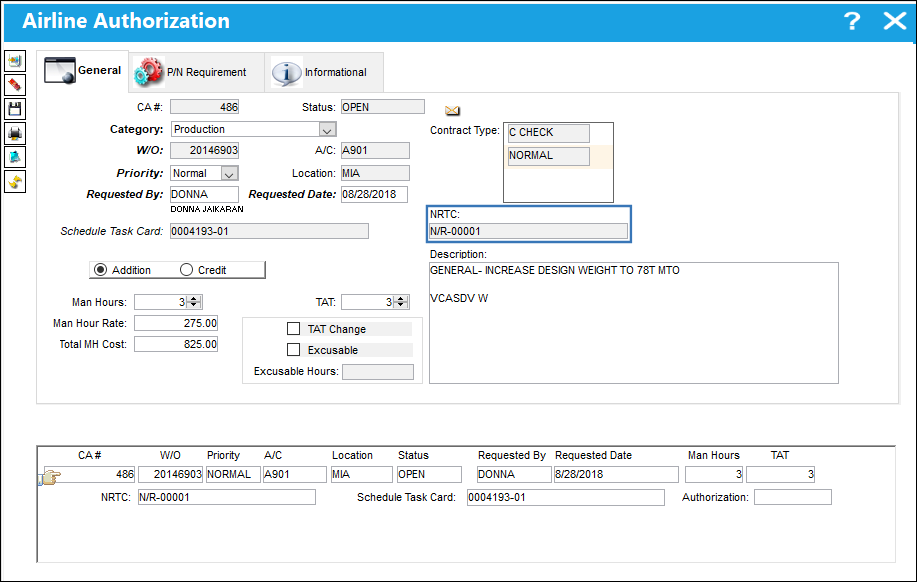
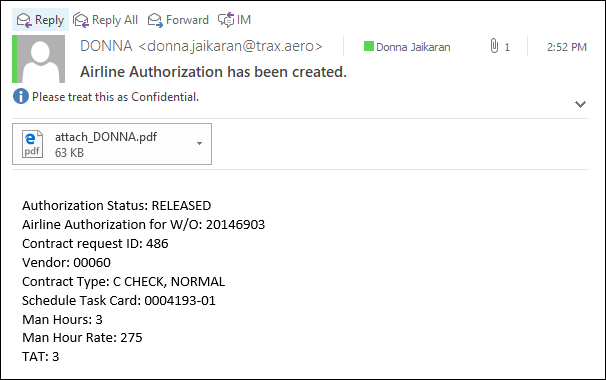
The following is the email notification sent to the customer.
Go to the W/O Tasks Authorization Explorer window and select the Authorization option for the Non-Routine Task Card against the CA.
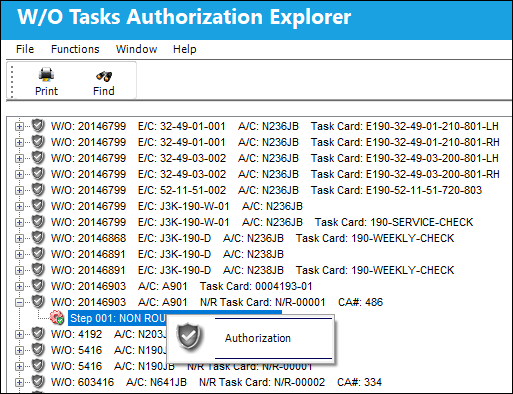
In the following example, the customer will first elect to Reject the NRTC just to illustrate how the CA and related NRTC behave during the authorization process.
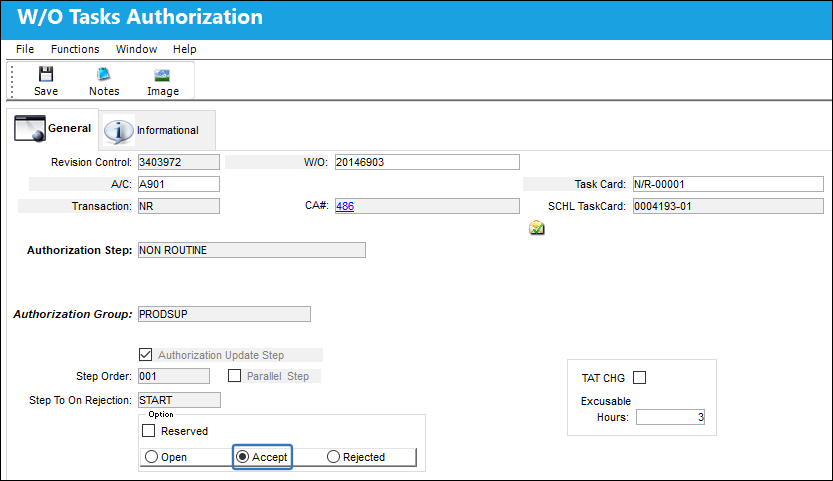
There are a few additional fields and checkboxes in the W/O Tasks Authorization window that pertain specifically to the authorization of a Contractor Authorization Request. See below for more details.
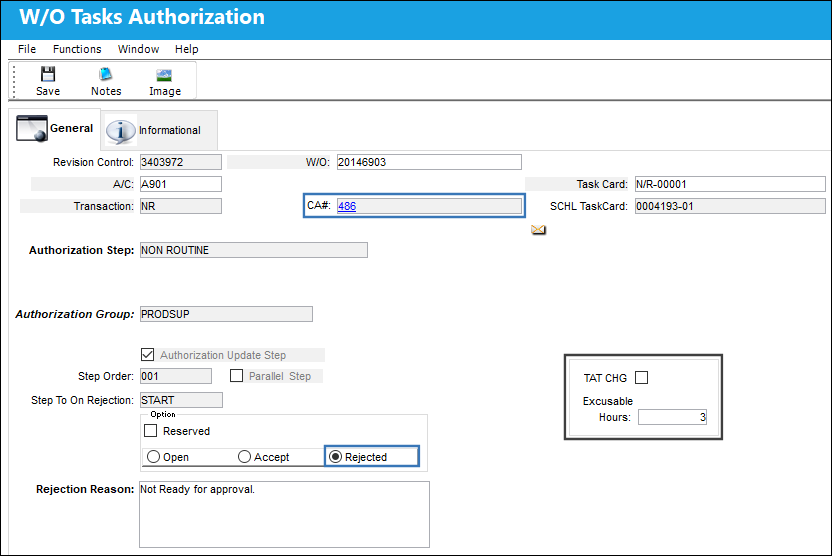
The following information/options are available in this window:
_____________________________________________________________________________________
CA#
The Contractor Authorization Request number or reference. The CA# is a link that once selected, will take the customer to the Contractor Authorization Request for the Non-Routine Task Card being authorized.
Task Card
The Task Card / Job Card that details the scheduled maintenance work. This field only appears if the Task Card being authorized is linked to a Work Order for a CA.
SCHL TaskCard
Any Task Card that is associated to that particular Work Order for the Customer Authorization Request the user is querying for. This does not include the Task Cards that have been imported to the Vendor Contract. This field only appears if the Task Card being authorized is linked to a Work Order for a CA.
TAT CHG checkbox
Select this checkbox to edit the turn around time for the Vendor Contract. This field only appears if the Task Card being authorized is linked to a Work Order for a CA.
Excusable Hours
Enter the new turn around time for the Vendor Contract. The hours entered cannot exceed the original TAT specified against the Contractor Authorization Request via the Work Order. This field only appears if the Task Card being authorized is linked to a Work Order for a CA.
_____________________________________________________________________________________
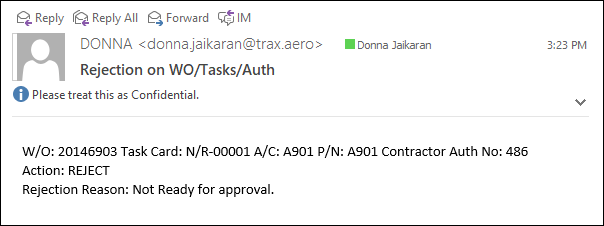
The Non-Routine Task Card remains in Pre/Auth status and the following email notification is sent to the customer.
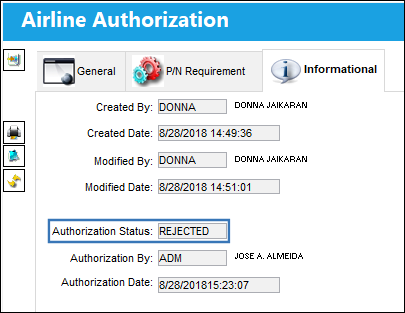
The authorization status of the CA is now in 'REJECTED' status.
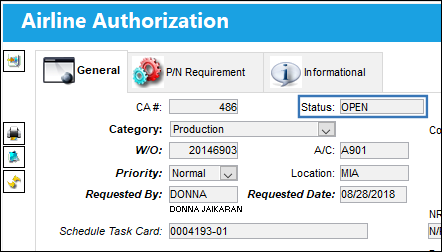
The CA remains in 'OPEN' status.
Return to the W/O Tasks Authorization window and 'Accept' the NRTC.
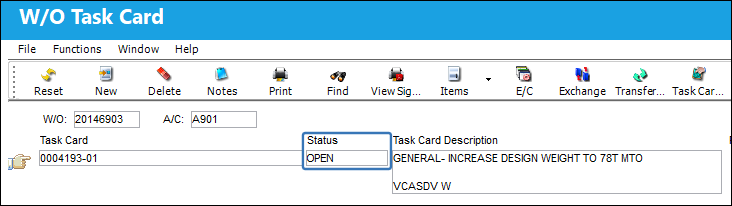
The status of the Non-Routine Task Card is updated from Pre/Auth to OPEN.
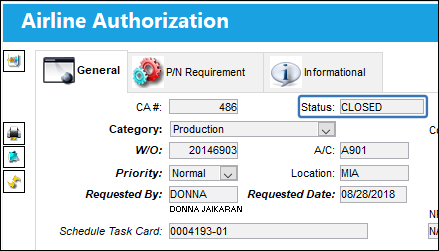
The CA is now CLOSED and all fields are protected from being edited/updated.
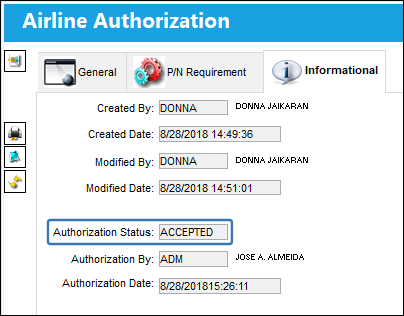
The CA has now been accepted.
Share
Print
|
©1997-2026 Trax USA Corp. All rights reserved. This manual may not be copied, photocopied, reproduced, translated, or converted to any electronic or machine-readable form, in whole or in part, without prior written approval from Trax USA Corp. |
 |