
 Share
Share
 Print
Print
|
|
|
|
|


The Release Authorization  button must be used to change the status of the Task Card.
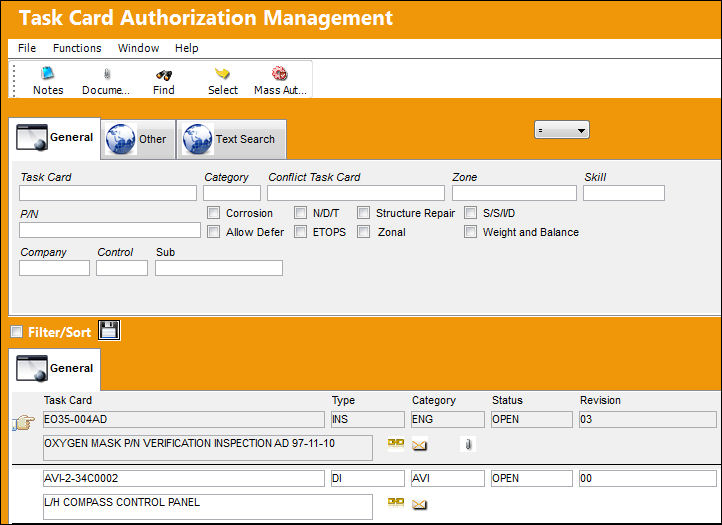
Create a Task Card and go to Engineering/Update/Task Card Authorization Management.
TRAX displays the Task Card Authorization Management Window. Select the Task Card to be authorized. Confirm that Hand  pointer is pointing to the desired record and select the Select
  button to view the Task Card and release it to authorization.
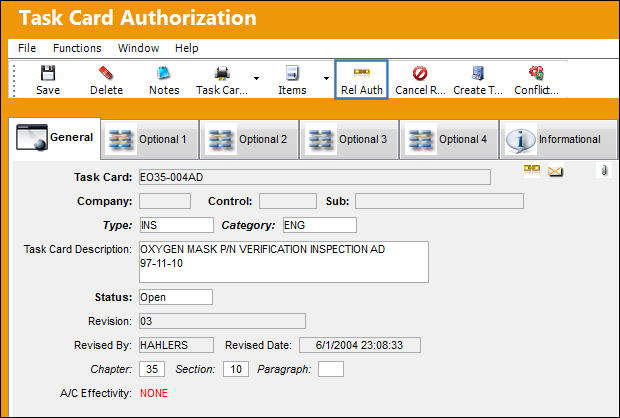
TRAX displays the Task Card Authorization Window. Select the Release Authorization button.
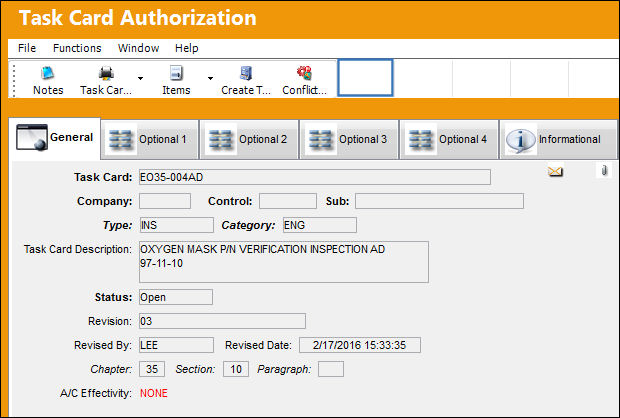
Once selected, the Release Authorization button will disappear from the window, indicating that the item has been sent to the Task Card Authorization queue (Engineering/Explorer/Task Card Authorization) to await authorization. The Task Card has been Released To Authorization and can no longer be edited via the Engineering/Update/Task Card window. However, it can be edited through the Task Card Authorization Management option.
Share
Print
|
©1997-2026 Trax USA Corp. All rights reserved. This manual may not be copied, photocopied, reproduced, translated, or converted to any electronic or machine-readable form, in whole or in part, without prior written approval from Trax USA Corp. |
 |