 Download Online Help
 Print
MANUALS > Production > Production Switches > WOSCOPEDAYS - Specify Number of Days Used to Calculate T/Cs Displayed in W/O Scope Analysis, Time & Materials tab
|
|
|
|
|


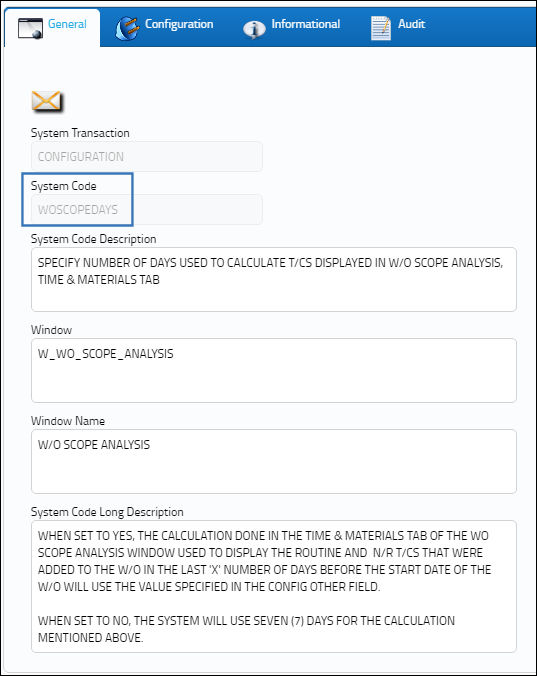
WOSCOPEDAYS - Specify Number of Days Used to Calculate T/Cs Displayed in W/O Scope Analysis, Time & Materials tab
Specify Number of Days Used to Calculate T/Cs Displayed in W/O Scope Analysis, Time & Materials tab
Affected Window: w_wo_scope_analysis
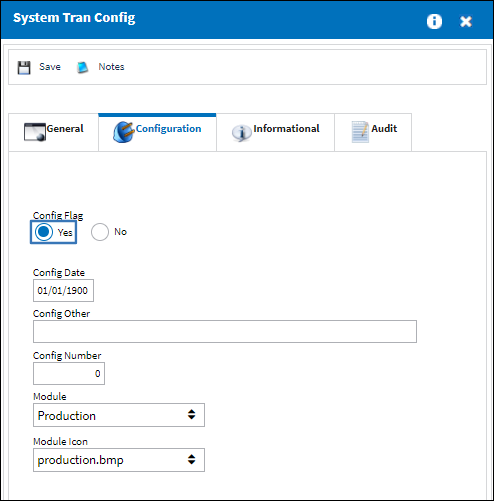
Switch Set to Yes:
When set to Yes, the calculation done in the Time & Materials tab of the W/O Scope Analysis window used to display the routine and N/R T/Cs that were added to the W/O in the last 'X' number of days before the Start Date of the W/O will use the value specified in the Config Other field. Notice the number of days specified in the Config Number field.
The Schedule Start Date of the Work Order is set.
Notice the following tasks (routine and N/R) were added to the W/O the specified days before the Start Date of the Work Order.
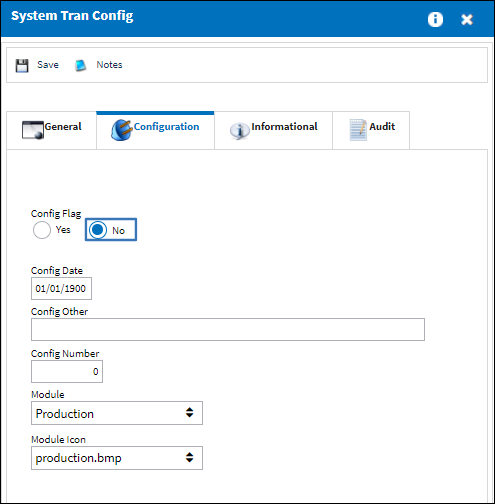
Switch Set to No:
When set to No, the system will use seven (7) days for the calculation mentioned above.
The following tasks (routine and N/R) were added to the W/O 7 days before the Start Date of the Work Order.
Download Online Help
Print
|
©1997-2018 Trax USA Corp. All rights reserved. This manual may not be copied, photocopied, reproduced, translated, or converted to any electronic or machine-readable form, in whole or in part, without prior written approval from Trax USA Corp. |
 |