 Download Online Help
 Print
|
|
|
|
|


Maintenance Program
The System Transaction Codes are displayed with both the Code Names and Descriptions. The Code Descriptions directly illustrate their functionality and role in the system, as fields are populated and tasks are performed.
Transaction Code: |
Maintenance Program |
General Description: |
Maintenance Program an E/C may belong to |
Are Authorization Steps Available? |
N |
Is System Notification Available? |
N |
Control Panel Path(s): |
Engineering/ Update/ Engineering Control |
Windows(s): |
w_engineering_eu |
Related Switch(s): |
Not Applicable |
Functions: |
Maintenance Program enables user to identify which program a particular E/C belongs to and load particular maintenance programs against newly acquired aircraft. |
Reports: |
|
Available Functionality:
The Maintenance Program code permits a user to associate E/Cs to a particular maintenance program, these codes may be entered via Setting/Explorer/System Transaction Codes.
Set-up is identical to the creation of any other System Transaction Code and there are no embedded functionalities with the Maintenance Program Transaction Code.
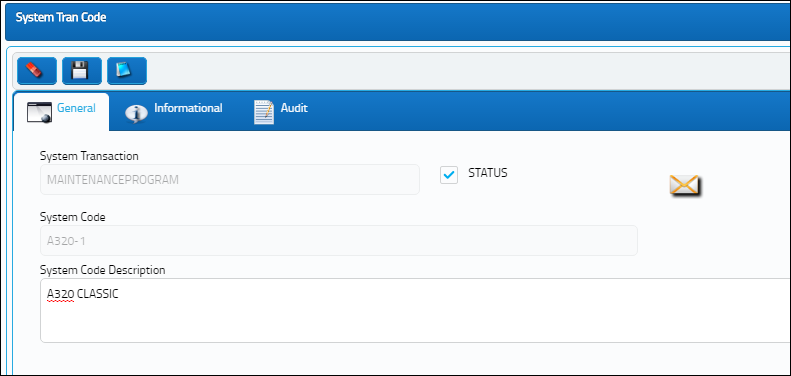
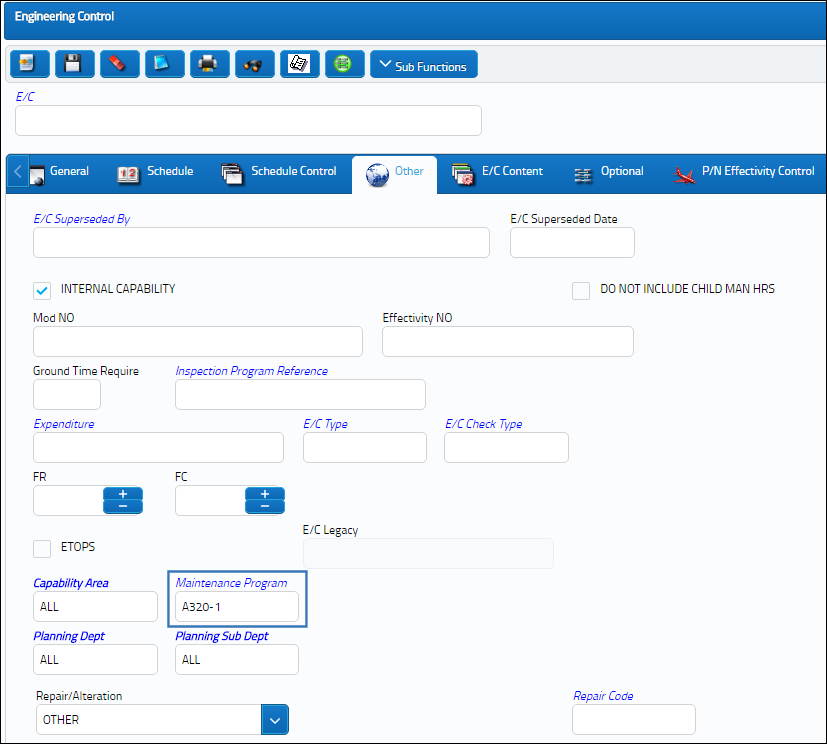
Users may associate the E/Cs to the appropriate Maintenance Program via Engineering/Update/Engineering Control, Other tab.
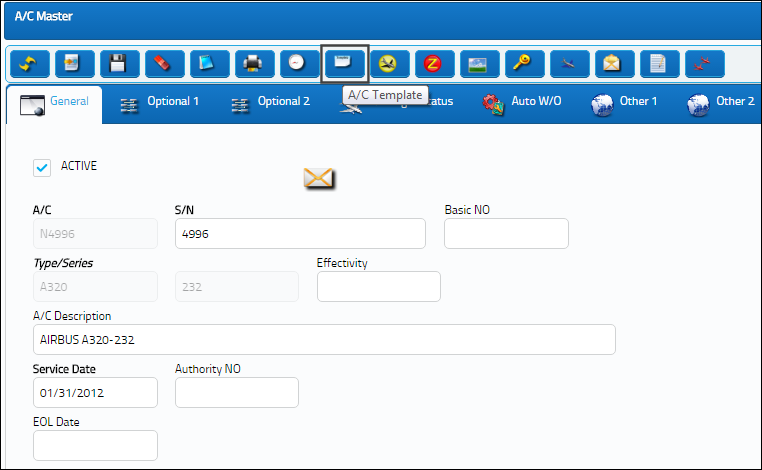
In addition, the Maintenance Program field helps users designate which E/Cs to make effective against newly acquired aircraft via Setting/Update/Aircraft.
Select an A/C and select the Template  button.
The 'Load A/C Template' pop up will appear. Select 'Yes' to load the template.
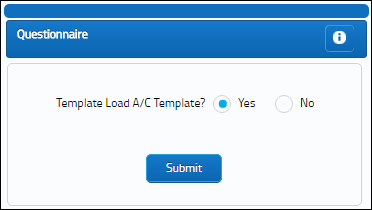
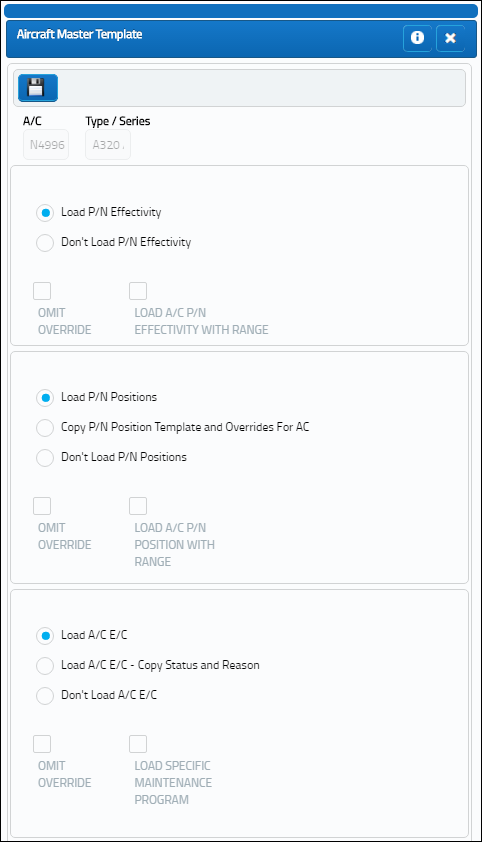
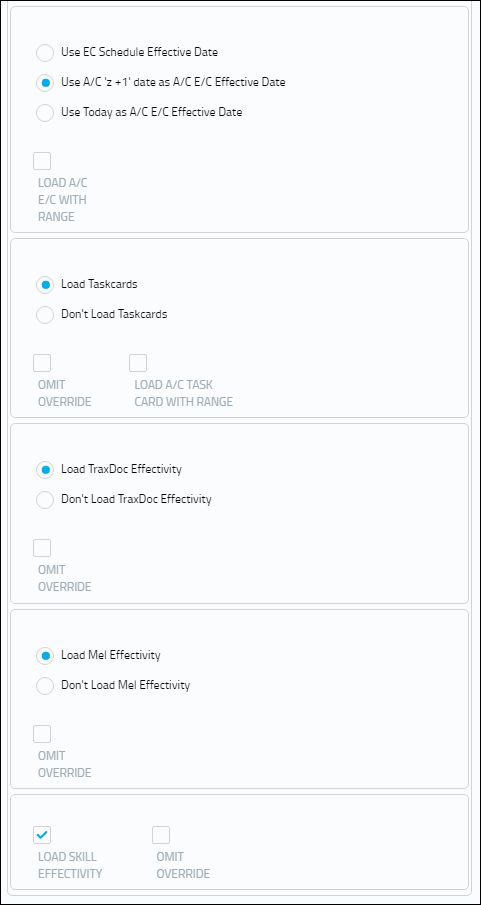
Only E/Cs identified as belonging to the specified Maintenance Program will be loaded against the newly configured aircraft.
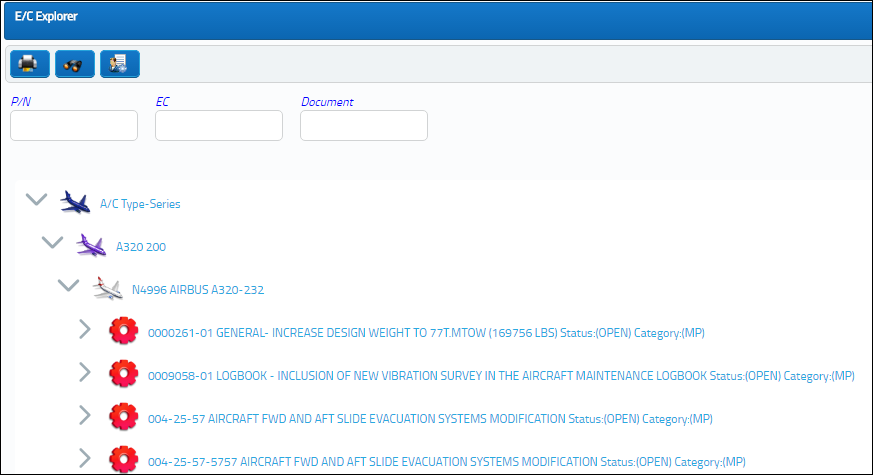
Customers operating both owned and lease aircraft have found this feature especially useful when generating configurations for Aircraft Tails of the same type and series, but may be following two different maintenance programs. For additional, information please refer to the Settings portion of the Training Manual, under Aircraft.
Download Online Help
Print
|
©1997-2018 Trax USA Corp. All rights reserved. This manual may not be copied, photocopied, reproduced, translated, or converted to any electronic or machine-readable form, in whole or in part, without prior written approval from Trax USA Corp. |
 |