
 Share
Share
 Print
Print
|
|
|
|
|


From the Engineering Authorization Management window, select an E/C. In the Engineering Control Authorization window, select the Cancel Revision  button.
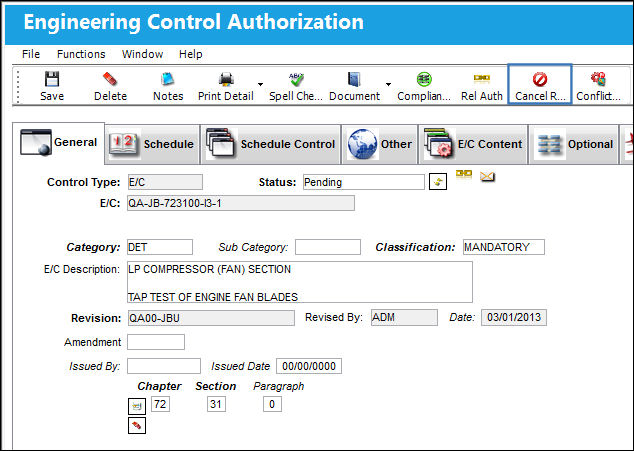
Select the Cancel Revision button to cancel a pending E/C Revision.
The system's revision history table remembers Task Card revisions that have been deleted. Once the revision has been deleted, the revision can be reused, as it will not appear in the authorization history. If the revision has been canceled, the revision cannot be reused because it will appear in the authorization history. The user can delete or cancel the revision by using the Cancel Revision button (as displayed above) which will prevent other users from creating a Task Card with that particular revision number. If the user does not want a history of the revisions to be maintained, the user may delete the revision with the standard Delete  button in this window.
Share
Print
|
©1997-2026 Trax USA Corp. All rights reserved. This manual may not be copied, photocopied, reproduced, translated, or converted to any electronic or machine-readable form, in whole or in part, without prior written approval from Trax USA Corp. |
 |