
 Share
Share
 Print
Print
|
|
|
|
|


Select the Rename/Copy  button to copy information from one E/C to a new E/C, or to rename the existing E/C.
When Switch  ECRENAME is set to Yes, The system allows the user to rename the E/C using the Rename/Copy option. If set to No, this functionality is no longer available to the user.
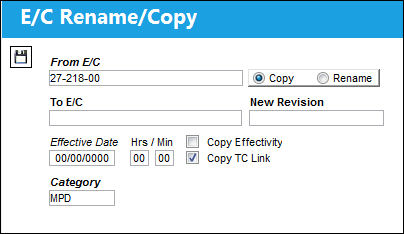
The following information/options are available in this window:
_____________________________________________________________________________________
Update radio button
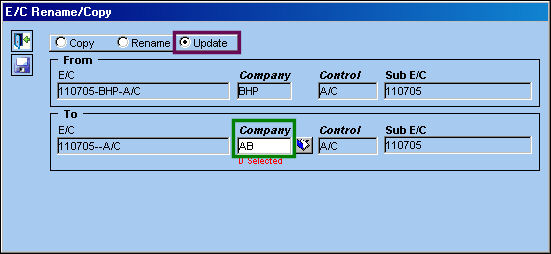
The Update radio button allows any updates made to an E/C to be copied to a specified E/C that contains the same Sub, Control and Revision Number as the original E/C. To specify which E/C is to be copied with the updates, select the appropriate Company.
The Update radio button allows for any changes made to one E/C that shares the same Sub, Control and Revision Number to be reflected on a specified E/C.
This button only appears for an E/C that shares it's Sub, Control and Revision Number with one or multiple E/Cs.
This radio button is only available via Engineering Control Authorization.
_____________________________________________________________________________________
For information regarding the additional fields and functions of the E/C Rename/Copy window, refer to the Rename/Copy Button via the Engineering Control Buttons section of this manual.
Update radio button:
The following three E/Cs are created with the same Sub (110705), Control (E/C) and the same Revision number (002). Select into the first E/C: 110705-BHP-A/C and select the Rename/Copy button.
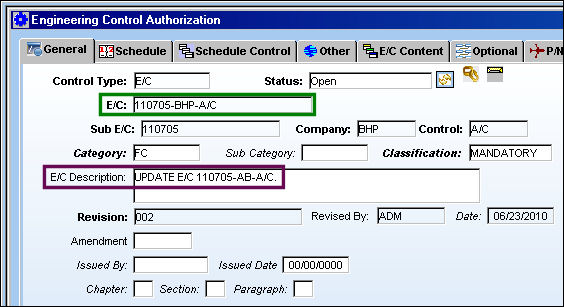
Note the Description for E/C 110707-BHP-A/C and E/C 110705-AB-A/C.
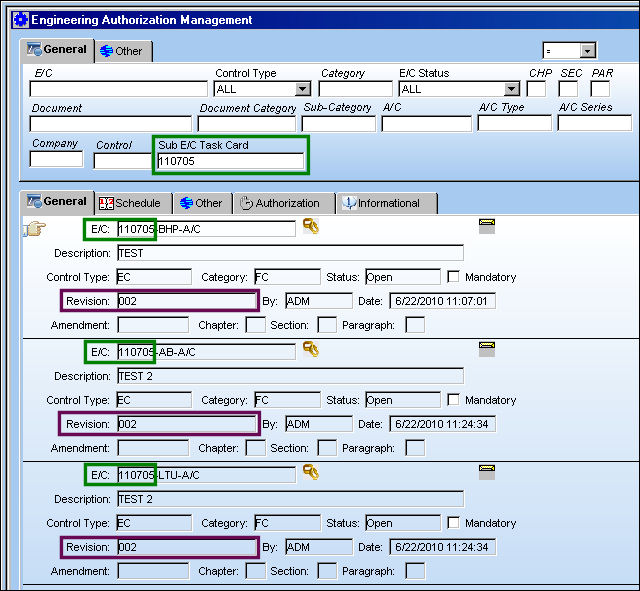
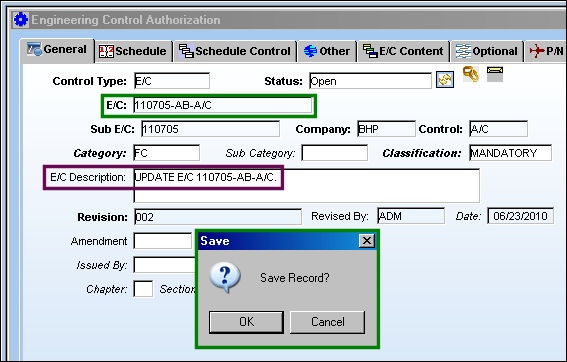
The E/C Description is updated and saved. Select the Rename/Copy button.
TRAX displays the E/C Rename/Copy window. Select the Update radio button and select Company AB. Select the Save  button. The Save prompt appears. Select 'OK'.
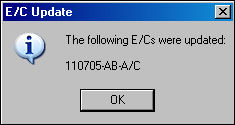
The following pop-up window appears informing the user that E/C 110705-AB-A/C has been updated. Select 'OK'. Select into E/C 110705-AB-A/C.
The Description for the below E/C has been updated:
Potential Errors and Warnings:
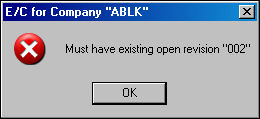
If the Company selected does not share the same Sub E/C and Open Revision number as the original three E/Cs created, TRAX will display the following error:
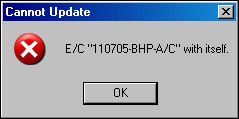
If the Company selected is the same as the originally updated E/C, TRAX will display the following error:
Share
Print
|
©1997-2026 Trax USA Corp. All rights reserved. This manual may not be copied, photocopied, reproduced, translated, or converted to any electronic or machine-readable form, in whole or in part, without prior written approval from Trax USA Corp. |
 |