
 Share
Share
 Print
Print
|
|
|
|
|


The Labor Stop  button can be used to quickly sign-off personnel who are working on Task Cards in the system. Select the Labor Stop button. The W/O Active Work Window will appear:
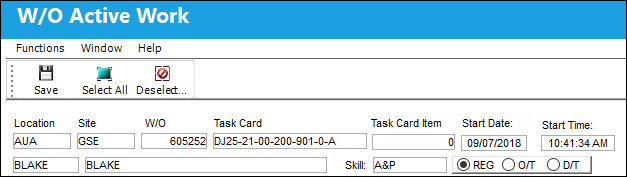
To stop everyone in the system from working, click on the Select All  button and then the Save
  button. To stop individual personnel to stop work, single click on their work record. This will highlight the record in blue. Select the Save button to stop all selected employees.
Share
Print
|
©1997-2026 Trax USA Corp. All rights reserved. This manual may not be copied, photocopied, reproduced, translated, or converted to any electronic or machine-readable form, in whole or in part, without prior written approval from Trax USA Corp. |
 |