
 Share
Share
 Print
Print
|
|
|
|
|


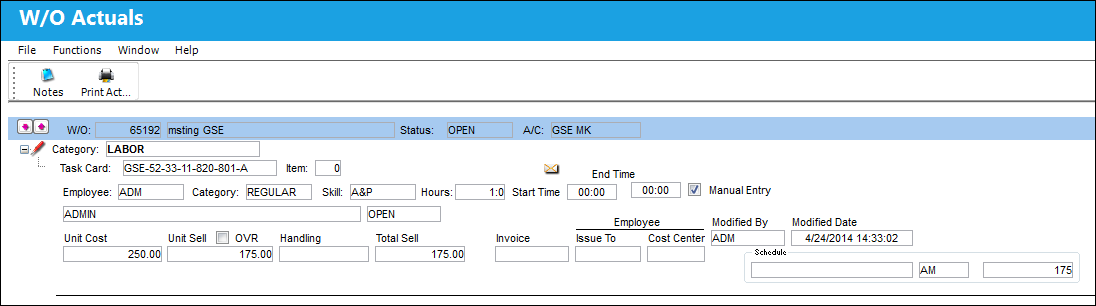
Select the Actuals  button to view Actuals (association of costs and selling prices) for each Task Card against a Work Order. The information in this window is view only and cannot be edited/updated.
Actuals appear based on information entered via the Work Order Task Card Work In Progress option or via the Labor Mnl  button (on the Work Order Selection window). This button also appears in the Shop Work Order window and contains the same functionality for a Shop Work Order.
The fields in the window appear slightly different depending on the Category of the Actuals.
The Notes  button is available to include relevant information.
Share
Print
|
©1997-2026 Trax USA Corp. All rights reserved. This manual may not be copied, photocopied, reproduced, translated, or converted to any electronic or machine-readable form, in whole or in part, without prior written approval from Trax USA Corp. |
 |