
 Share
Share
 Print
Print
|
|
|
|
|


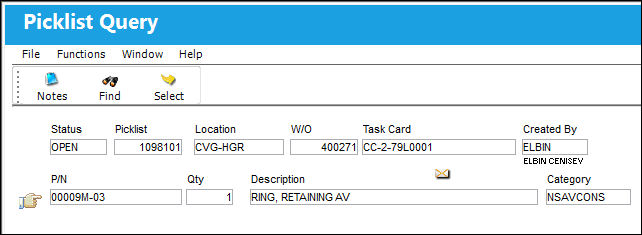
Select the Picklist Query  button to view any existing Picklist(s) for the Work Order. This option is only a query; parts cannot be added or removed from these Picklists through this option.
Select a Picklist to view more details.
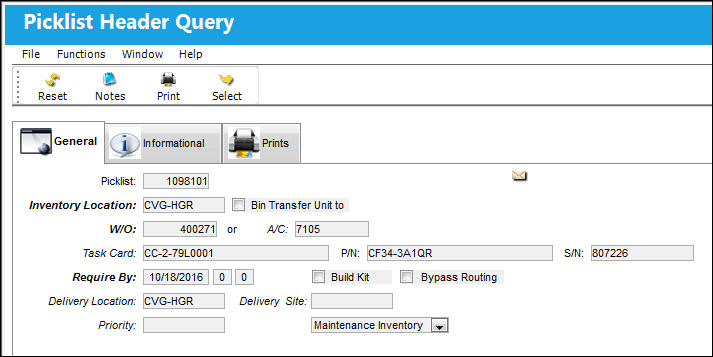
When selected, the Picklist Header Query appears. This window displays information regarding the Location and W/O.
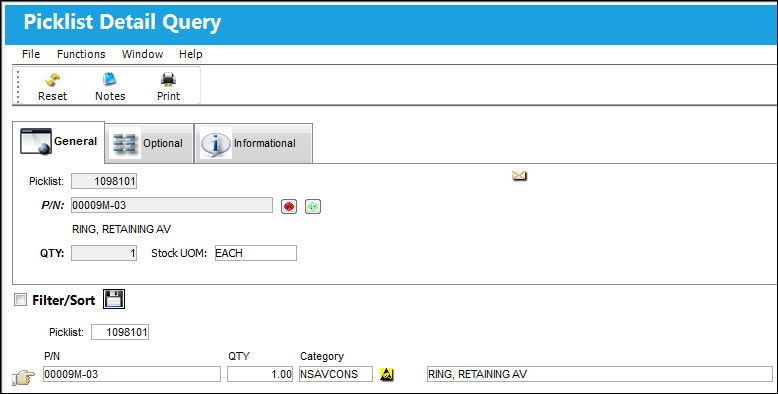
Select into the Picklist Detail Query to view the required parts and their availability.
For more information, refer to the Picklist Creation.
Share
Print
|
©1997-2026 Trax USA Corp. All rights reserved. This manual may not be copied, photocopied, reproduced, translated, or converted to any electronic or machine-readable form, in whole or in part, without prior written approval from Trax USA Corp. |
 |