
 Share
Share
 Print
Print
|
|
|
|
|


Select  on a TraxDoc Category to expand it to show the Users.
Select on a User to show the Security Settings.
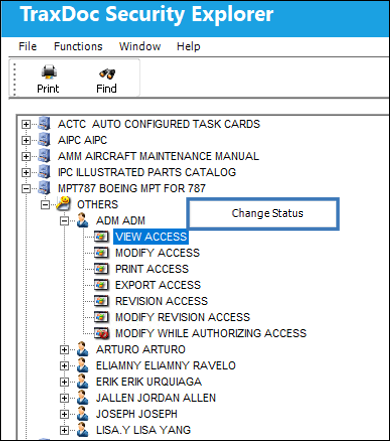
- To change any security item for a User, right-click on it and select ‘Change Status.'
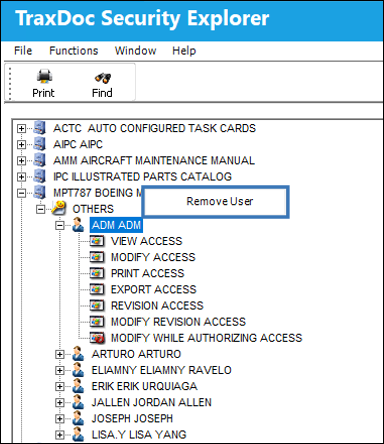
- To remove a User, right-click on the user and select ‘Remove User.'
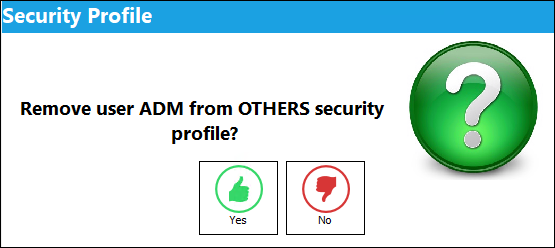
A warning message is displayed to confirm that you want to remove the user.
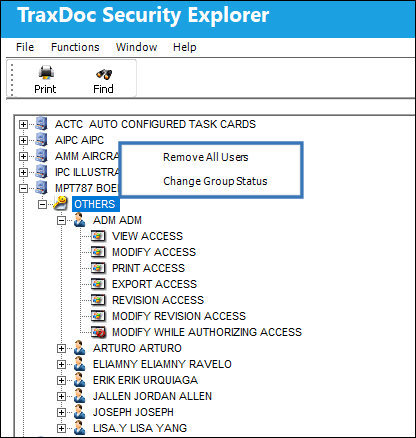
- To change the security of all the users in a group, right-click on the Security Profile Group Name and select ‘Change Group Status.'
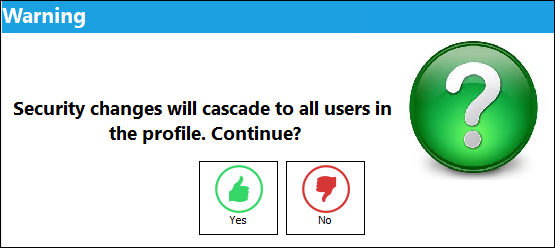
A warning will appear to confirm that you want to change security for all Users.
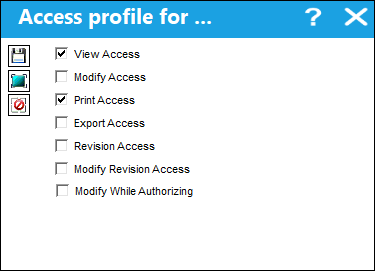
A window will appear to select the TraxDoc Security for the Users. Select the required security access and click Save.
Share
Print
|
©1997-2026 Trax USA Corp. All rights reserved. This manual may not be copied, photocopied, reproduced, translated, or converted to any electronic or machine-readable form, in whole or in part, without prior written approval from Trax USA Corp. |
 |