
 Share
Share
 Print
Print
|
|
|
|
|


TraxDoc TR Authorization
The TraxDoc TR Authorization window can be used to authorize temporary TraxDoc revisions.
From the TraxDoc TR Authorization explorer window, find the unauthorized TR, right-click over it, then select the Authorization button.
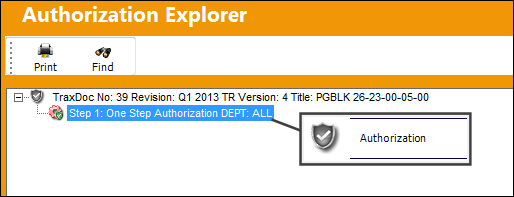
Note: Only those users who are in the required Authorization Group will have access to this window. Authorization groups for TRs are configured through the Authorization Steps button for the TraxDoc's TraxDoc Authorization Detail Routing transaction code. For more information, refer to TraxDoc Authorization Routing and Steps.
From the TraxDoc Detail Authorization window, select 'Accept' then save the window to authorize the TR.
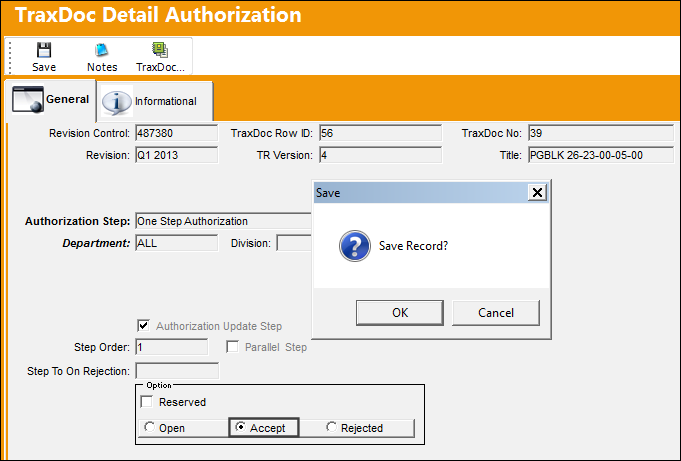
Once all steps have been accepted, the TR is fully authorized.
Share
Print
|
©1997-2026 Trax USA Corp. All rights reserved. This manual may not be copied, photocopied, reproduced, translated, or converted to any electronic or machine-readable form, in whole or in part, without prior written approval from Trax USA Corp. |
 |