
 Share
Share
 Print
Print
|
|
|
|
|


TraxDoc Explorer
Select the Expand  button on a TraxDoc Category to expand it to show the TraxDoc Documents in the category.
To view a TraxDoc Document, select it, right click and select ‘View’ to open it.
Select the tabs of the document to view information such as Document View, Authorization, Revision History, etc. To view the files go to the File Explorer Tab, highlight the files, right click and select ‘View.'
The TraxDoc Document is opened in Query Mode and can not be modified from the TraxDoc Explorer.
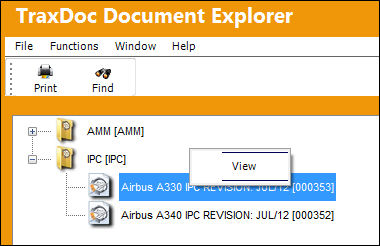
A User's Security that is set up in the TraxDoc Security Explorer will determine which TraxDoc Categories will be available to the User in TraxDoc Document Explorer.
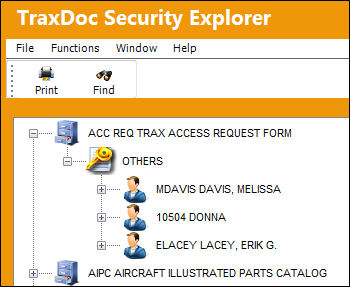
Additional functionality can be utilized through the following:
Share
Print
|
©1997-2026 Trax USA Corp. All rights reserved. This manual may not be copied, photocopied, reproduced, translated, or converted to any electronic or machine-readable form, in whole or in part, without prior written approval from Trax USA Corp. |
 |