
 Share
Share
 Print
Print
|
|
|
|
|


When the Allowed Locations Helper  button is selected, only those locations that are 'Allowed Maintenance Locations' will be displayed in the drop down selection.
The Allowed Locations Helper button will not be visible if Switch  LOCSITEHIDE is set to No.
From the Task Card Authorization, Allowed Locations tab, select the Allowed Locations Helper button.
The following Locations appear in the drop down menu.
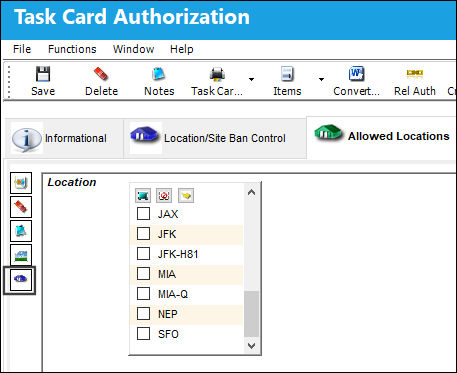
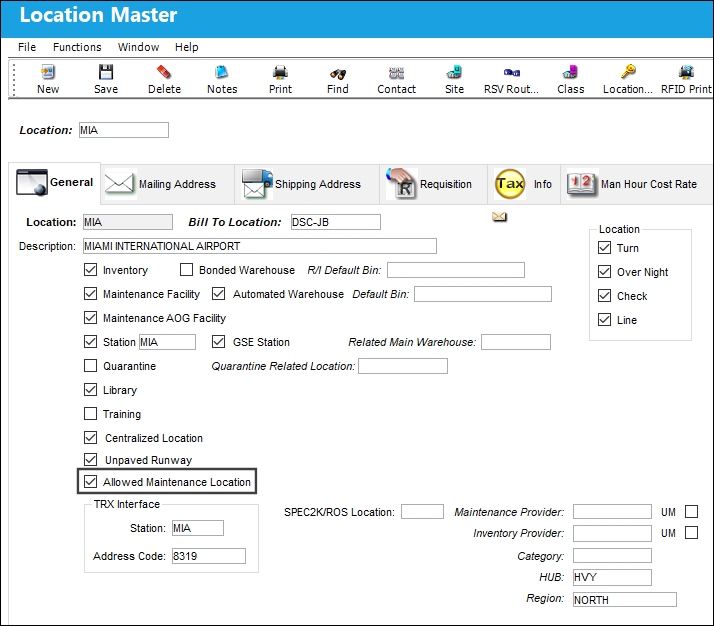
The listed locations have the 'Allowed Maintenance Location' checkbox selected.
For more information regarding the Allowed Maintenance Location checkbox, refer to the Location Master, General Tab, via the Settings Training Manual.
Share
Print
|
©1997-2026 Trax USA Corp. All rights reserved. This manual may not be copied, photocopied, reproduced, translated, or converted to any electronic or machine-readable form, in whole or in part, without prior written approval from Trax USA Corp. |
 |