 Download Online Help
 Print
|
|
|
|
|


Task Card Shop, Restrictions Tab
The Task Card Shop, Restrictions tab allows the user to view Restriction Codes for the shop Task Cards. The information in this window is a copy of the Engineering Control, Restrictions tab, and can be edited or updated with the appropriate security privileges.
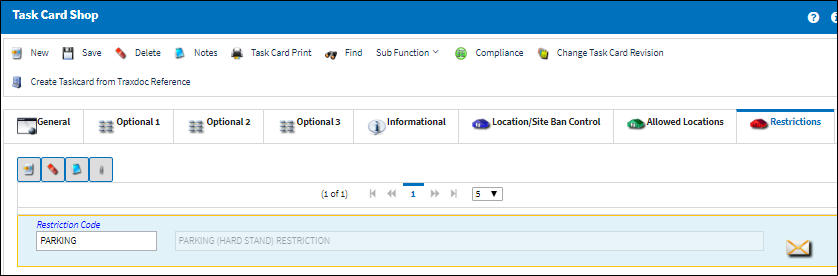
The following options/information is available in this window:
_________________________________________________________________________
Restriction Code
Reason for restriction. The available codes are set up in the Location Restrictions Transaction Code in Settings/System Transaction Code Explorer/Settings/Location Restrictions.
_________________________________________________________________________
Note: The Restriction codes are configured in the Location Master via the Settings module. These codes are created in the System Transaction code option. For more information on how Restriction codes relate to the Location Master, refer to the Site Inactive Schedule button via Location Master in the Settings manual.
Select the New  button to add multiple restriction codes.
Select the Delete  button to delete one or more restriction code(s).
The Notes  and Attachment
 buttons are available to include relevant information.
Download Online Help
Print
|
©1997-2018 Trax USA Corp. All rights reserved. This manual may not be copied, photocopied, reproduced, translated, or converted to any electronic or machine-readable form, in whole or in part, without prior written approval from Trax USA Corp. |
 |