
 Share
Share
 Print
Print
|
|
|
|
|


Task Card Shop, Location/Site Ban Control Tab
Select the New  button to determine which location(s) will not be eligible to perform Work Orders that contain the currently selected Task Card.
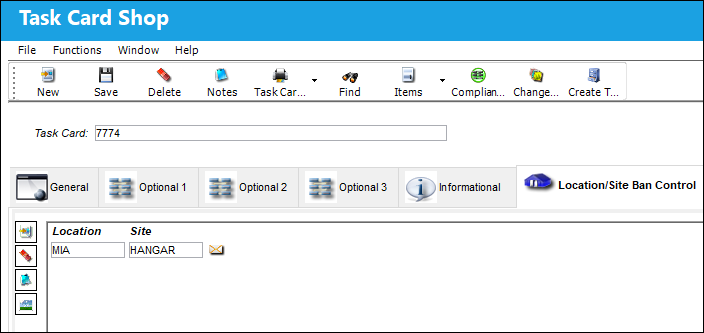
The following information/options are available in this window:
_____________________________________________________________________________________
Location
The Location for maintenance events, inventory stores, orders, transactions, or training events.
Site
The Site where the work is to be carried out (if applicable).
_____________________________________________________________________________________
If a user tries to place this Task Card on a Work Order at any of the locations listed here, the system will display the following error message:
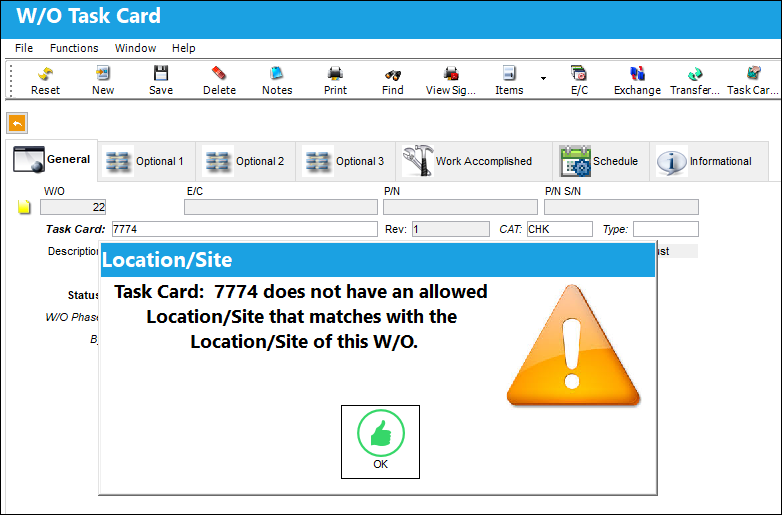
When the  LOCSITEALLOWED switch is set to NO, the system will generate a soft warning when the user attempts to attach a Task Card to a Work Order when a Location/Site in the Task Card doesn't match the Location/Site of the W/O.
Multiple records can be added or removed through the New and Delete  buttons.
Relevant information can be included through the Notes  and Image
  buttons.
Share
Print
|
©1997-2026 Trax USA Corp. All rights reserved. This manual may not be copied, photocopied, reproduced, translated, or converted to any electronic or machine-readable form, in whole or in part, without prior written approval from Trax USA Corp. |
 |