 Download Online Help
 Print
|
|
|
|
|


Inventory Transaction History Print
The Inventory Transaction History Print Window allows the user to print and then view reports that contains Inventory Transaction History information.
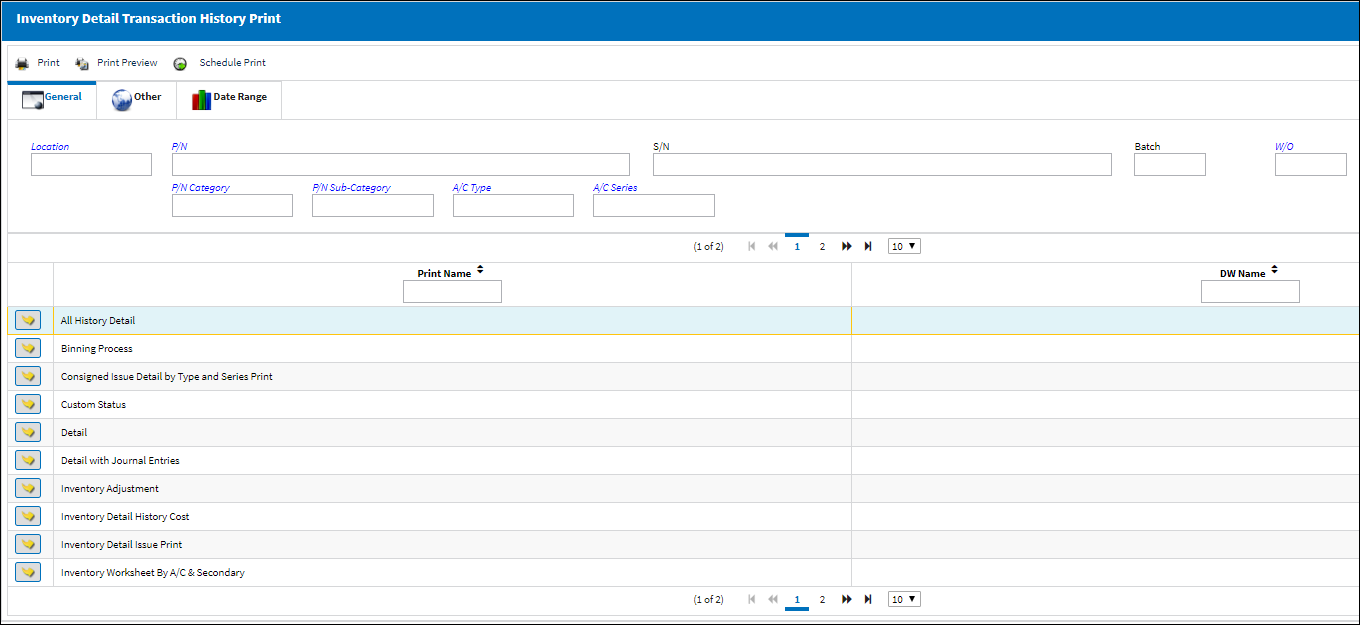
Note: These are customized prints. Print layouts and options may vary per operator.
The following options/information is available in this window:
_________________________________________________________________________
Location
The Location for maintenance events, inventory stores, orders, transactions, or training events.
P/N
The Part Number reference for the aircraft part.
S/N
The Serial Number for the specific serialized part.
Batch
The batch number that is associated with a part when introduced/received into the system.
W/O
The Work Order used to categorize, manage, and schedule work requirements for aircraft maintenance.
P/N Category
The type of part based on A/C and part description.
P/N sub Category
The Part Number's sub-category.
A/C Type
The Type of Aircraft
A/C Series
The entire Aircraft Series.
_________________________________________________________________________
Download Online Help
Print
|
©1997-2018 Trax USA Corp. All rights reserved. This manual may not be copied, photocopied, reproduced, translated, or converted to any electronic or machine-readable form, in whole or in part, without prior written approval from Trax USA Corp. |
 |