 Download Online Help
 Print
|
|
|
|
|


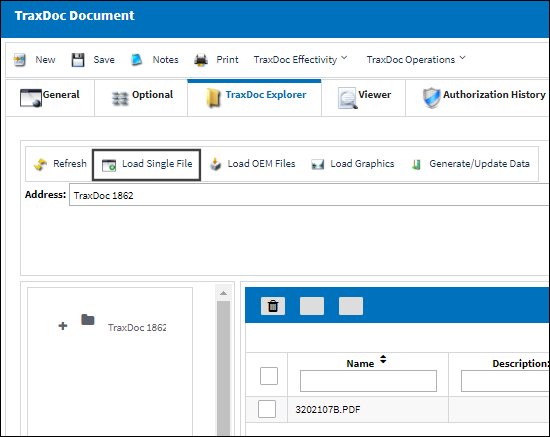
The Load Single File  button is used to import files into a TraxDoc.
From the TraxDoc Explorer tab, select the Load Single File  button.
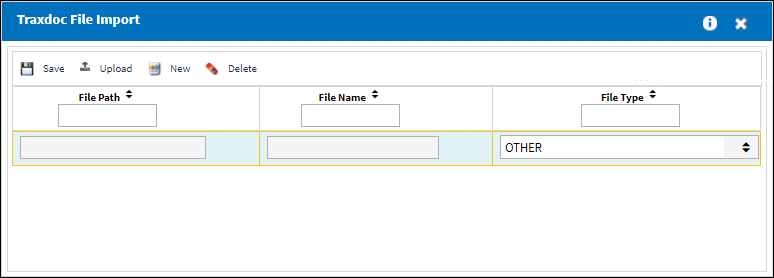
The system displays the TraxDoc File Import window. Select the Upload button.
Note: Import files saved as .txt (tab delimited), .csv (coma delimited) or .xlsx cannot have spaces in the title of the file. Spaces in the file path will cause errors when importing.
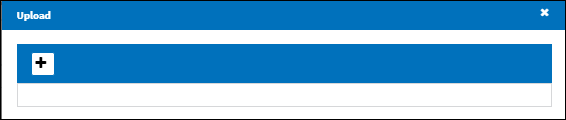
Select the Add Files  button.
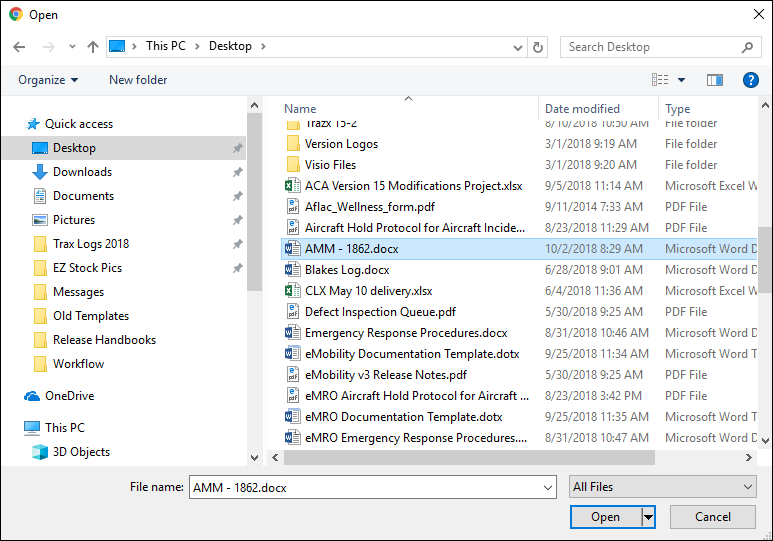
Locate the file and select 'Open'.
Once the file has been uploaded, select Save.
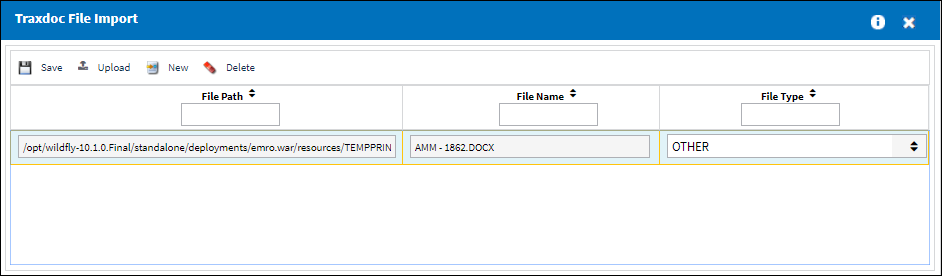
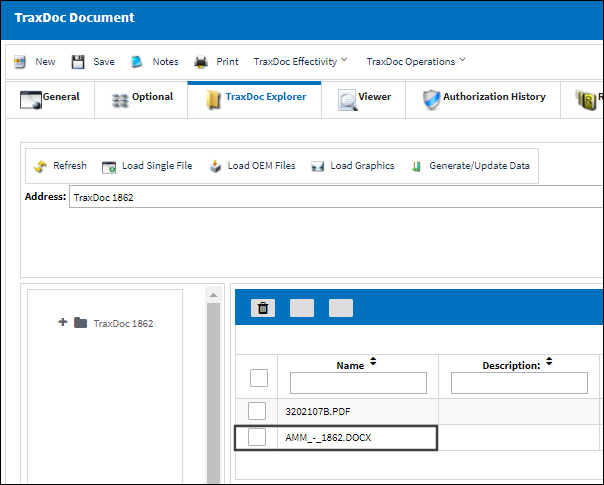
The selected file is attached to the TraxDoc.
Download Online Help
Print
|
©1997-2018 Trax USA Corp. All rights reserved. This manual may not be copied, photocopied, reproduced, translated, or converted to any electronic or machine-readable form, in whole or in part, without prior written approval from Trax USA Corp. |
 |