 Download Online Help
 Print
|
|
|
|
|


The Refresh  button can be used to refresh the current window after a file has been loaded to the current TraxDoc.
From the TraxDoc Explorer tab, select Load Single File  button.
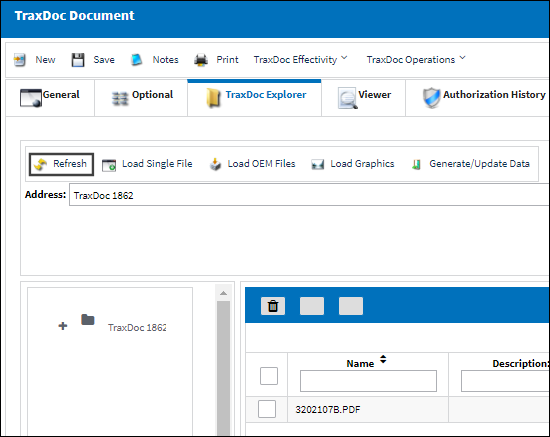
Load a file.
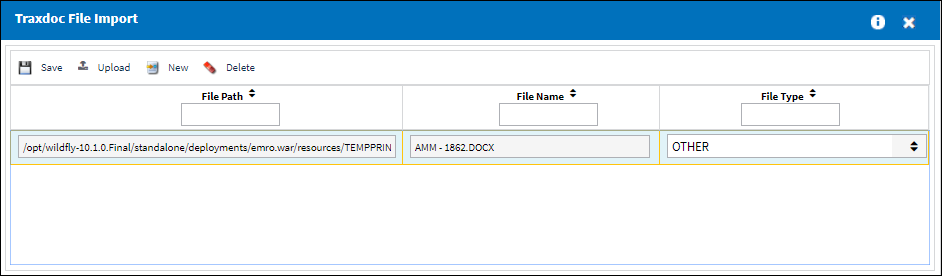
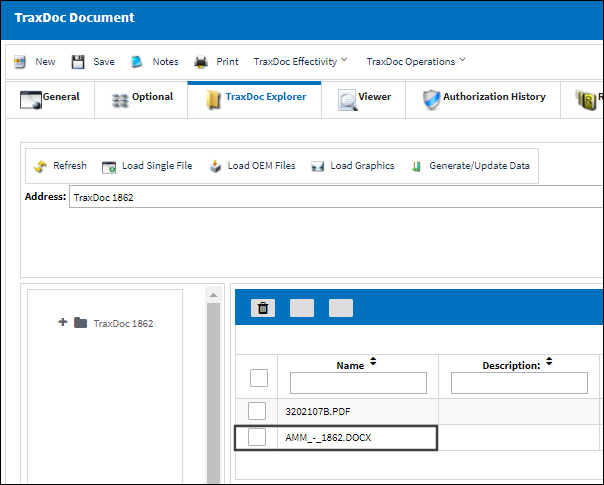
Once the file has been loaded, select the Refresh button. The file now appears in the below window:
Download Online Help
Print
|
©1997-2018 Trax USA Corp. All rights reserved. This manual may not be copied, photocopied, reproduced, translated, or converted to any electronic or machine-readable form, in whole or in part, without prior written approval from Trax USA Corp. |
 |