 Download Online Help
 Print
|
|
|
|
|


ManHour Schedule, General Tab
Select the New  button. Create the name of the Group and populate all other mandatory information. Select the Save
 button. The Save prompt appears. Select OK.
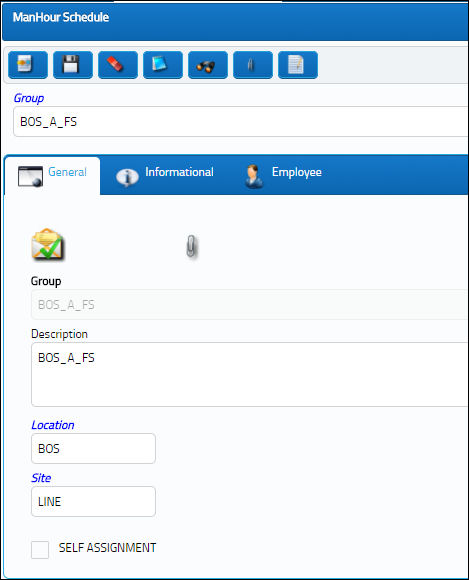
The following options/information is available in this window:
_________________________________________________________________________
Group
Enter a name for the group. This field will be grayed out once a group has been created.
Description
Enter a Description for the Group.
Location
The Location for maintenance events, inventory stores, orders, transactions, or training events.
Site
The site where the work should be carried out (if applicable).
Self Assignment checkbox
This checkbox allows employees to self assign work to themselves. When selected, the Man Hour Schedule, Daily Shift Tab appears.
_________________________________________________________________________
Download Online Help
Print
|
©1997-2018 Trax USA Corp. All rights reserved. This manual may not be copied, photocopied, reproduced, translated, or converted to any electronic or machine-readable form, in whole or in part, without prior written approval from Trax USA Corp. |
 |