 Download Online Help
 Print
|
|
|
|
|


ManHour Schedule, Daily Shift Tab
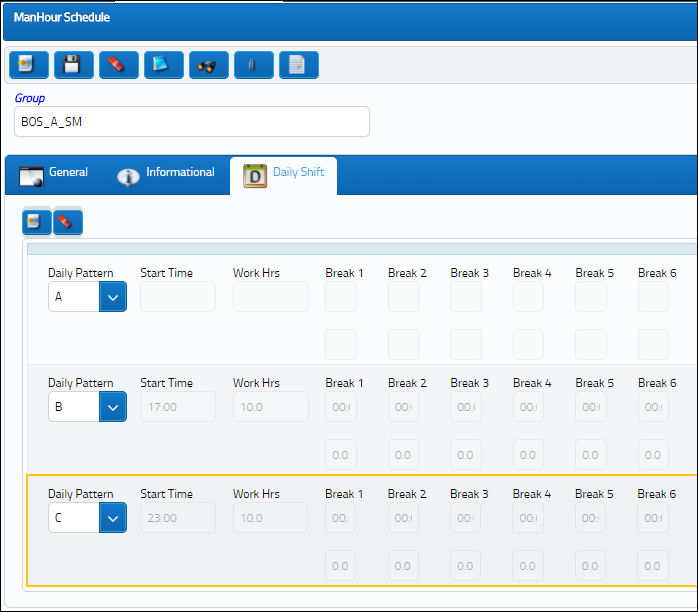
The Daily Shift tab allows the user to assign daily shift patterns (i.e. start/end times, break times etc. . .) to a group of employees.
Note: This Tab only appears when the Self Assignment checkbox is selected in the General tab.
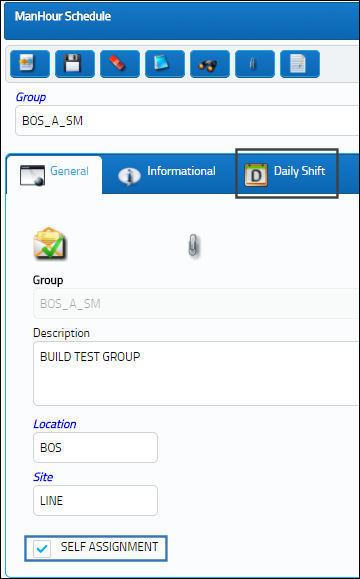
eMRO displays the Daily Shift tab as shown below.
Select the New  button to add a Daily Shift pattern.
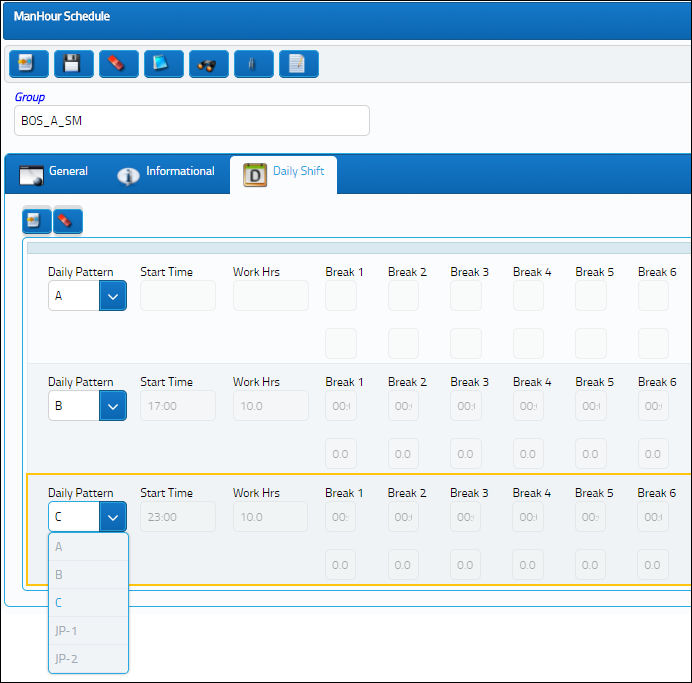
A new field appears where the user may select a shift pattern from a drop down menu.
For information regarding how to create a shift pattern, refer to Daily Shift Pattern section of the Planning Training manual.
Select the Delete  button to delete a daily shift pattern.
Select the Save  button to save a daily shift pattern.
Download Online Help
Print
|
©1997-2018 Trax USA Corp. All rights reserved. This manual may not be copied, photocopied, reproduced, translated, or converted to any electronic or machine-readable form, in whole or in part, without prior written approval from Trax USA Corp. |
 |